WIP
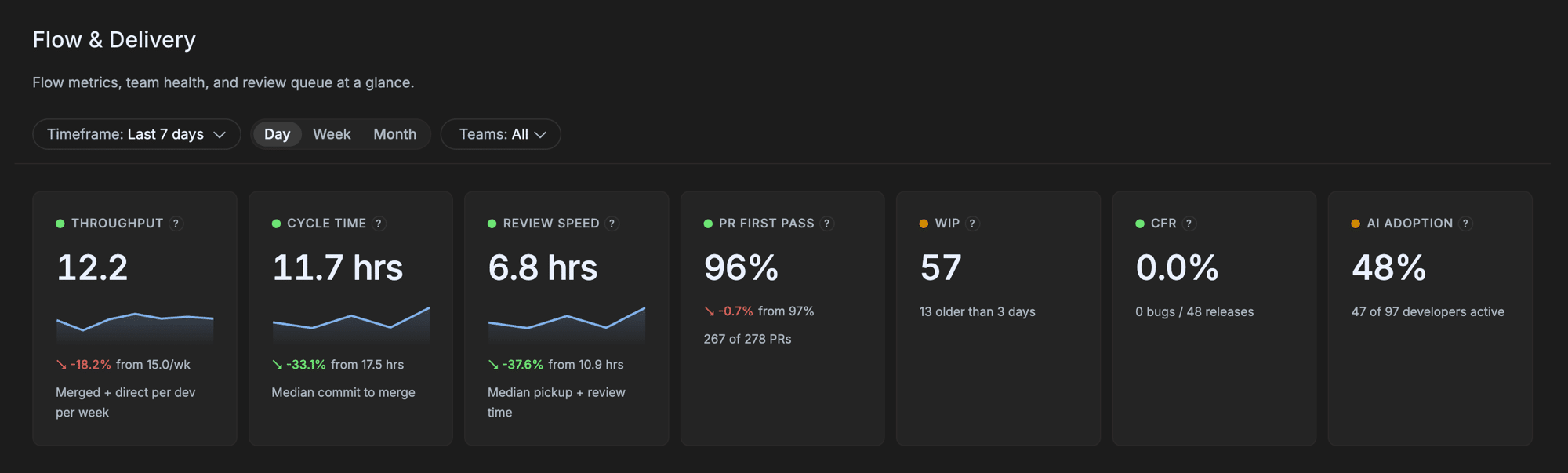
Number of pull requests currently open. The backlog of unmerged work.
- Family
- Flow & Cycle Time
- Cadence
- Point-in-time snapshot, trended over the window
At a glance
WIP is the simplest metric in the dashboard. It is the count of open PRs — a snapshot of how much work is in flight at any moment. Despite being simple, it is one of the most operationally useful: a rising WIP almost always means a problem (reviewers overloaded, PRs stalled, big-bang releases incoming), and a flat low WIP almost always means a healthy flow.
It is the metric every team lead should glance at every Monday morning.
Formula
WIP = count(open PRs at snapshot time)
For trend lines, the count is sampled at fixed intervals across the window and plotted.
How GitKraken Insights calculates it
A PR is in WIP if its state = 'open' and it is not a draft. Bot-authored PRs are excluded.
For the trend view, the backend samples the count at a daily cadence (or whatever the chart granularity is set to) and plots it.
Why it matters
WIP is the metric that links your team’s review process to your team’s flow:
- High WIP relative to team size = review bottleneck. Rule of thumb: WIP should be 1.5–2× the number of active developers. A team of six with 25 open PRs has too much in flight.
- Rising WIP over time = problem brewing. Even if absolute WIP is moderate, a trend up is a leading indicator that something is broken.
- WIP suddenly dropping is suspicious. Usually it is a release week clearing the queue, but occasionally it is “we gave up on a chunk of work” — worth investigating either way.
How to read it
For per-team WIP, rule-of-thumb thresholds:
- < 1.5×Lean — likely shipping fast
- 1.5× – 2.5×Healthy — typical for engaged teams
- 2.5× – 4×High — review queue likely backed up
- > 4×Stuck — major flow problem, action needed
For org-level WIP, watch the trend. Sudden spikes always tell a story. Slow drifts upward over weeks usually indicate review process drift.
Settings that affect it
None. WIP is a raw count.
How to improve it
- Run a weekly review-clearing ritual. 15 minutes on Monday. Walk through the oldest open PRs in your repo. Ship, deadline, or close each one.
- Set a team WIP limit. “No more than 12 open PRs at once.” When you hit the limit, no one opens a new PR until one merges. Forces the team to clear the queue.
- Reviewer rotation. A team with one designated reviewer accumulates WIP fast. Rotate or spread the review load.
- Close abandoned PRs. Some PRs in WIP are dead — the author moved on, the work was descoped, the approach changed. Closing them clarifies the actual backlog.
Limitations and gotchas
- A snapshot, not an average. WIP varies through the week (highest Thursday afternoon, lowest after weekend merges). One snapshot can mislead; trend tells the story.
- Drafts are excluded. A team that uses drafts heavily has WIP that under-counts the actual work in flight.
- Bots are excluded.
- No size weighting. WIP doesn’t care if those 25 open PRs are all 0.1-effort dep bumps or all 0.9-effort migrations.
FAQ
We use stacked PRs (PR2 depends on PR1). Does that inflate WIP?
Yes — every open PR counts. If your team uses stacking heavily, your WIP rule-of-thumb threshold should be higher (closer to 3× active devs).
A specific old PR has been open for six months. Should I close it?
Almost certainly yes. PRs older than ~30 days are vanishingly likely to merge. They distort WIP and waste reviewer mental bandwidth.
How do I see which PRs are in WIP?
Open PRs are visible in your repo’s PR list and in the underlying data on /ai-adoption/data-explorer. The dashboard surfaces WIP as a count and trend.
Related metrics
| Metric | Relationship |
|---|---|
| Cycle Time | High WIP often causes a long Pickup phase (reviewers overloaded). |
| Throughput | Outflow rate. WIP / Throughput ≈ average days a PR sits open. |
| Review Cycles | Indirectly — PRs with many cycles contribute to higher WIP. |
Where it appears
/ai-adoption/ai-impactWIP trend chart available as a breakdown view.