
Level: New Developers
Primary Goal: Use GitLens Git intelligence to gain context, reduce risk, and make confident changes
When to use this workflow
Use this workflow when you are:
-
New to a repository or team
-
Modifying code you did not write
-
Unsure why certain logic exists
-
Looking to understand history, ownership, and intent before making changes
Real-world scenario
You have been asked to update a function that occasionally breaks production. You did not write it, and you are still learning how the system works.
How GitLens helps (in practice)
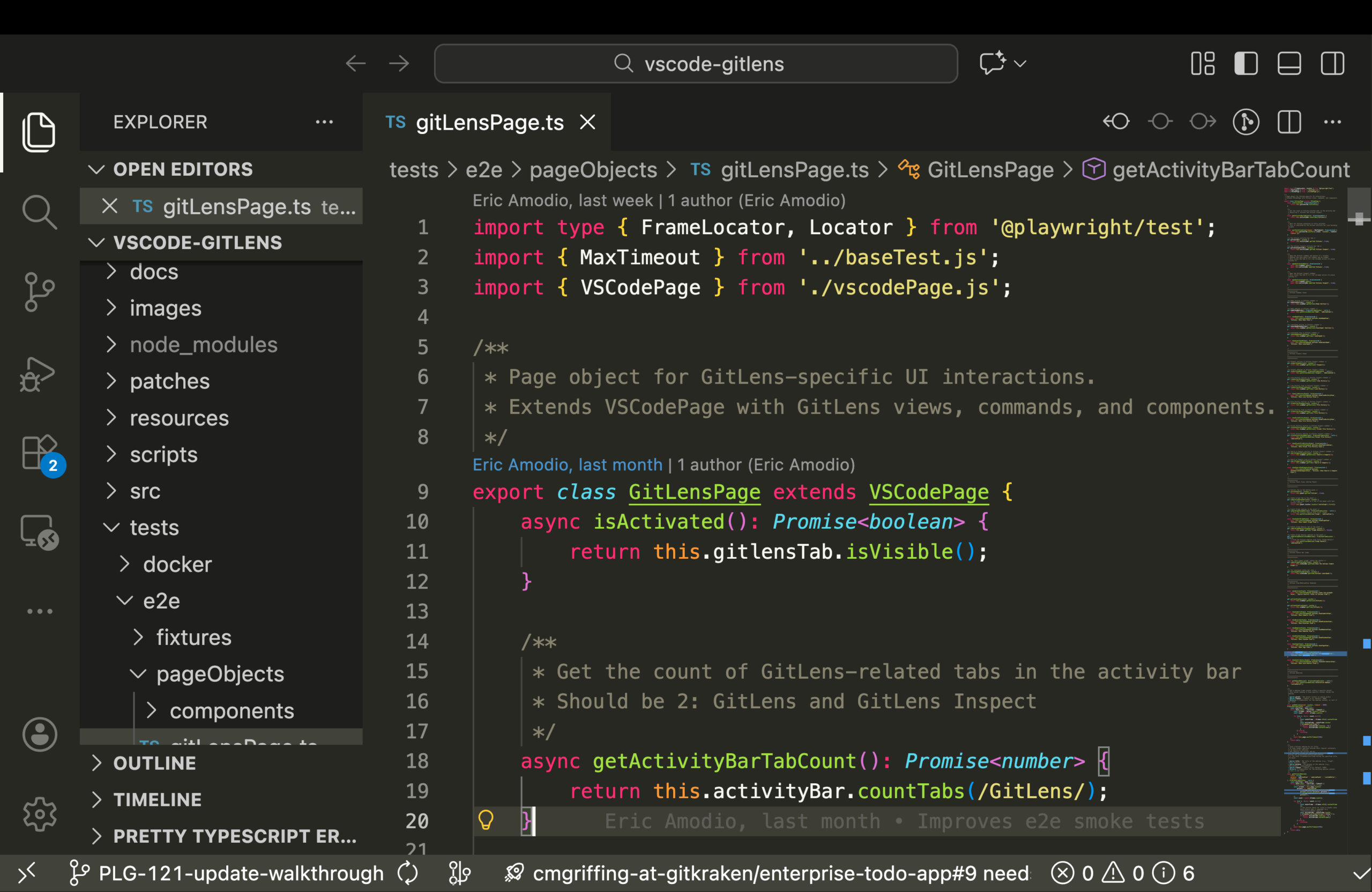
You open the file and immediately start leveraging GitLens Git intelligence, which surfaces repository context directly inside your editor. At the top of the function, CodeLens appears automatically, showing who last modified the code, when it changed, and how many commits touched it. Clicking the CodeLens opens commit details so you can see the diff and the reasoning behind the change.
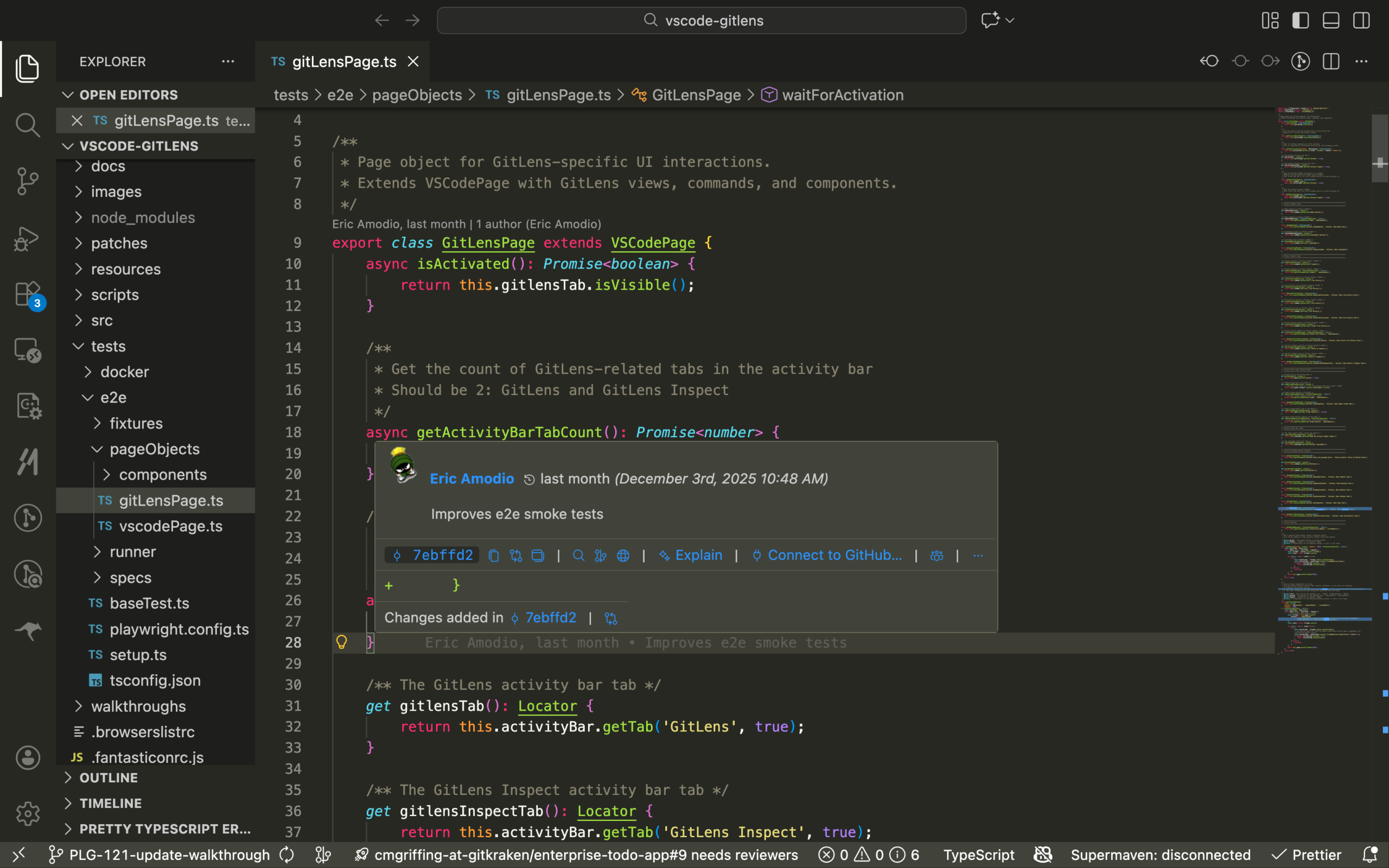
As you move through the file, Inline Blame appears when you move your cursor to individual lines, revealing the author, commit message, and timestamp for each line of code, and letting you jump straight into the commit that introduced it.
To understand how this function fits into the broader evolution of the project, you open the Commit Graph from the GitLens sidebar, where you can visually trace commits, branches, and merges related to the file.
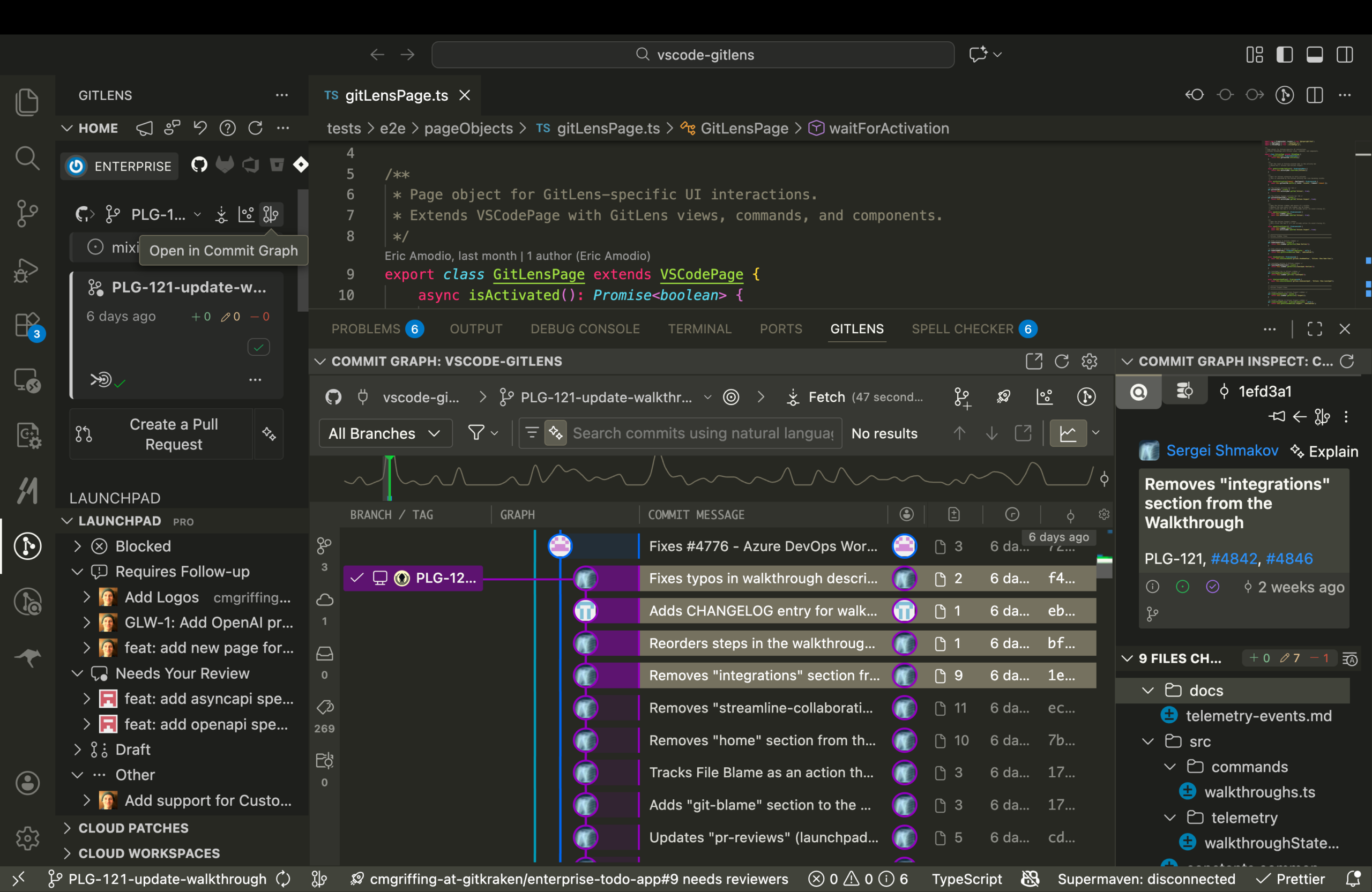
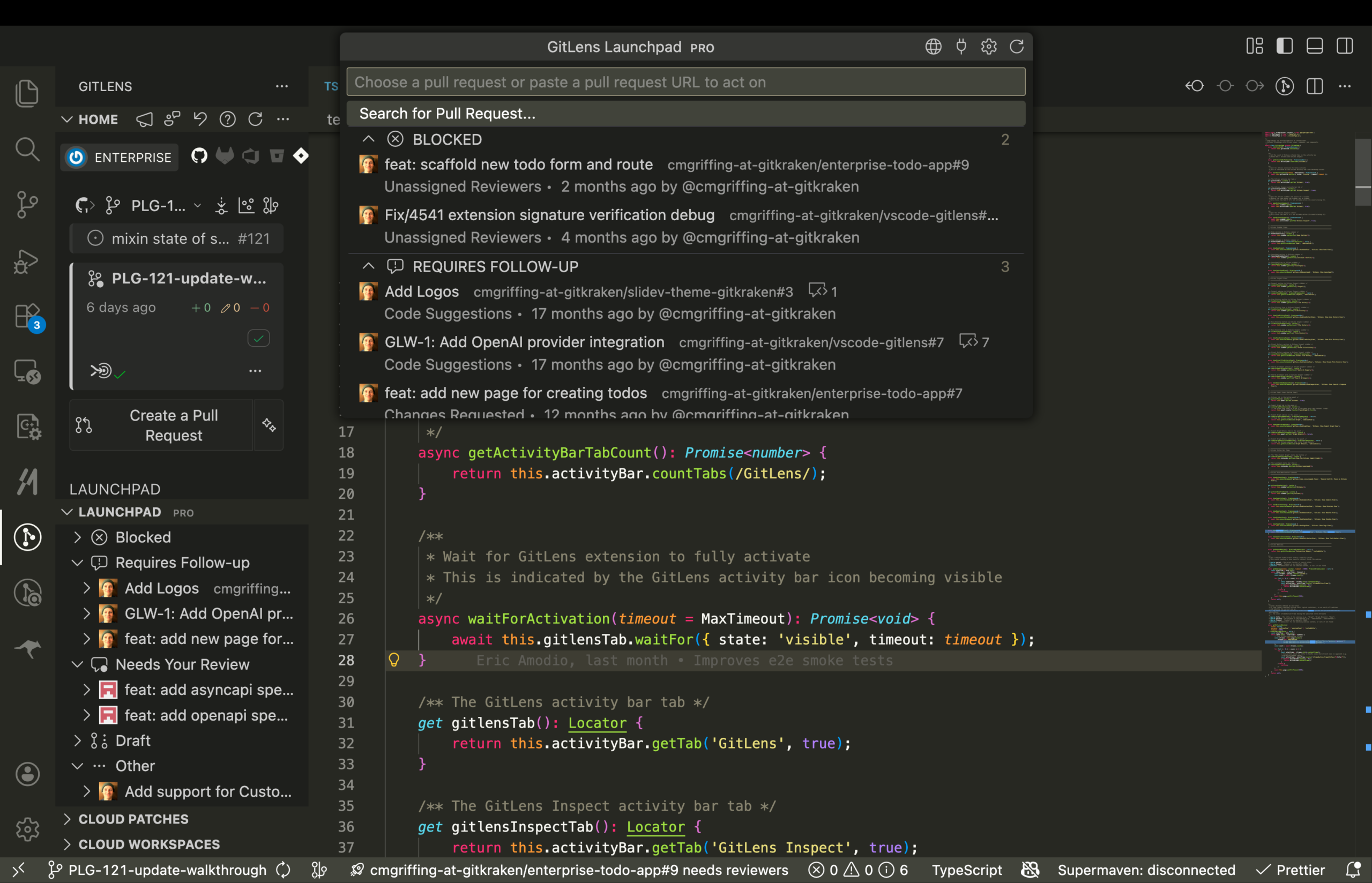
Before making your change, you open Launchpad, which centralizes pull requests, reviews, and branch status, so you can confirm there is no overlapping work that might conflict.
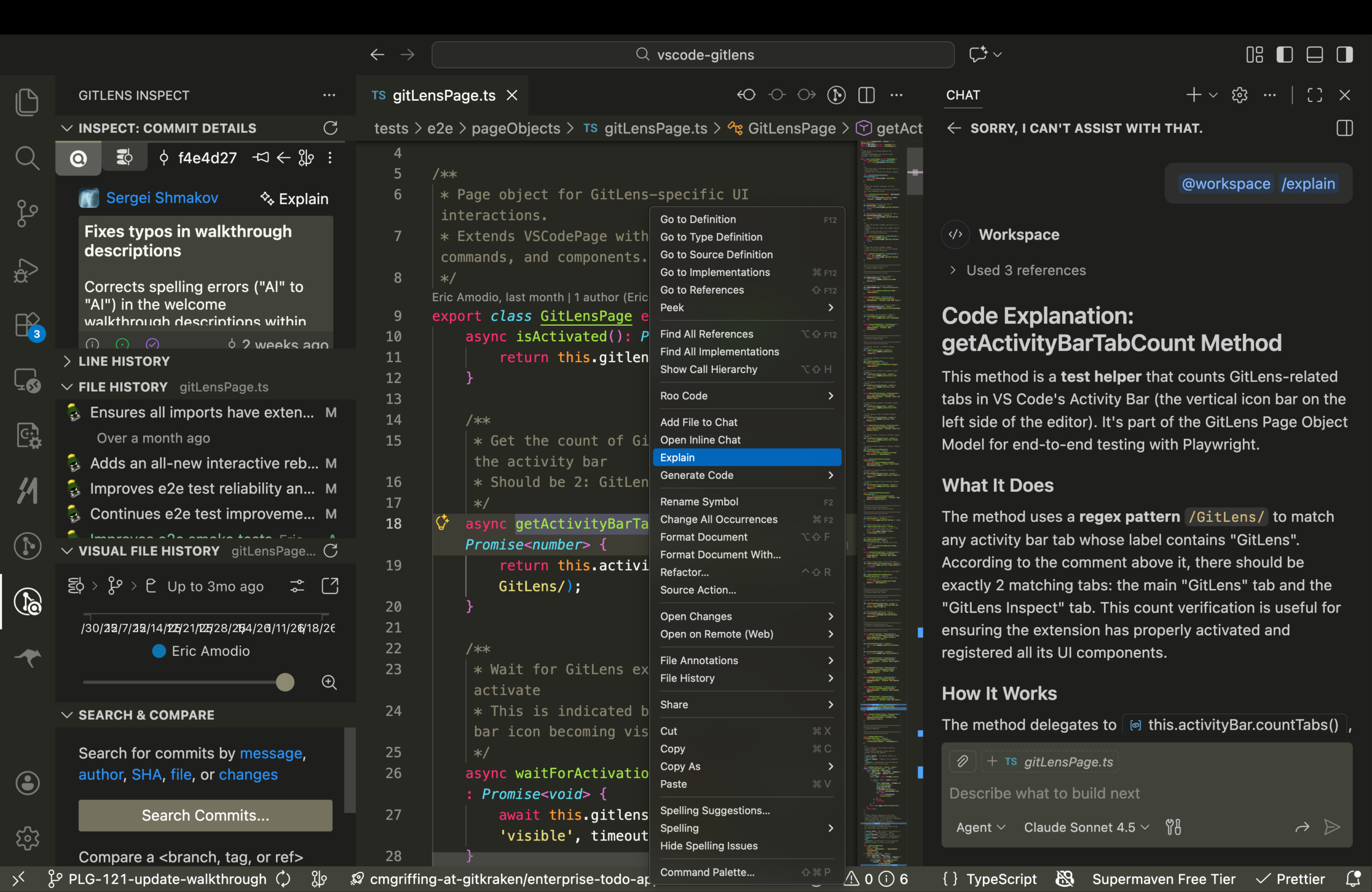
Finally, you use GitKraken AI from the editor or command palette to explain what the function does and summarize your uncommitted changes, giving you an additional layer of validation before committing.
GitLens turns Git history into actionable intelligence, helping you understand not just what the code does, but why it exists.
Key GitLens features used
Outcome
You make a well-informed change backed by Git intelligence, reducing risk and building confidence in an unfamiliar codebase.
