

Last updated: May 2026
Release notes for GitLens version 17.x releases.
Current Release Notes (v18.x) | Older Release Notes (v16.x and earlier)
Version 17.12
Wednesday, April 15, 2026
GitLens 17.12 introduces an expandable sidebar for the Commit Graph, a conflicted files panel in the Interactive Rebase Editor, and significantly faster inline blame powered by in-memory snapshots and progressive streaming. This release also expands MCP agent support beyond VS Code, adds branch activity dates to the Home view, and delivers a wide range of fixes across worktree handling, graph rendering, and integration reliability.
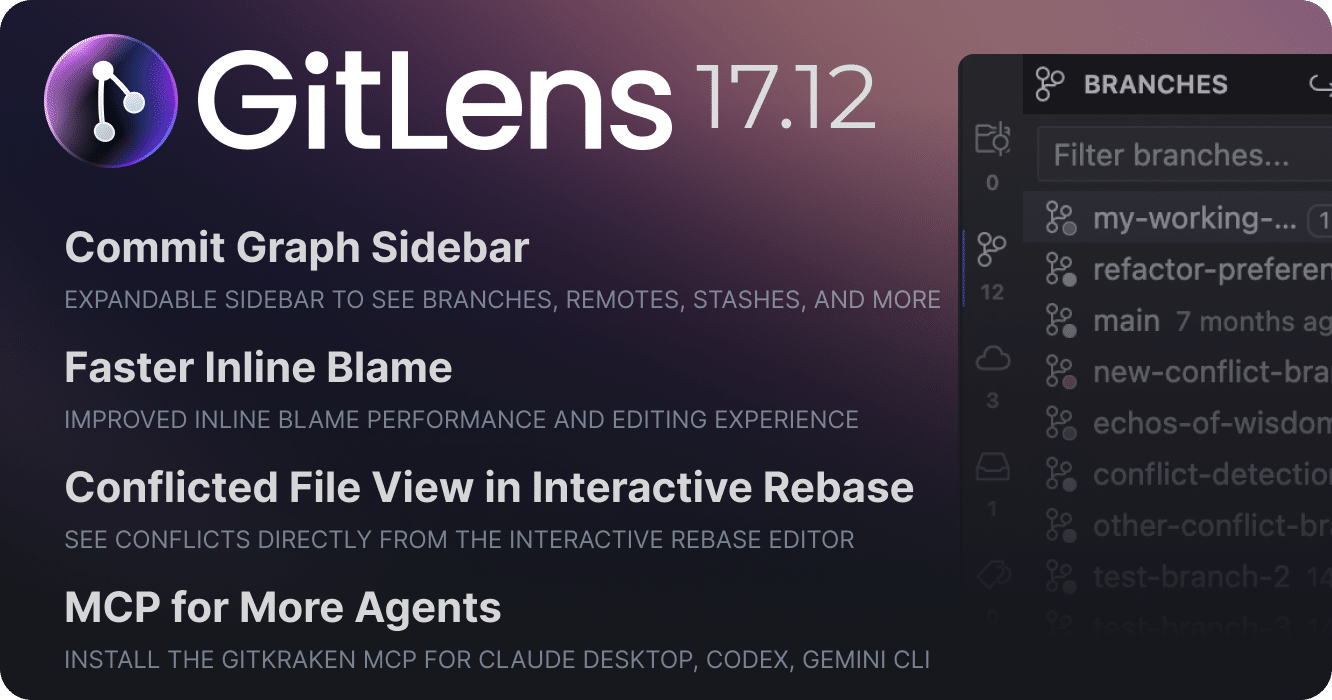
Commit Graph Sidebar
The Commit Graph now includes an expandable sidebar that puts branches, remotes, stashes, tags, and worktrees within easy reach. Toggle between list and tree layouts, see real-time status indicators, and use context menus and inline actions to operate on refs without leaving the graph.
Conflict Resolution in the Interactive Rebase Editor
When a rebase encounters conflicts, the Interactive Rebase Editor now surfaces a dedicated conflicted files panel. Each conflicting file shows per-file conflict counts, a status indicator, and actions to view either the current or incoming changes.
Faster Inline Blame
Inline blame annotations are now faster and more responsive. Instead of spawning a new Git process on every save, blame is served from an in-memory snapshot with drift-based invalidation that prevents auto-save thrashing and maintains accurate blame attribution even in dirty documents. Annotations also now render incrementally as results stream in from Git, with viewport-aware updates and parallelized avatar loading, so you see results sooner rather than waiting for the entire file to complete.
MCP Agent Expansion
The GitKraken MCP server can now be registered with additional AI agents detected on your machine, including Claude Desktop, Codex, and Gemini CLI. Connect them after MCP installation or via the “Connect More Agents” action in the Home view, Welcome view, or Command Palette.
Branch Activity in the Home View
The Home view recents now display branch activity dates, sorted by most recent activity. Each branch shows the most relevant activity label, making it easy to find and return to branches you’ve been working on.
Added
- Adds the ability to register the GitKraken MCP server with additional agents detected on your machine (e.g. Claude Desktop, Codex, Gemini CLI) — available after MCP installation or via the “Connect More Agents” action in the Home view, Welcome page (#5096)
- Adds an expandable sidebar to the Commit Graph — provides quick access to branches, remotes, stashes, tags, and worktrees with list and tree layouts, real-time status indicators, context menus, and inline actions (#5129)
- Adds a conflict files panel to the Interactive Rebase Editor — shows conflicting files with per-file conflict counts, conflict status indicators, and actions to view current or incoming changes (#5040)
- Adds branch activity dates to the Home view recents — sorts by most recent activity and displays the most relevant activity label (#5034)
- Adds a
gitlens.defaultCurrentUserNameStylesetting to control how the current user is displayed in blame annotations, hovers, and other UI elements — choose between “You”, the user’s name, or “<user-name> (you)” (#5088, #1230, #4136, #4745) - Adds markdown rendering to commit message hovers and tooltips (#5097, #4228)
- Adds file filtering to the Commit Details view (#5132)
- Adds support for creating worktrees directly from commits in the sidebar and Commit Graph context menus (#5130)
- Adds sort menus to the unified SCM grouped view for Branches, Tags, Remotes, Contributors, Repositories, and Worktrees (#5110)
Changed
- Improves inline blame performance and editing experience — serves blame from an in-memory snapshot instead of spawning git processes on every save, with drift-based invalidation to prevent auto-save thrashing and accurate blame attribution in dirty documents (#5098)
- Improves blame annotation responsiveness with progressive streaming — annotations now render incrementally as results arrive from Git, with viewport-aware updates and parallelized avatar loading (#5089)
- Improves the Commit Graph search auto-complete experience (#4890)
- Improves Commit Graph hover behavior to prevent flickering during row-to-row transitions and clipping issues (#5134)
- Improves support for comparing merge conflicts with a working files picker and improved rename detection
- Improves worktree icons on the Branches view to indicate working changes (#5072)
- Improves error handling, logging, and telemetry for CLI and MCP integration issues (#5057)
- Improves non-UTF-8 encoding support in Git operations — ensures raw buffers are decoded correctly and forces UTF-8 output in blame commands for consistent parsing
- Improves the revision file picker with resource URI-based file icons and fixes an issue where “back” navigation was incorrectly filtered during search
- Improves merge base retrieval for paused cherry-pick and revert operations to provide better context during conflict resolution
Fixed
- Fixes an issue where the
sortBranchesByandsortTagsBysettings were not honored by the Branches, Remotes, and Tags views — sort always used the defaultdate:desc(#5109) - Fixes an issue where the File History view would show stale history after closing all editors instead of clearing (#4853) — thanks to PR #4854 by wolfsilver (@wolfsilver)
- Fixes an issue where the terminal integration was not detected until relaunched (#4977)
- Fixes an issue where VS Code would switch to the Source Control sidebar and reveal the GitLens view on every restart or project change (#5082)
- Fixes the Worktrees view showing a misleading ‘upgrade your Git’ message when opening a virtual GitHub repository (#5056)
- Fixes provider id mismatch for cloud-connected self-hosted integrations (#5031)
- Fixes an issue where Launchpad in the Home view, status bar indicator, MCP tools, and Start Review would fail to show any pull requests when one integration provider had an authentication failure — now shows partial results with a warning indicator (#5062, #4492)
- Fixes an issue in the Home view where branches checked out in the default worktree showed “Switch to Branch…” instead of “Open Worktree” (#5105)
- Fixes an issue where the Switch command failed to redirect to opening a worktree when the target branch was checked out in the default worktree
- Fixes an issue where stray
.gitdirectories were created in sub-folders when opening a sub-folder of a repository (#5080) - Fixes an issue where an error toast appears when fetching organizations without an active session (#5104)
- Fixes an issue where the Commit Graph header would fail to load in multi-repo workspaces (#5108)
- Fixes an issue where worktrees could silently disappear from the Commits view, sidebar, and repository quick picks depending on repository discovery order (#5133)
- Fixes an issue where cherry-pick would jump directly to confirmation without showing the expected steps (#5087)
- Fixes an issue where duplicate commits could appear in the Interactive Rebase Editor due to stale document states
- Fixes an issue where applying a patch could incorrectly show a “No valid patch” error
- Fixes an issue where the MCP server and patch provider could create invalid files on Windows (#5113)
- Fixes an issue where 100% CPU usage could occur after running Show File History (#5037)
- Fixes an issue where the
gitlens_commit_composerMCP tool would not return error text for non-git directories (#4971) - Fixes scrollbar styling in popover and autocomplete components
Removed
- Removes the Open File action when diffing staged new files — VS Code introduced a duplicate action in 1.106.0 (#5081)
Version 17.11
Wednesday, March 4, 2026
GitLens 17.11 brings smarter Commit Composer composition that uses your existing commits as context, expands MCP tool support to Cursor and other VS Code-based IDEs, and adds the latest Claude and Gemini AI models. This release also delivers a focused set of bug fixes for Jira and Linear integration, GitLab workflows, and stash operations.
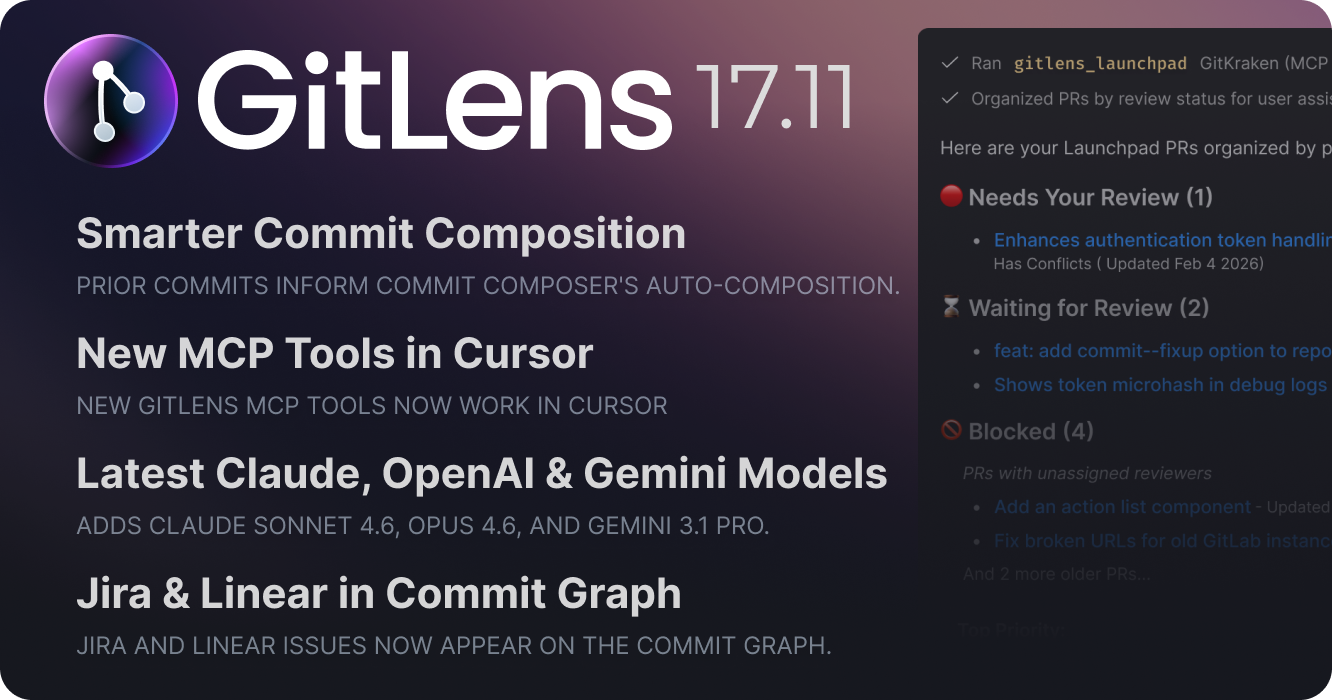
Commit Composer: Context-Aware Composition
Commit Composer is now smarter about what it knows when generating commits for you. When you have existing commits on your branch and compose new changes, Commit Composer reads those prior commit messages and uses them as context. Commit Composer understands the narrative arc of your branch, what you’ve already captured in previous commits, and produces new commits that are consistent in style, scope, and intent.
Previously, Commit Composer analyzed only the raw diff of your working changes. If you’d already made two well-structured commits and had more WIP to compose, it had no awareness of those earlier commits. Now it does, and the result is a more coherent commit history.
This release also reduces noise during multi-pass composition sessions: you’ll see far fewer repeated warnings about large token usage when recomposing within the same session.
MCP Tools Now Available in Cursor
The GitKraken MCP tools introduced in GitLens 17.10 (Start Work, Start Review, Commit Composer, and Launchpad) are now available in Cursor and other VS Code-based IDEs. Previously limited to VS Code, these tools enable AI agents in your IDE to automate branch creation, code review setup, commit composition, and PR triage directly from natural language prompts.
New AI Models
GitLens 17.11 adds support for Claude Sonnet 4.6, Claude Opus 4.6, and Gemini 3.1 Pro for AI-powered features. Select your preferred model in GitLens settings under AI providers.
Standalone Welcome View
The Welcome view is now its own standalone view, separate from Home, so it won’t interfere with your Home view experience.
Added
- Adds support for Claude Sonnet 4.6, Claude Opus 4.6, Gemini 3.1 Pro Preview, and Gemini 3.1 Flash-Lite Preview AI models (#4991)
- Adds basic support for Git submodules — including repository discovery, tracking, and UI icons and tooltips to distinguish submodules in views and quick picks (#1048, #1803)
Changed
- Improves tracking for connecting flow actions by adding ide attributes to gk.dev links (#4905)
- Refactors the Welcome view to be a standalone view separate from the Home view, improving modularity and allowing the Welcome walkthrough to be displayed independently without requiring the Welcome Overlay (#4970)
- Improves the quality of output when recomposing branches in the Commit Composer by including commit messages of the previous commits as context (#4874)
- Changes logging to use VS Code’s native LogOutputChannel — the custom output level setting has been deprecated in favor of native VS Code log level controls
- Switches out deprecated Bitbucket provider API method (#4967)
- Improves performance of the file system provider by adding an LRU cache to the search tree
- Improves Git shell operations by converting synchronous file system calls to async
Fixed
- Fixes an issue in the Start Review command where it opens the wrong branch with GitLab repos (#4975)
- Fixes an issue where authentication errors were not properly displayed in Launchpad when GitLab integration credentials were revoked (#4944)
- Fixes an issue where stashing only unstaged changes could incorrectly stash everything (#4503)
- Fixes an issue where Jira and Linear issues were not shown on the Commit Graph unless a Git hosting integration (e.g. GitHub) was also connected (#4640)
- Fixes highlighting delays that can occur in Commit Composer when selecting large commits (#4872)
- Fixes repeated warnings about large token usage in the same session in Commit Composer (#4800)
- Fixes an issue where MCP registration can stop working if CLI binary goes missing after the CLI was successfully installed
- Fixes an issue where continuing a paused revert operation would incorrectly abort instead of continuing
- Fixes an issue with rebase todo parsing when using newer Git versions that use
#prefixes in commit messages - Fixes an issue with incorrect ref resolution for merge conflict nodes
- Fixes an issue where nested repositories could fail to be removed when workspaces change
Version 17.10
Wednesday, February 11, 2026
GitLens 17.10 delivers significant improvements to Commit Composer, introduces commit signing support across all GitLens operations, and adds powerful new MCP tools for AI-assisted workflows. This release also includes major performance optimizations for worktree users, making GitLens faster and more efficient when working with multiple worktrees.
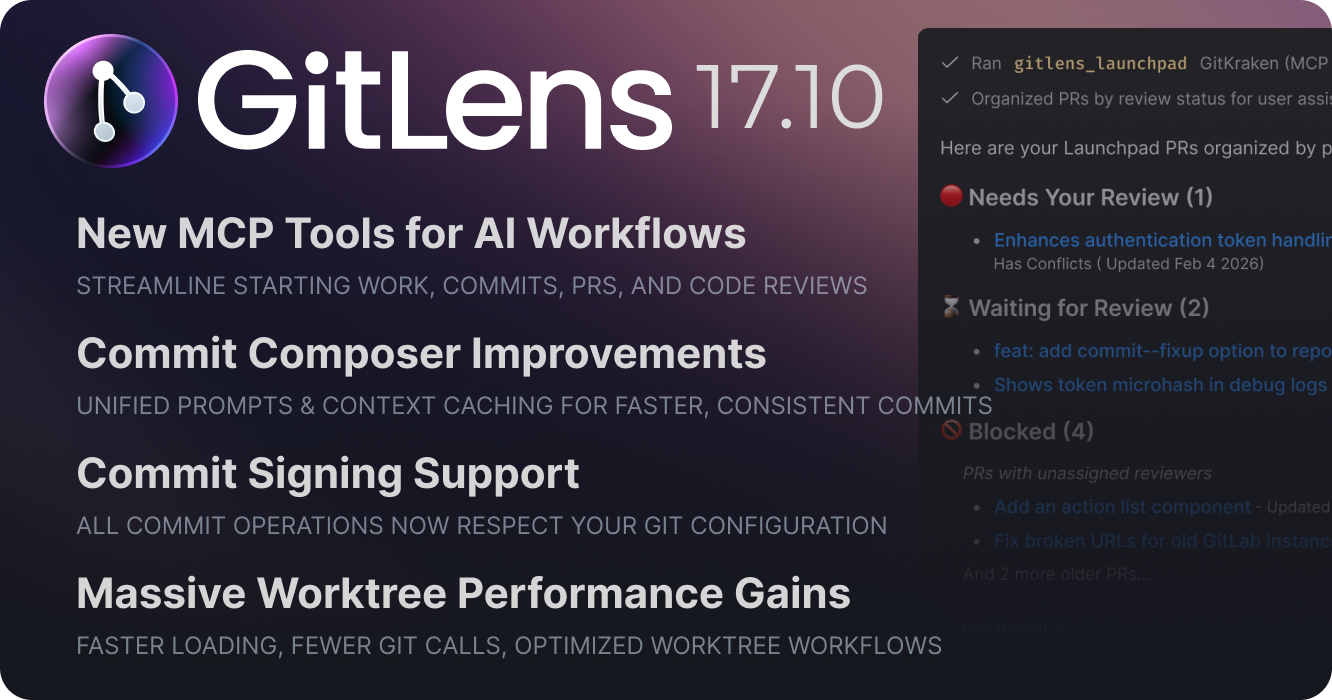
Commit Composer Enhancements
Unified Commit Message Generation
Commit Composer now uses the same commit message prompt as other GitLens features, ensuring consistency across all commit message generation throughout the extension. If you’ve customized commit message instructions in GitLens settings, those preferences will now automatically apply when generating messages in Commit Composer.
Smarter Auto-Compose with Context Caching
Commit Composer’s auto-compose feature now maintains context across multiple iterations. Instead of starting fresh each time, subsequent recompositions reference previous composition context and only send the changes needed for the update. This reduces token consumption when refining your commits and helps the AI produce better results by understanding the full conversation history.
Commit Signing Support
All commit operations in GitLens – including those performed through Commit Composer – now respect your git commit signing configuration. This resolves a limitation for developers who require signed commits and were unable to use Commit Composer. GitLens will automatically sign commits based on your existing git configuration, ensuring compliance with your repository’s security requirements.
New MCP Tools for AI-Powered Workflows
GitLens 17.10 introduces four new MCP tools designed to streamline developer workflows when using AI agents in your IDE. These tools enable intelligent automation for common development tasks:
gitlens_start_work – Start working on assigned issues
Automatically creates a branch in a new worktree following GitLens naming conventions, avoiding disruption to your current work in progress. The tool pulls issue context from trackers like Jira or GitHub Issues and sends it to your AI chat to jumpstart issue resolution.
gitlens_commit_composer – Compose commits with AI assistance
Sends your current work in progress to Commit Composer where commits can be automatically or manually composed, making it easy to structure your changes into logical, well-organized commits.
gitlens_launchpad – Get categorized pull request insights
Retrieves pull requests from GitLens Launchpad, organized into actionable categories that help you prioritize what needs your attention: blocked PRs, those requiring your review, waiting for review from others, and more.
gitlens_start_review – Begin code reviews efficiently
Checks out the PR branch in a new worktree (creating a local branch if needed) to avoid disrupting ongoing work, pre-loads relevant file comparisons, and launches your AI agent with a review-focused prompt and complete PR context.
Note: In this release, these MCP tools are available in VS Code. Support for Cursor, Windsurf, Trae, and other VS Code-based IDEs is coming soon.
Major Performance Improvements
GitLens 17.10 delivers substantial performance gains across the board — you’ll notice faster loading, snappier sidebar views, and fewer delays during everyday Git operations.
Faster Worktree Workflows
If you work with multiple worktrees, this release is a big upgrade. Previously, each worktree triggered its own set of Git queries, even when the underlying data was shared. GitLens now intelligently caches and reuses Git data across worktrees linked to the same repository, dramatically cutting down on redundant work.
Fewer Git Calls, Less Overhead
We overhauled our caching layer to eliminate unnecessary Git calls, particularly during repository discovery and loading. Git commands are now batched more efficiently — fetching more data in a single call where possible, and deferring expensive lookups (like stash file details) until they’re actually needed. Stash loading now also benefits from deferred file detail loading (previously only available for commits) — enable the gitlens.advanced.commits.delayLoadingFileDetails setting to take advantage of both. The result is noticeably less overhead, especially in large repositories or multi-repo workspaces.
Less Contention, More Responsiveness
Git operations are now queued and throttled to a configurable maximum number of concurrent processes (defaulting to 7), which reduces system contention and keeps things responsive — especially in large or multi-repo workspaces where GitLens previously could flood the system with parallel Git calls. A new gitlens.advanced.git.maxConcurrentProcesses setting lets you tune this limit to match your machine’s capabilities.
Smarter File Watching
GitLens is now smarter about reacting to file and Git changes. Improvements to how Git ignore rules are evaluated mean fewer unnecessary file events are processed, reducing background work that could cause brief UI hiccups. Additionally, GitLens metadata (like merge targets and linked issues) has also moved to a dedicated .git/gk/config file, which prevents metadata updates from triggering repository change events that previously caused unnecessary refreshes across the extension and VS Code.
Snappier, More Focused Sidebar Views
Sidebar views like Commits, Branches, and Stashes have been optimized by reducing unnecessary updates. We also optimized loading the views with multiple repositories — deferring work until specific interactions (hover, expand) need it, and avoiding automatically expandingmore than one repository when multiple repositories are open. A new “Filter Repositories…” command also lets you scope any view to specific repositories — or exclude worktrees entirely — so you only see what’s relevant. These changes make the sidebar noticeably more responsive in complex workspaces.
Added
- Adds support for AI ignore files (
.aiignore,.cursorignore,.aiexclude) andgitlens.ai.exclude.filessetting to filter sensitive data from AI prompts, and smart diff truncation that prioritizes dropping low-value files when prompts exceed token limits (#4916) - Adds conversation threading to Commit Composer auto-compose for improved outcomes (PR #4900)
- Adds an option to filter tree views to exclude worktrees, allowing users to show all repositories except worktrees whose main repository is also open (#4952)
- Adds commit signature verification with support for GPG, SSH, and X.509 formats (#4552, #2363)
- Adds verification badges and detailed tooltips to the Commit Details and Graph Details views
- Adds signature indicator icon to inline blame hovers
- Adds
${signature}token to default commit and status tooltip formats in views and the Commit Graph
- Adds a “Filter Repositories…” command to the Branches, Commits, Contributors, Remotes, Stashes, Tags, and Worktrees views to filter to all repos, all repos excluding worktrees, or specific repos
- Adds a refresh button to the Interactive Rebase Editor toolbar to manually refresh the rebase state
Changed
- Significantly improves performance and reduces overhead, especially with worktrees
- Improves performance when opening repositories with worktrees by sharing cached Git data across them (#4929)
- Improves responsiveness by adding priority-based Git process scheduling and smarter repository discovery (#4930)
- Adds a
gitlens.advanced.git.maxConcurrentProcessessetting to specify the maximum number of background Git processes that can run concurrently - Improves file system event handling performance by optimizing Git ignore rule processing (#4919)
- Improves view update performance by skipping refreshes for hidden views and preventing unnecessary auto-expand with multiple repositories (#4928)
- Moves GitLens-specific metadata (merge targets, issues, activity) to a dedicated
.git/gk/configfile to avoid modifying.git/config(#4968) - Eliminates unnecessary Git repository change events previously triggered by metadata updates
- Improves stash loading performance by deferring file detail loading (requires the
gitlens.advanced.commits.delayLoadingFileDetailssetting to be enabled)
- Improves commit message instructions in Commit Composer auto-compose for better consistency (PR #4888)
- Overhauls Git Command Palette quick wizards with scope-based progress tracking and modular sub-commands for branch, stash, remote, tag, and worktree operations (#4927)
- Improves worktree naming for detached states by including the folder name for better context
- Excludes worktrees from repository pickers in commands where selecting a worktree would be inappropriate (#4931)
- Prevents repositories from automatically opening when an opened file is git-ignored
- Stops creating new GitHub sessions via VS Code built-in authentication; new connections now always use the GKDev flow, while existing built-in sessions are still used if available (#4881)
Fixed
- Fixes potential deadlocks during node loading in views (#4928)
- Fixes an issue where the GitKraken MCP installation could fail or conflict across remote environments like WSL, SSH, or containers (#4918)
- Fixes an issue where diffing untracked files in the Commit Composer could trigger unwanted file system events (#4917)
- Fixes an issue where a single-selected commit in the Commit Composer would not get proper highlighting (#4899)
- Fixes an issue where the collapsed state of diffs in the Commit Composer would get reset when scrolling (#4898)
- Fixes an issue where commit messages become invisible during interactive rebase in some themes (#4886)
- Fixes issue in the Commit Graph minimap where it only shows a spinner when the repo has no commits (#4741)
- Fixes an inline markdown rendering issue in the Interactive Rebase Editor (#4914)
- Fixes an issue where opening a deep link to create a PR worktree would incorrectly prompt to add a remote that already exists (#4926)
- Fixes an issue where a repository might not be discovered when opening files in parent directories of the repository (#4932)
- Fixes an issue where popovers would appear in drag images when dragging commits in the Interactive Rebase Editor (#4933)
- Fixes issues with the “Reauthenticate” flow not taking effect (#4881)
- Fixes an issue where clicking on the repository filter header in the Branches, Worktrees, Tags, Remotes, Stashes, and Contributors views would do nothing when only 1 grouped repository exists (#4947)
- Fixes issue in webview file trees where same named folders are highlighted when one is selected #4801
- Fixes potential quick pick hung state when cancelling wizards in quick commands
- Fixes an issue where the Interactive Rebase Editor could open in the wrong window for workspace files
- Fixes issues where the GitLens grouped views would not refresh, tree items could not be resolved, or loading state would get stuck when switching views
Version 17.9
Tuesday, January 13, 2026
GitLens 17.9 brings refinements to the Interactive Rebase Editor and improvements to cherry-picking workflows, ensuring smoother and more reliable Git operations.
Interactive Rebase Editor Improvements
The Interactive Rebase Editor now fully supports –rebase-merges for linear histories while protecting you from unsafe operations when merge commits are present. When rebasing with merge commits, the editor will automatically disable reordering to prevent conflicts and maintain repository integrity.
Additionally, cherry-picking multiple commits now applies them in the correct topological order, ensuring dependent commits are applied in sequence and preserving proper commit ancestry.
Added
- Adds a welcome page webview for first-time installs to highlight Pro benefits for users in IDEs that do not support the standard VS Code walkthrough (#4769
Changed
- Improves the Interactive Rebase Editor to fully support
--rebase-mergeson linear history while preventing unsafe reordering when merge commits are present (#1238) - Improves cherry-pick apply order to use topological sort for correct commit sequence (#4863)
- Changes AI features to require GitLens Pro instead of GitLens Advanced — all AI features now consistently lead to Pro plan checkout (#4843)
- Updates the Welcome walkthrough to streamline onboarding and highlight core GitLens features (#4842)
Fixed
- Fixes issue where the button text on feature gates would blend into the background (#4833)
- Fixes issue where codicon would render as text in comparison picker title (#4866)
- Fixes issue where Interactive Rebase elements overlap when using keyboard and mouse navigation simultaneously (#4816)
- Fixes issue where Home view could crash when state fails to load (#4766)
- Fixes #4776 Azure DevOps Work Item autolinks pointing to wrong project when the Work Item belongs to a different project in the same organization — thanks to PR #4777 by Daniel Asher (@danielasher115)
- Fixes issue where Load more in the Commits view would not correctly load if the last item was a stash (#4865)
Version 17.8
Tuesday, December 16, 2025
GitLens 17.8 expands Commit Composer with selective recomposition, introduces an improved Rebase Editor with conflict detection and better navigation, enhances Commit Graph search with intuitive hints and faster results, and handles more Git operations natively for smoother workflows.

Commit Composer: Selective Recomposition
Commit Composer now lets you recompose specific commits within a branch, giving you precise control over cleaning up your commit history.
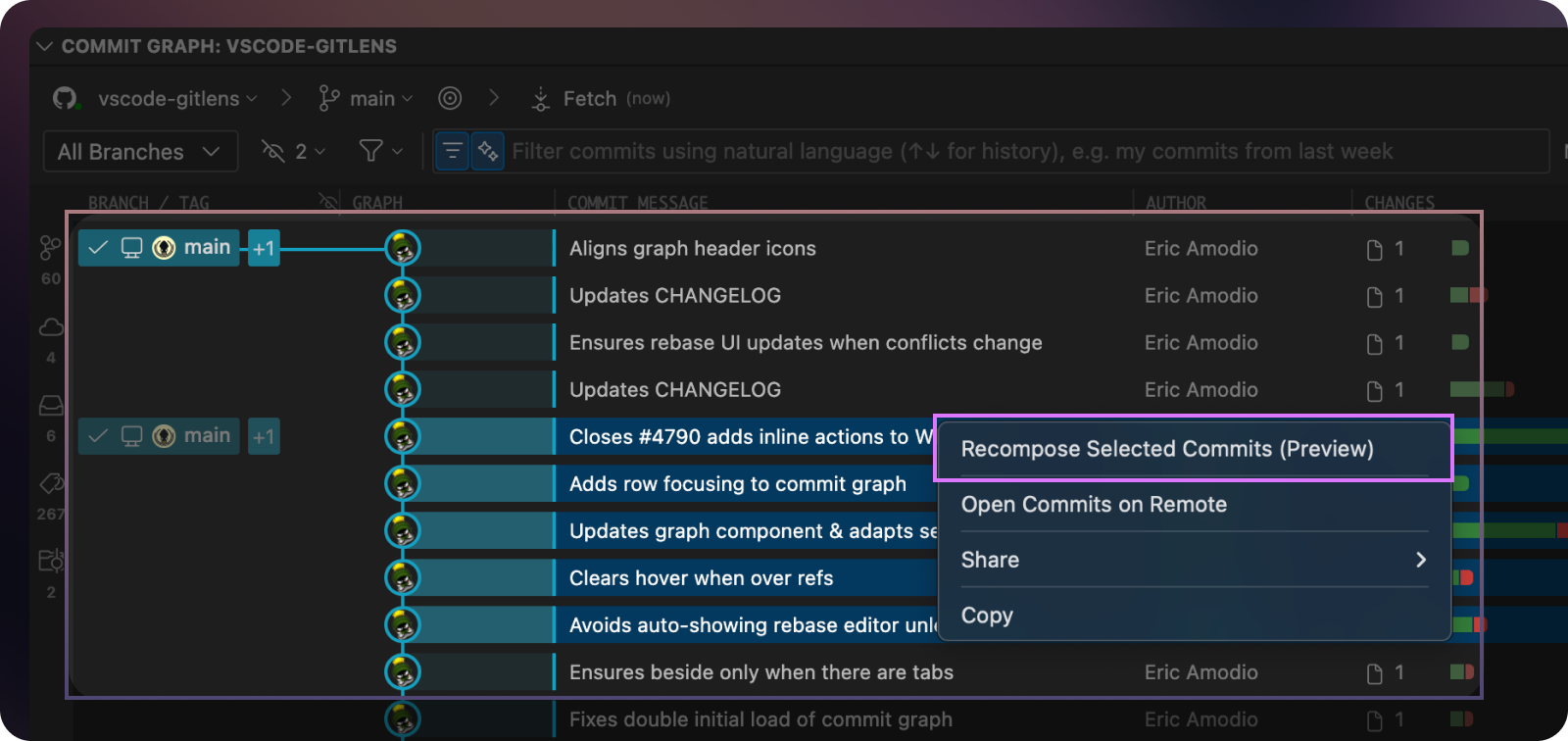
Previously, you could only recompose all working changes or an entire branch. Now you can select specific commits that need refinement—like those quick “wip” or “fix” commits made during rapid iteration—and let AI restructure just those changes with better messages.
Select multiple contiguous commits on the same branch using Shift or Cmd click, then right-click and choose “Recompose Selected Commits.” Commit Composer opens with only your selected commits as drafts, ready for AI-powered or manual refinement.
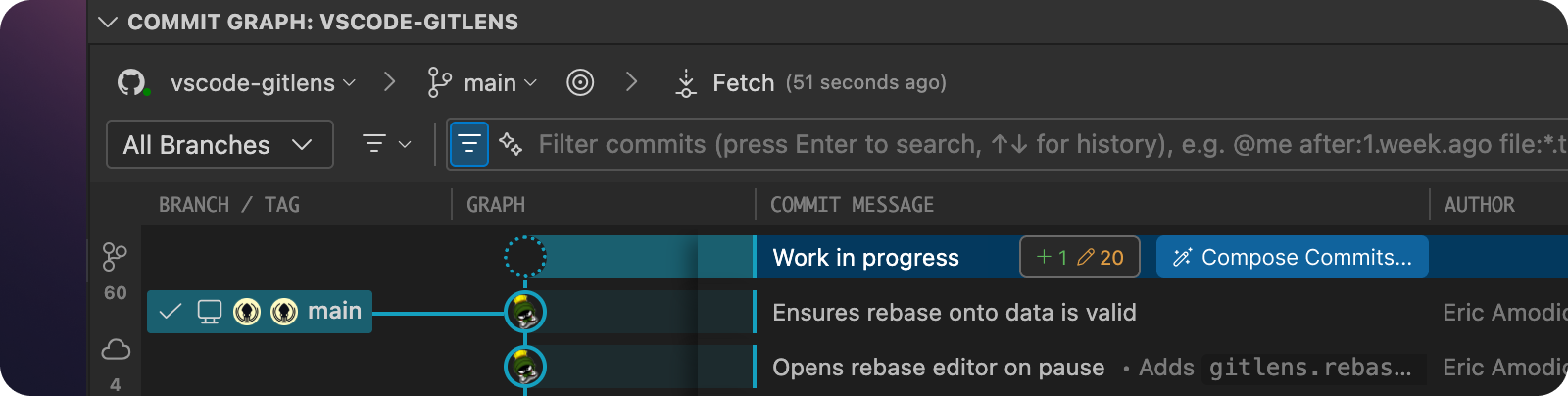
Commit Composer is also more discoverable, with a new button on the WIP row in the Commit Graph that opens the composer for all working directory changes. Additionally, when rebasing, you can now switch directly into Commit Composer from the Rebase Editor, canceling your rebase to let AI handle the composition instead.
Improved Rebase Editor
The Rebase Editor receives significant upgrades for better usability and safety during interactive rebases.
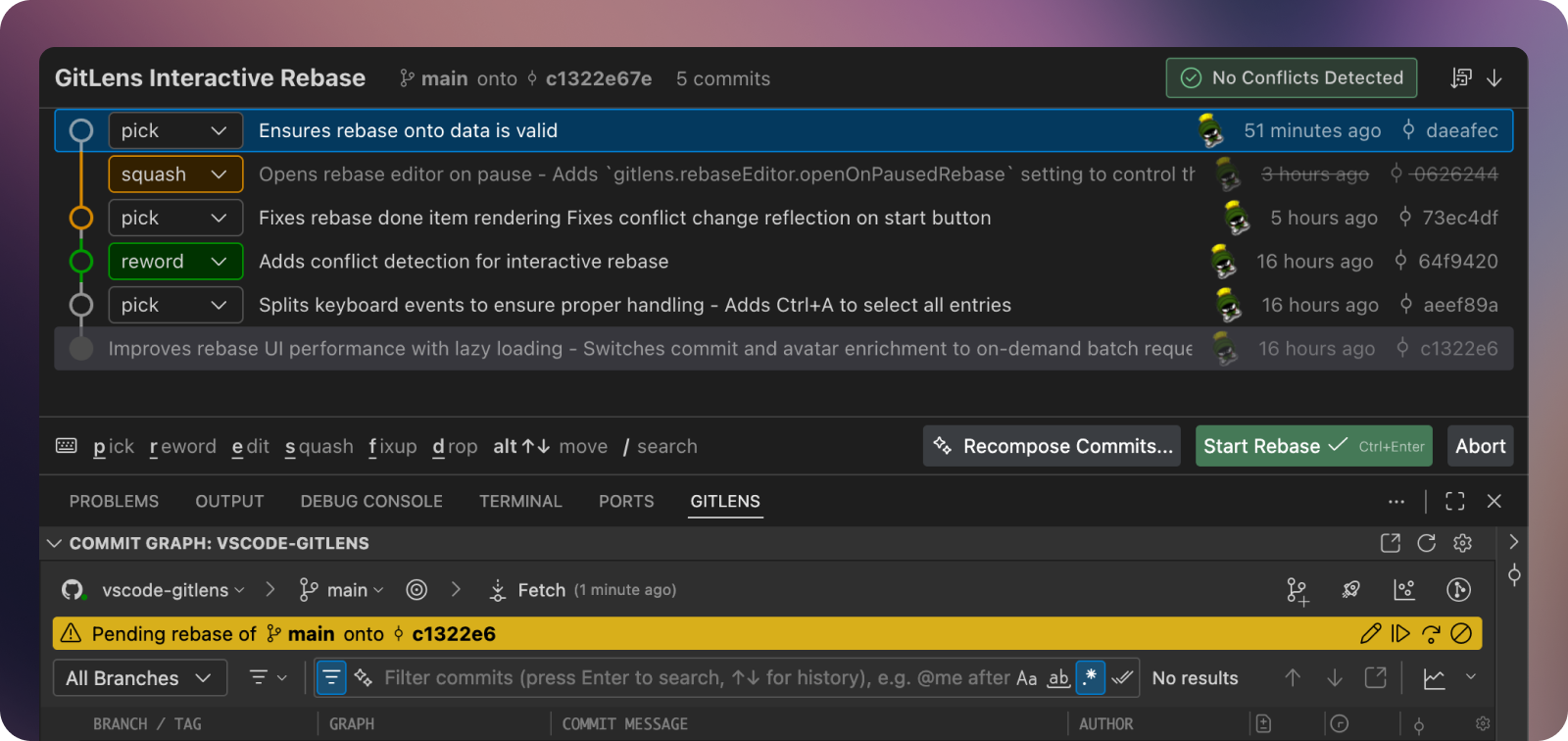
Better Performance and Reliability: GitLens now handles rebases internally rather than routing through the terminal, resulting in better error handling and improved performance. Operations respect Git’s update-ref for more robust branch management.
Bulk Operations: Select multiple commits simultaneously to perform operations like squashing across several commits at once, streamlining complex rebases.
Conflict Detection PRO: The Rebase Editor now checks for potential merge conflicts before you begin, helping you anticipate issues.
Improved Rebase State Indicators When you’re in a rebase state, headings throughout GitLens in the Home View and Commit Graph now display the branch and commit being rebased, with clickable links to jump to those items in the Commit Graph.
Enhanced Navigation: Full keyboard navigation lets you cycle through commits and actions without reaching for your mouse. Toggle seamlessly between the interactive Rebase Editor and the text version of the rebase todo file for ultimate flexibility.
Bug Fixes: The Rebase Editor now correctly opens in the right IDE window when working with worktrees, and operations properly respect Git’s update-ref configuration.
Commit Graph Search Enhancements
Finding commits in the Commit Graph is now faster and more intuitive.
Search Hints: Dropdown hints below the search bar showcase available query types – like author:, file:, and ref: – with quick-select menus for common searches. For example, selecting the author: hint opens a searchable list of repository contributors, making it easy to find commits by specific authors.
Instant Results: Search performance has been dramatically improved. Results now begin rendering immediately instead of waiting for all data to load, getting you to what you need faster.
Native Git Operations
GitLens now handles most Git operations like rebase and merge internally rather than routing through the terminal. This keeps you in the UI you’re working with – like the Commit Graph and Rebase Editor – without disruptive context switches to the terminal.
You’ll also benefit from more helpful error handling when something goes wrong, with clear explanations and actionable next steps.
Latest AI Model Support
GitLens continues to stay current with AI capabilities, now supporting Claude Opus 4.5 and OpenAI GPT 5.1 for AI-powered features like commit composition and code explanations.
Added
- Enhances the Commit Graph experience with several new features
- Improves rendering, scrolling, keyboard navigation, and first load performance
- Eliminates flickering of branch metadata (upstream status, PRs, and issues) when the repository changes
- Adds real-time streaming of search results with pause, resume, and cancel support (#4782, #4526, #3963)
- Changes the default of the
gitlens.graph.searchItemLimitsetting to0(no limit) - Adds autocomplete suggestions and interactive filter pickers (for authors, references, and files/folders) to Commit Graph search (#4780)
- Adds quick pick menus for picking authors, branches or tags, comparison ranges, and files or folders
- Adds Compose Commits…, Generate Commit Message…, and Stash All Changes… inline actions to the “work in progress” (WIP) row in the Commit Graph (#4790)
- Adds support for recomposing selected commits in graph and composer (#4600)
- Adds sticky timeline support to the Commit Graph (#4781)
- Adds Select for Compare and Compare with Selected commands to the Commit Graph context menu for commits, stashes, branches, and tags (#4779)
- Enhances multiselect behavior with improved keyboard and mouse support
- Keyboard navigation
- Arrow[Up|Down] — Moves focus/selection to previous/next row
- Ctrl+Arrow[Up|Down] (Cmd+Arrow[Up|Down] on macOS) — Moves focus/selection topologically
- Alt+Arrow[Up|Down] — Jumps to previous/next branching point (merge/fork)
- Alt+Page[Up|Down] — Jumps to previous/next commit with refs
- Home, End — Jumps to first/last (loaded) commit
- Page[Up|Down] — Jumps by a page (viewport)
- Mouse selection
- Click — Selects a single commit (clears previous selection)
- Ctrl+Click (Cmd+Click on macOS) — Toggles commit in/out of selection
- When in topological selection mode, will only select the commit if it is topologically connected to the existing selection
- Shift+Click — Selects a range of commits from the anchor to clicked commit
- When in topological selection mode, will select all commits that follows parent-child graph path
- When in non-topological mode, will select all rows in visual range
- Keyboard selection
- Shift+[Up|Down] — Extends the selection, based on selection mode
- Ctrl+Shift+[Up|Down] (Cmd+Shift+[Up|Down] on macOS) — Topologically extends the selection, and sticks to current branch if possible
- Shift+Home, Shift+End — Extends the selection to first or last commit
- Shift+Page[Up|Down] — Extends the selection by one page
- Adds an all-new, highly performant, Interactive Rebase Editor with support for
update-refother rebase operations (#4813, #4405, #4383, #4160, #4148, #4032, #3897, #3866, #3815, #3393, #3337, #3310)- Optimizes performance with virtualization for large rebase operations and lazy-loading of commit metadata
- Adds ability to recompose commits using AI (#4796, #4775)
- Adds potential conflict detection with visual indicators for commits that will conflict during rebase
- Adds ability to apply bulk actions (pick, squash, fixup, etc.) to multiple selected commits simultaneously
- Improves drag-and-drop experience with multiselect support
- Improves accessibility with keyboard navigation and multiselect support
- Mouse: Click to select single, Ctrl+Click (Cmd+Click on macOS) to toggle, Shift+Click for range selection
- Keyboard: Shift+Arrow[Up|Down] for range selection, Ctrl+A (Cmd+A on macOS) to select all entries
- Adds a
gitlens.rebaseEditor.openOnPausedRebasesetting to control whether the Interactive Rebase Editor opens automatically when a rebase is paused
- Adds a new Rebase & Update Branches and Interactive Rebase & Update Branches confirmation option to the Git Command Palette‘s rebase command — closes #4818
- Adds Claude Opus 4.5, Gemini 3 Pro, and GPT-5.1 and GPT-5.2 model support for AI features (#4785)
- Adds multi-repository support to repository filtering in GitLens views (#4815)
- Adds new Set Upstream… and Change Upstream… context menu items to branch status (Up to date, Outgoing, Incoming) in GitLens views
- Adds new advanced date formatting tokens (
agoAndDate,agoAndDateShort,agoAndDateBothSources) and updates default tooltip and status bar formats (#4783) - Adds an experimental
gitlens.advanced.resolveSymlinkssetting to resolve symbolic links when determining file paths for Git operations (#1328) - Adds a
gitlens.advanced.skipOnboardingsetting to prevent onboarding prompts (#4751) - Adds a
gitlens.advanced.git.timeoutsetting to configure the Git command timeout
Changed
- Improves Commit Composer user experience with maximize command, improved commit message editing, and sticky positioning for commit messages (#4759)
- Changes rebase, merge, revert, and branch delete commands to no longer use/open a terminal (#3527, #3530, #3532, #3534)
- Improves ignored file checking performance (#4814)
- Enhances paused operation status UI with clickable references that jump to commits/branches in the Commit Graph (#4786)
- Improves reference selection in views with a unified comparison picker dialog (#4778)
- Simplifies remote provider connection flow by directly using the remote name and repository path (#4411)
- Improves tracking for hover actions by adding source and detail attributes to events from editor hovers (#4764)
Removed
- Removes the
gitlens.advanced.caching.enabledsetting
Fixed
- Fixes issue where the Commit Details file tree rendering would fail intermittently (#4784)
- Fixes issue where the Commit Graph would load data twice on initial load
- Fixes issue where paused operations would not show on the Commit Graph without working changes
- Fixes issue where onboarding would interrupt error popovers in the Commit Composer
- Fixes repository grouping for main repositories and worktrees in certain cases
- Fixes WIP detection for untracked files only
- Fixes issue where commit/graph details panel titles would not collapse at smaller sizes
- Fixes navigation button wrapping in the Inspect view
- Fixes incorrect handling of an empty rebase HEAD
- Fixes missing cancel option in the rebase quick wizard confirmation
- Fixes issue where the Interactive Rebase Editor would not close automatically when the associated file is deleted
Version 17.7
Tuesday, November 11, 2025
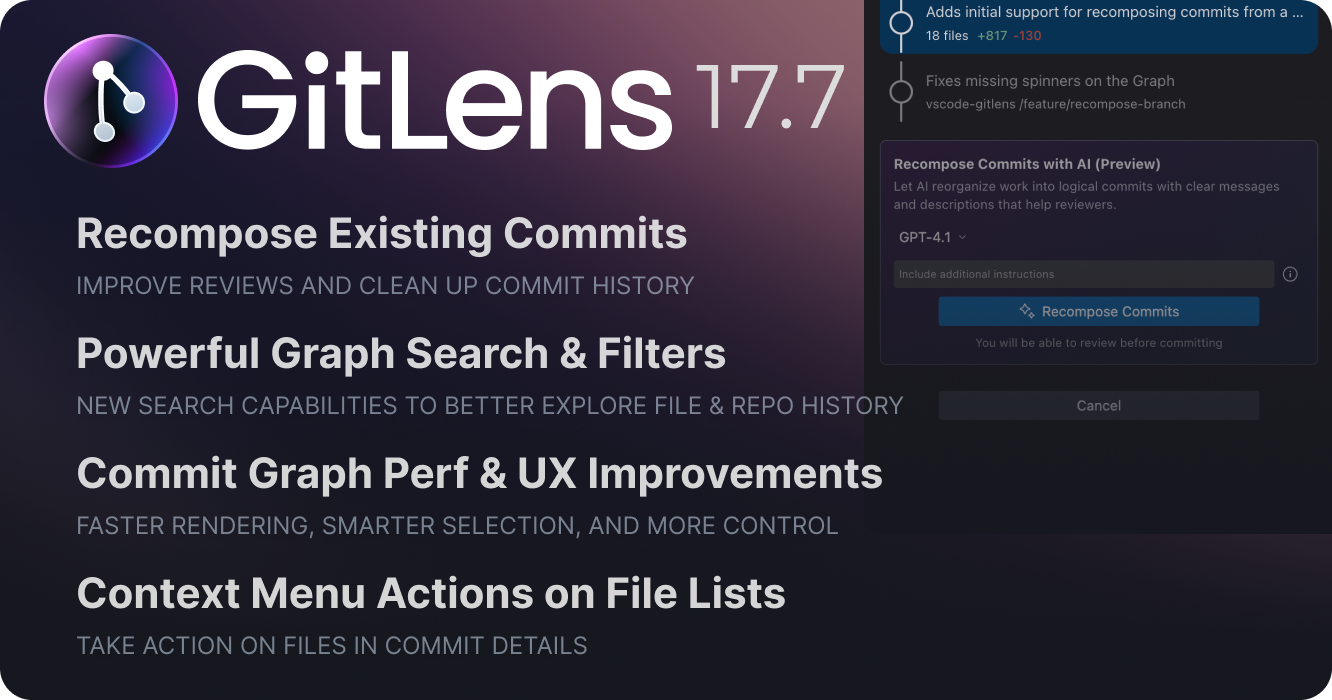
GitLens 17.7 expands Commit Composer with branch recomposition capabilities, transforms the Commit Graph with powerful new search operators, file history visualization, and faster performance, and enhances commit details with more context and file actions.
Commit Composer: Branch Recomposition
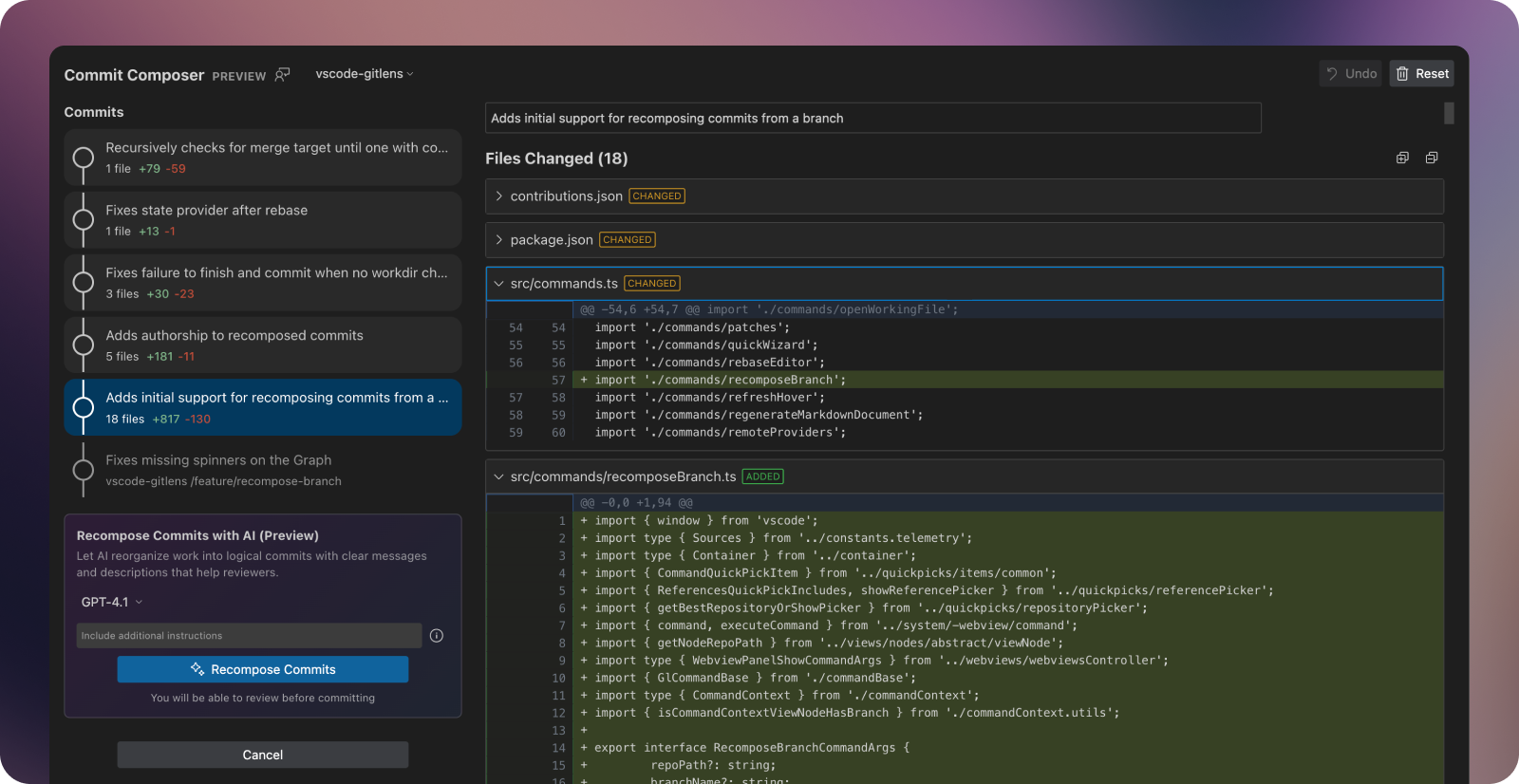
Commit Composer now lets you clean up and reorganize commits on existing branches, making it perfect for preparing pull requests or refining your commit history before pushing.
Recompose Entire Branches
Open Commit Composer from any branch in the Commit Graph (or anywhere branches appear in GitLens) to inspect and reorganize its commits. The composer creates draft commits you can review before applying changes to your repository.
Auto-Recompose with AI: Let AI analyze your branch and restructure commits into logical, well-documented units. Choose your preferred model and provide custom instructions to match your team’s conventions. (Pro tip: Set default instructions in the “Generate Commits: Custom Instructions” setting to save time.)
Manual Control: Review AI suggestions, regenerate specific commit messages, or manually edit messages and change organization. The composer gives you complete flexibility to craft the commit story that works best.
Enhanced Composer Capabilities
Commit Composer now handles edge cases that previously blocked composition:
- Untracked files: Working changes now include untracked files, so all modifications can be composed together
- New repositories: Compose your initial commits even before a base commit exists
- Performance boost: Significantly faster rendering when working with changes across many files
Commit Graph Enhancements
File History Visualization
The Commit Graph now visualizes complete file histories, making it easy to understand how specific files evolved over time.
Right-click any file in your IDE and select “File History > Open File History in Commit Graph” to filter the graph to commits that modified that file. Each commit displays the file’s changes in the Commit Details panel, giving you a focused view of how the file developed.
You can also manually filter using file:"path/filename" syntax.
Search Enhancements
Reference and Range Searches: The new ref: operator lets you search by references or commit ranges. Natural language search leverages this automatically, so queries like “show me all commits on debt/graph-selection-jump that aren’t on main” or “commits after tag v17.6.0” work seamlessly.
Tip Filtering: New is:tip and type:tip operators isolate branch and tag tips, helping you quickly identify meaningful entry points in your history without visual scanning.
Search History: Arrow up/down through previous search queries to quickly revisit recent searches.
Solo Branches and Tags
Focus on a single branch or tag with the new “Solo” action, which automatically hides all other references using the ref: filter operator.
Workflow Improvements
- Auto-select WIP: The WIP row automatically selects when you have working changes, keeping your focus on current work
- Enhanced WIP row: The WIP row now shows the number of changed files and lines, providing more context at a glance.
- Focused row preservation: The graph maintains your selected row even when new data refreshes the view. This solved an annoying issue that resulted in losing context in the graph during updates.
Commit Details
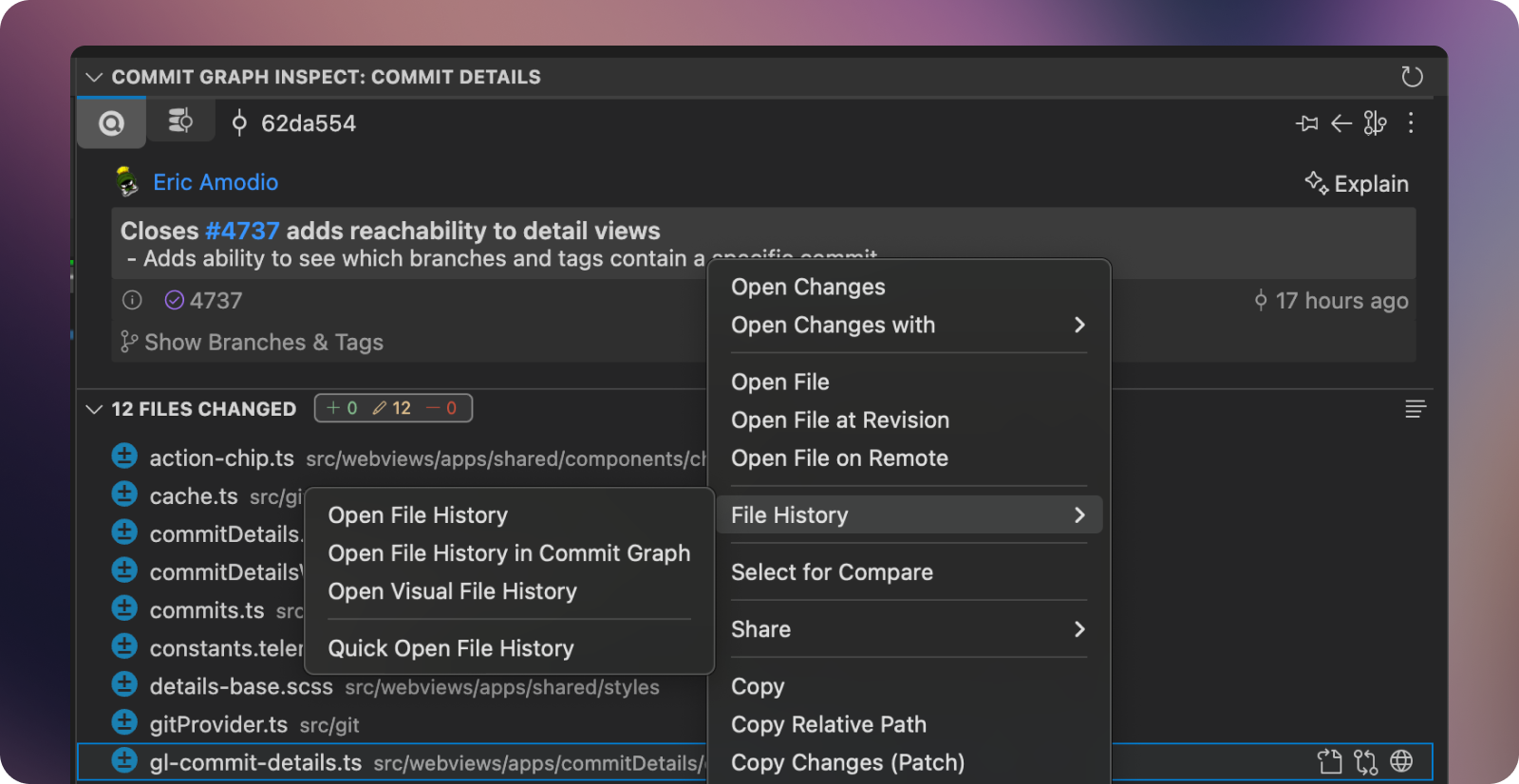
Commit Reachability: Commit Details now display which branches and tags contain a specific commit, giving you instant visibility into how changes have propagated across your repository.
File List Actions: Context menus now provide the full range of file operations you expect from other IDE file lists—opening files, viewing history, applying changes, and more—directly from Commit Details.
Added
- Adds new Commit Composer features and improvements
- Adds ability to recompose existing branches via the Recompose Commits (Preview) command in the context menu of branches and from the Command Palette (#4598, #4599)
- Adds drag and drop support to reorder auto-composed commits in the commit list (#4433)
- Adds support for untracked files (#4636)
- Adds support for composing without a base commit (#4637)
- Greatly improves performance by virtualizing file diffs (#4675)
- Improves some cases where staging or working tree changes are incorrectly detected (#4667)
- Adds a link to the custom instructions setting in the Commit Composer view
- Adds ability to explain unpushed changes via the Explain Unpushed Changes command in the context menu of branches in the Commit Graph and views (#4443)
- Adds improved experience to the Commit Graph
- Improves rendering, scrolling, and selection performance and stability
- Adds “pill-style” stats to the “Work in Progress” (WIP) row in the Commit Graph
- Adds new keyboard navigation support: Home/End to navigate to the first/last row, Page Up/Page Down to navigate by page
- Adds ability to show file or folder histories on the Commit Graph (#4725)
- Adds Open File History in Commit Graph command to files in views
- Adds Open Folder History in Commit Graph command to folders in the Explorer view
- Adds new Solo Branch and Solo Tag commands to quickly filter the Commit Graph view to a specific branch or tag (#4739)
- Adds Solo Branch in Commit Graph and Solo Tag in Commit Graph commands to the context menu of branches and tags in views
if there are uncommitted changes - Changes to select the “Work in progress” (WIP) row in the Commit Graph by default if there are uncommitted changes (#4716)
- Adds
gitlens.graph.initialRowSelectionsetting to specify whether to select the “Work in progress” (WIP) row instead of HEAD
- Adds improved search experience on the Commit Graph, Search & Compare view, and in the Search Commits command
- Adds support for reference or range commit searches (#4723)
- Adds
ref:search operator to filter commits by specific references (branches, tags, SHAs) or commit ranges - Adds natural language support to allow for more powerful queries
- e.g. “show me all commits on
feature-branchthat aren’t onmain - e.g. “show me all commits after tag v17.6.0”
- e.g. “show me all commits on
- Adds ability to filter/search to branch & tag tips (#4726)
- Adds
is:tipsearch operator to filter to only commits directly pointed to by a branch or tag - Adds a navigable search history to the search box on the Commit Graph (#4724)
- Allows navigation with arrow keys and deletion of history items
- Adds a No Results message to the Commit Graph when there are no search results
- Adds new experience improvements to the Commit Details and Graph Details views
- Adds “pill-style” file changed stats
- Adds rich context menus to files, similar to the tree views
- Adds the ability to see which branches and tags contain a specific commit(#4737)
- Adds the ability to see which files are matched by a search on the Commit Graph
- Adds a filter toggle button to switch between showing all files, highlighting matched files, and only showing matched files
- Adds a new Safe Hard Reset (
--keep) option to Git reset command (#4720) - Adds sort context menu toggles for Branches, Contributors, Remotes, Repositories, Tags, and Worktrees views (#4738)
- Adds a new
gitlens.sortWorktreesBysetting to specify the sort order for worktrees
- Adds a new
- Adds support for Claude 4.5 Haiku model and hides older Claude models for GitLens’ AI features
- Adds “Copy Changes (Patch)” to uncommitted files in the Worktrees, Commit Details, and Graph Details views
- Adds “inline” multiline commit message support to the Commit Graph
- Adds Next Change and Previous Change navigation commands to the editor toolbar when the Changes Annotations are active
- Adds keybinding support for copy actions (Ctrl+C / Cmd+C) in the Launchpad view
- Adds Quick Show Commit (
gitlens.showQuickCommitDetails) command to the Command Palette
Changed
- Improves performance and reduces overhead in many areas
- Faster/less intensive detection of uncommitted changes
- Faster/less intensive conflict file detection
- Greatly improves performance providing the status of worktrees
- Reduces view refresh frequency related to fetch times to avoid extra processing and re-rendering
- Changes to use the “merge target” when we are creating pull requests (#4709, #4734)
- Changes the minimum VS Code version to 1.95.0 (#4690, #4691)
- Improves MCP checks and adds offline detection (#4687)
- Improves reference/revision range entry in reference pickers
- Consolidates (and fixes missing) progress indicators and spinners on the Commit Graph
Fixed
- Fixes an issue where the Home view would not update when switching repositories (#4717)
- Fixes intermittent stuck loading state on the Commit Graph (#4669)
- Fixes underlines showing on home branch actions (#4703)
- Fixes Inspect view not showing uncommitted files on the Inspect tab (#4714)
- Fixes Commit Graph losing row selection when graph updates (#4544)
- Fixes “Element with id already registered” error on comparison w/ multiple repos (#4521)
- Fixes Commit Composer diffs misaligned with large editor font sizes (#4573)
- Fixes MCP installation flow from proceeding in cases where it shouldn’t (#4672, #4673, #4674)
- Fixes missing layout commands in view menus
- Fixes stage/unstage failures with large file set by adding batching
- Fixes copying untracked files as a patch
- Fixes an issue where the “hidden references” control on the Commit Graph could still receive focus
- Fixes issues with inline versus block Markdown rendering
- Fixes inconsistencies in the Work-in-Progress (WIP) statistics
- Fixes an issue where the “visible day range” on the Commit Graph minimap were not updating
- Fixes showing overview mode when selecting a Work-in-Progress (WIP) row
- Fixes path issues in untracked files and tree file parsing
- Fixes action color on the merge/rebase status component
- Fixes the copy shortcut key on grouped views
- Fixes issue to ensure the immediate firing of repository close events to avoid potential deadlock issues
Version 17.6
Tuesday, October 7, 2025
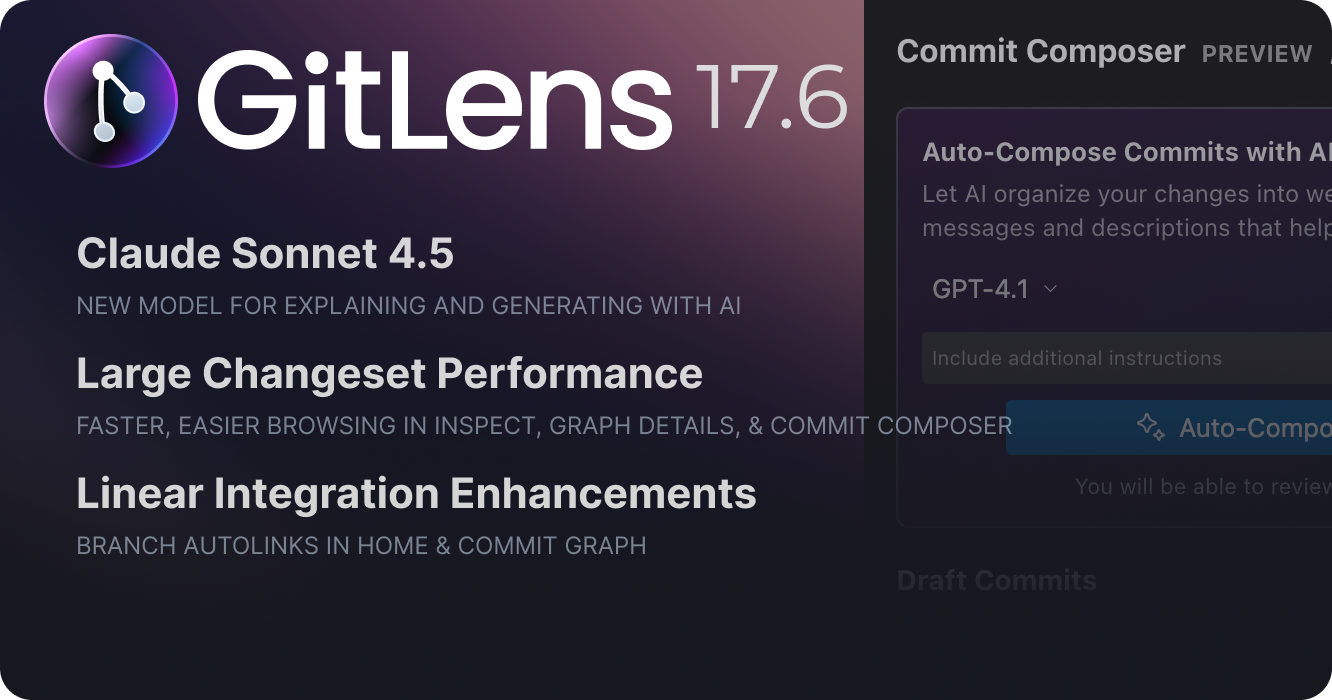
GitLens 17.6 adds support for Claude Sonnet 4.5, delivers significant performance improvements when working with large changesets, and enhances Linear integration support.
Claude Sonnet 4.5 AI Model Support
GitLens now supports Anthropic’s Claude Sonnet 4.5 model for all AI-powered features, including:
- Commit and message generation in the Commit Composer
- Code explanations and summaries
- Pull request descriptions
- Changelog generation
This latest model brings improved reasoning capabilities and more accurate, context-aware suggestions to your development workflow.
Large Changeset Performance Improvements
Working with large changesets and complex commit histories is now significantly faster and more responsive across multiple GitLens views.
Inspect and Graph Details Views
The Inspect and Graph Details views now feature dramatically improved performance through virtualized tree rendering. This enhancement makes working with repositories with large commits significantly faster and more responsive.
Along with the performance boost, keyboard navigation has been enhanced with comprehensive support for:
- Arrow keys for navigating through items
- Home/End keys for jumping to the first or last item
- Enter/Space for selecting and activating items
- Tab for moving between sections
- Type-ahead search for quickly finding specific items
These improvements make it easier to navigate and explore your repository’s history, especially when working with a large number of files or reviewing detailed commit information.
Commit Composer PREVIEW
The Commit Composer now handles large file diffs more efficiently, preventing performance degradation when working with substantial changes. This ensures a smooth composition experience regardless of the size of your working changes.
Linear Integration Enhancements PRO
Introduced in GitLens 17.5, Linear issue trackering continues to evolve with autolinks for branches in Home and the Commit Graph. Along with some reliability and functionality improvements, these enhancements provide a more seamless experience when working with Linear issues in your GitLens workflows.
Thank you to our contributors
Shout-out to our awesome contributors for this release!
- Noritaka Kobayashi (@noritaka1166)
Added
- Adds support for Claude Sonnet 4.5 for GitLens’ AI features
Changed
- Greatly improves performance of the Inspect and _Graph Details views by virtualizing the tree rendering (#3470)
- Improved keyboard navigation support including arrow keys, Home/End, Enter/Space, Tab, and added type-ahead search functionality
- Improves Linear issue tracker support (#4605, #4615, #4620, #4621, #4622)
Fixed
- Fixes Commit Composer rendering performance when working changes contain large file diffs (#4661)
- Fixes AI cancellation cases being treated as errors (#4609)
- Fixes MCP banner not being clickable on Commit graph view (#4630)
- Fixes Git diff of a renamed file is shown as a new file (#4246)
- Fixes typos (#4345 — thanks to PR #4346 by Noritaka Kobayashi (@noritaka1166))
- Fixes an issue where the Commit Graph hover would not hide when going from the hover to the graph background (not another row)
- Fixes an issue where clicking Open Changes on commit files in the views would error
Removed
- Removes ” (bundled with GitLens)” text from GK MCP server name (#4664)
Version 17.5
Tuesday, September 23, 2025
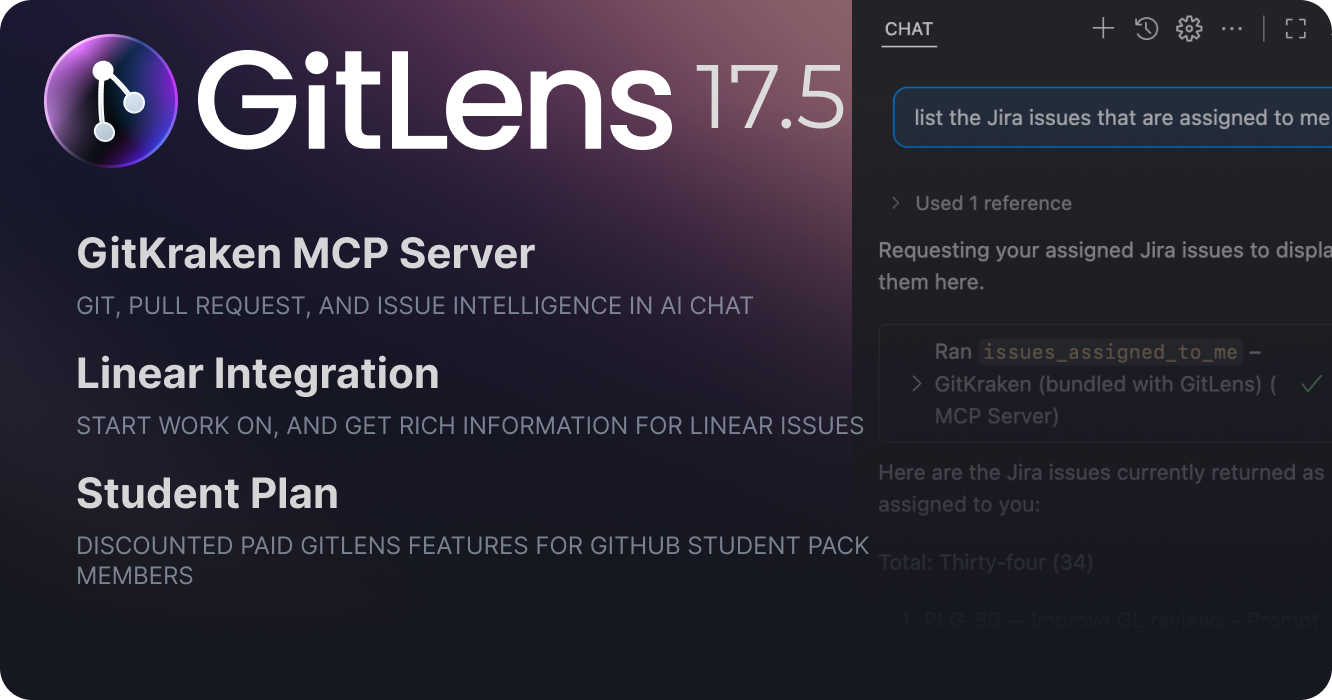
GitLens 17.5 introduces the GitKraken MCP for Git and integration enhanced AI chat workflows, expands integration support with Linear, and launches a new Student Plan for GitHub Student Developer Pack members.
GitKraken MCP: Git Intelligence for AI Chat
GitLens 17.5 bundles the GitKraken Model Context Protocol (MCP) server, bringing Git and repository intelligence directly to AI chat interfaces in VS Code, Cursor, Windsurf, and other compatible IDEs.
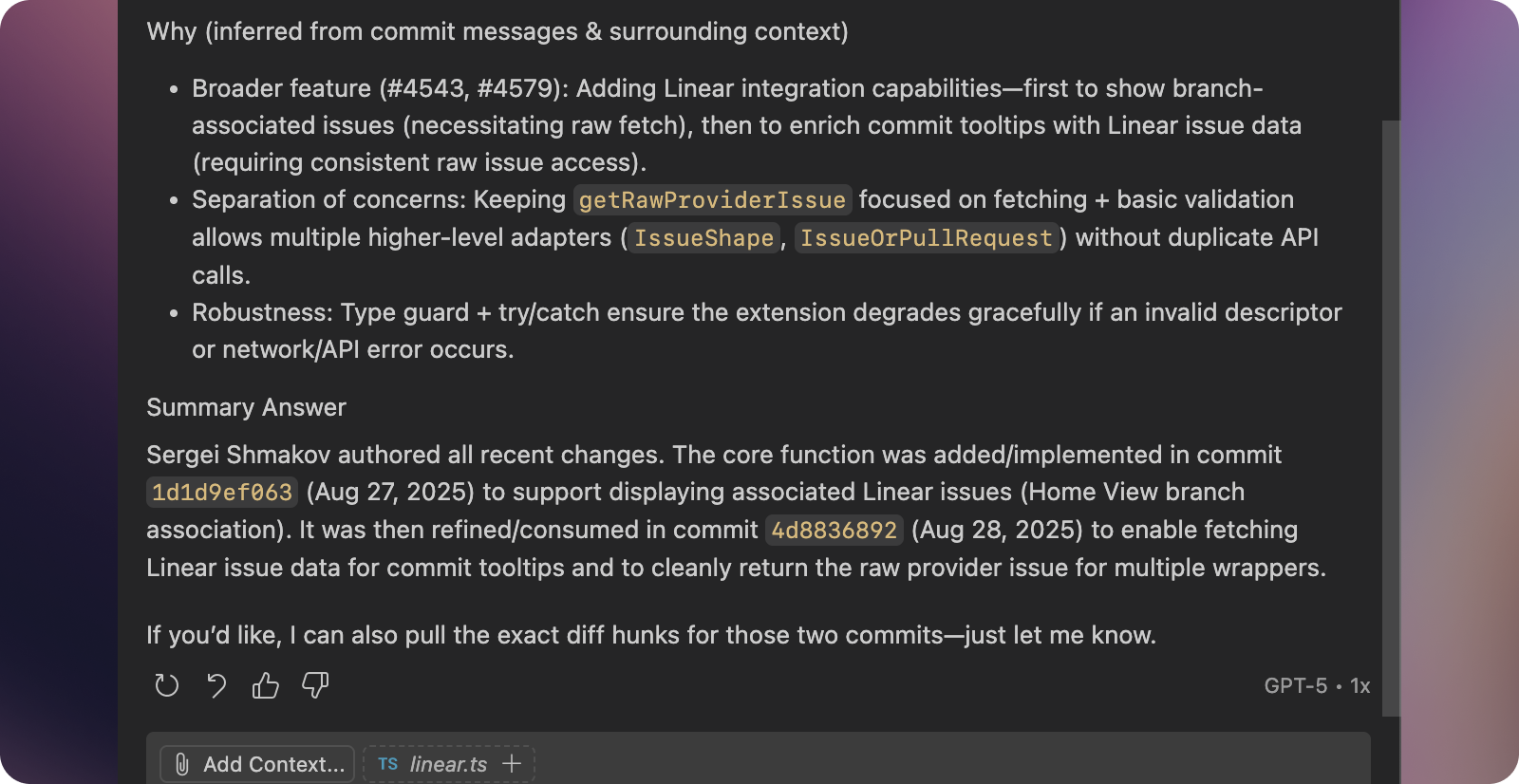
The GitKraken MCP transforms how you interact with Git through AI by surfacing repository information, issue tracking data, and pull request details—the same rich context that GitLens has provided in UI form for years—now accessible through conversational AI.
Enhanced Developer Workflows
The MCP enables powerful use cases through AI chat:
Issue and Branch Management
- List issues: “List all open Jira issues assigned to me”
- GitKraken MCP fetches and displays issue details from your connected trackers
- Start work on an issue: “Start work on Jira issue PROJ-123”
- GitKraken MCP pulls issue details, stashes changes if needed, and creates a feature branch
Pull Request Assistance
- Create a pull request: “Create a pull request for my current branch”
- GitKraken MCP gathers branch diffs, generates a PR title and description, and opens the PR in your connected Git provider
Debug and Understand History
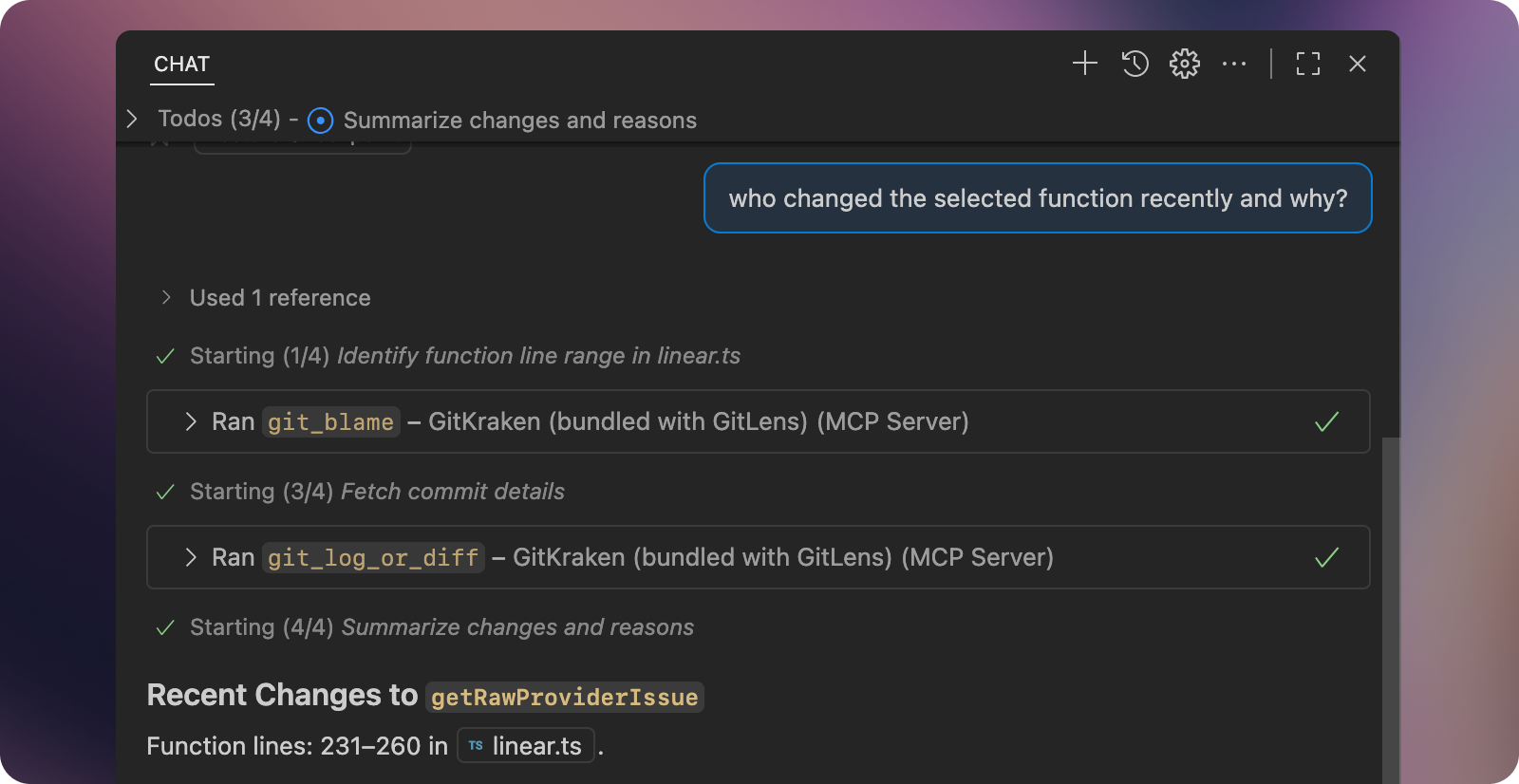
- Get detailed blame info: “Who last modified the function
calculateTotalinutils.jsand why?”- GitKraken MCP retrieves precise blame data, including commit details and linked issues & PRs
See more examples and use cases at help.gitkraken.com/mcp.
IDE Support and Setup
The MCP works seamlessly in VS Code with built-in configuration, while other IDEs like Cursor, Windsurf, and Trae require manual setup. The MCP leverages GitKraken CLI’s unified authentication system, so you authenticate once and gain access to all your connected Git providers (GitHub, GitLab, Azure DevOps, Bitbucket) and issue trackers (Jira, GitHub Issues, Linear).
Configuration setup and documentation can be found at help.gitkraken.com/mcp.
We’re just scratching the surface of what’s possible with the GitKraken MCP. Future releases will expand capabilities, integrations, and IDE support.
Linear Integration PRO
Teams using Linear for issue tracking can now connect to Linear and bring issue information directly into GitLens workflows.
- Start work seamlessly: Create branches or worktrees directly from Linear issues
- Rich contextual information: View Linear issue details in the Commit Graph, Home View, blame annotations, and Commit Details
This integration follows the same pattern as GitLens’ other issue tracker connections, providing a unified experience whether you’re using GitHub Issues, Jira, or Linear.
Student Plan
GitKraken now offers a Student Plan for members of the GitHub Student Developer Pack! This plan provides students with:
- Private repository access: Use paid GitLens features like the Commit Graph and Visual File History on private repos
- AI token allocation: Access to powerful AI features including commit composition, branch explanations, PR generation, and changelog creation
- Includes the entire GitKraken Platform: Including GitKraken Client, GitKraken CLI, GitKraken.dev and Browser Extension
Students can learn more and sign up at gitkraken.com/github-student-developer-pack-bundle.
Added
- Adds the GitKraken MCP for Git and integration enhanced AI chat workflows — learn more
- Leverage Git and your integrations (issues, PRs, etc) to provide context and perform actions in AI chat
- Adds rich Linear integration with autolinks, start work, Launchpad, and more (#4543, #4579)
- Adds support for the GitKraken Student plan
Changed
- Improves AI provider/model fallback handling for better reliability
Fixed
- Fixes connection flow when multiple integrations need to be connected
Version 17.4
Thursday, August 21, 2025
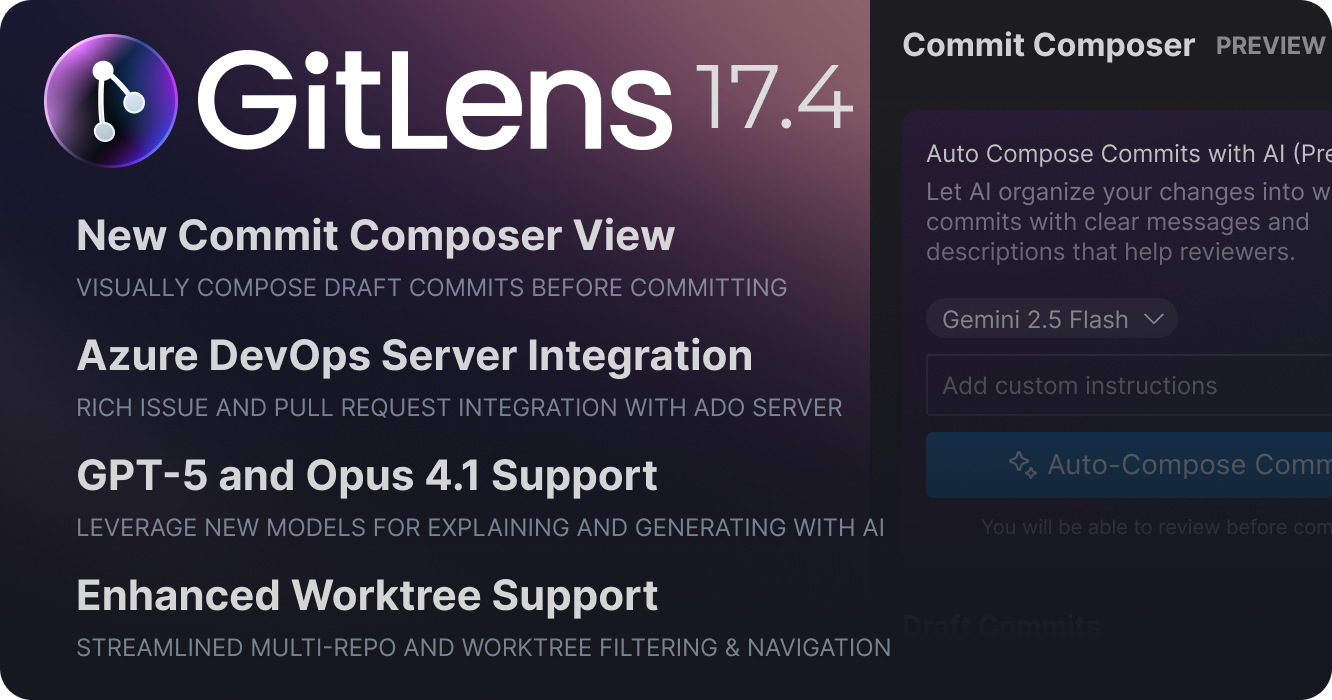
GitLens 17.4 transforms the Commit Composer experience with a powerful new composing view, introduces Azure DevOps Server integration for Pro users, enhances AI explanations, adds support for new AI models like GPT-5, and delivers significant improvements to worktree workflows.
New Commit Composer View PREVIEW
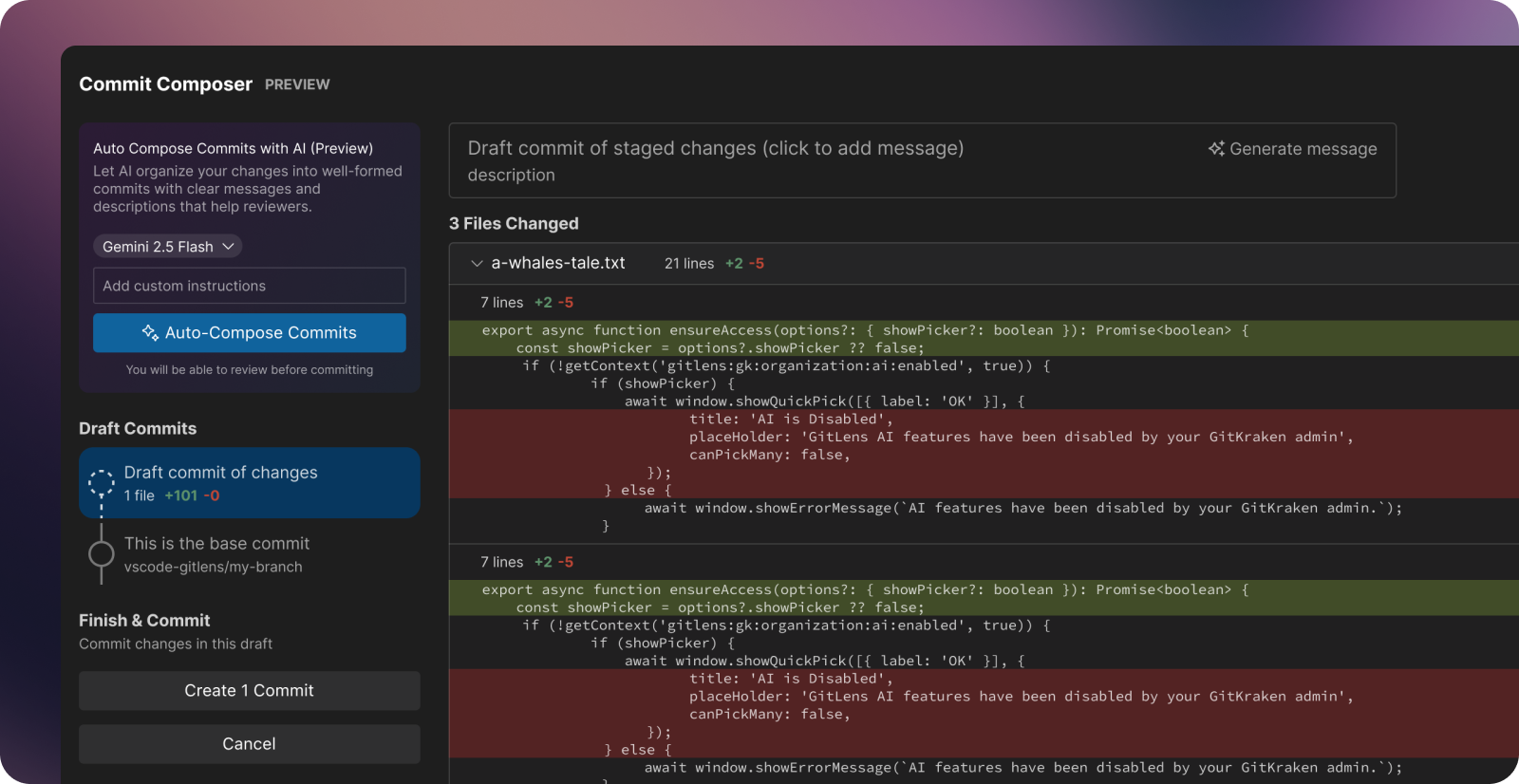
The Commit Composer has evolved from a simple one-step process into a comprehensive drafting and review experience. Previously, AI would analyze your changes and immediately create commits. Now, the new Commit Composer view gives you complete control over the composition process, with options to auto-compose with AI or compose manually.
Join the Commit Composer discussion and provide feedback.
Interactive Draft Commits
When composing commits, GitLens now creates “draft” commits that you can review, modify, and refine before applying them to your repository. This new workflow lets you:
- Preview before committing: See exactly what will be committed before it touches your repository
- Switch Models: Try composition with different AI models
- Guide the AI: Provide custom instructions to match your team’s conventions and preferences
- Iterate and refine: Regenerate individual messages or entire commit compositions
- Review and edit: Manually tweak any commit message or approach
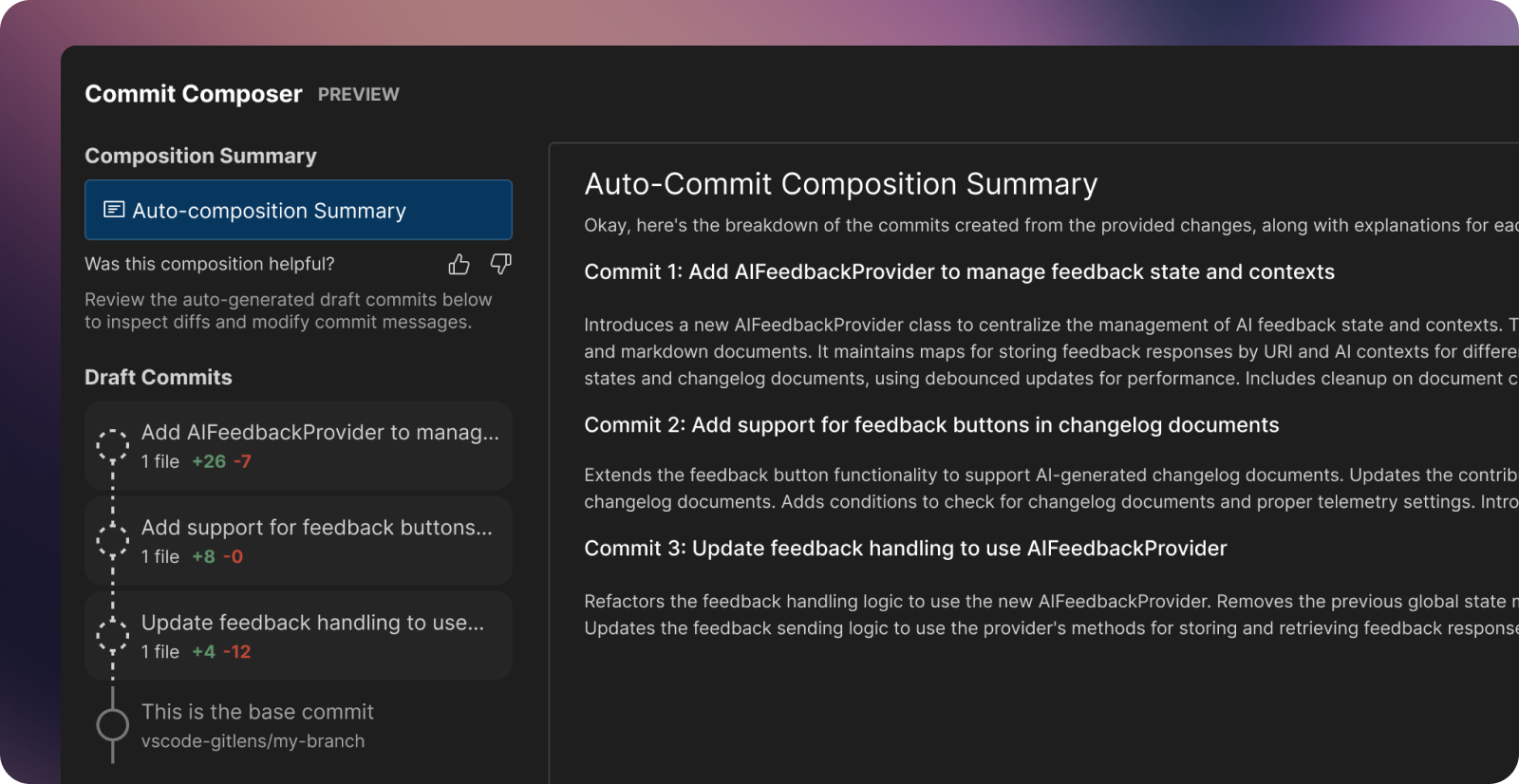
You can launch the new Commit Composer view from several places in GitLens:
- GitLens commit details view
- Context menu on the WIP row in the GitLens Commit Graph
- Active branch card in the GitLens Home View
- ✨ icon in the SCM view header
- Command palette: Search for “Compose Commits”
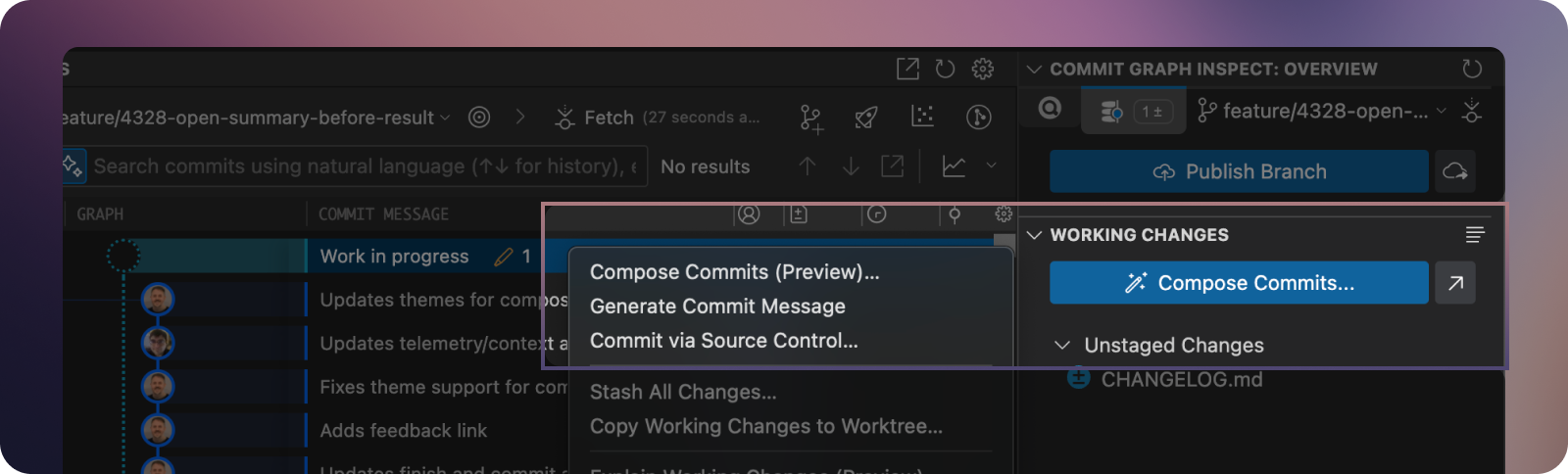
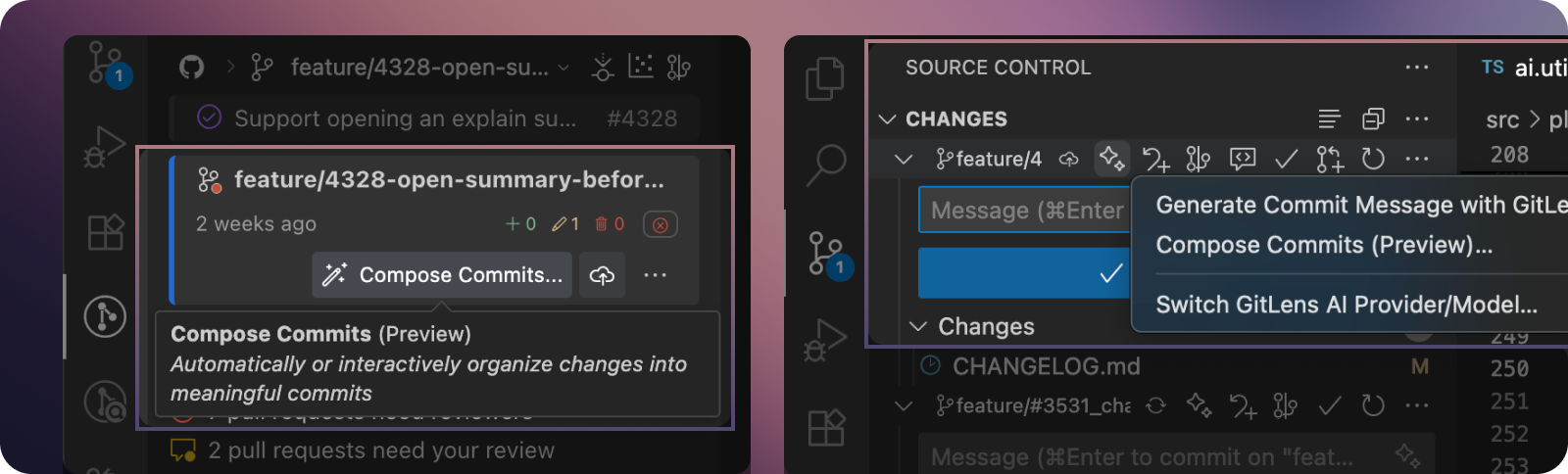
The foundation is now in place for even more powerful composition features in future releases, including intuitive drag-and-drop functionality for moving lines and hunks between commits, creating new draft commits on the fly, and reordering commit sequences.
Whether you prefer to let AI handle the heavy lifting or want granular control over every detail, Commit Composer provides the flexibility to create well-structured commit histories that make code reviews more effective and repository history easier to understand.
Azure DevOps Server Integration PRO
GitLens Pro now supports self-hosted Azure DevOps Server instances, bringing the same rich integration experience you know from cloud-hosted services to your on-premises environments.
Connect your Azure DevOps Server to unlock:
- Streamlined issue workflows – Start work on Azure issues by creating branches or worktrees directly from GitLens
- Rich blame and hover information – View Azure issue and pull request details inline with your code
- Launchpad integration – Monitor pull request blockers and review status from a unified view
- Native pull request creation – Create Azure pull requests without leaving your IDE
New AI Model Support
This release adds support for GPT-5 family (GPT-5, GPT-5 Mini, GPT-5 Nano), and Claude 4.1 Opus models
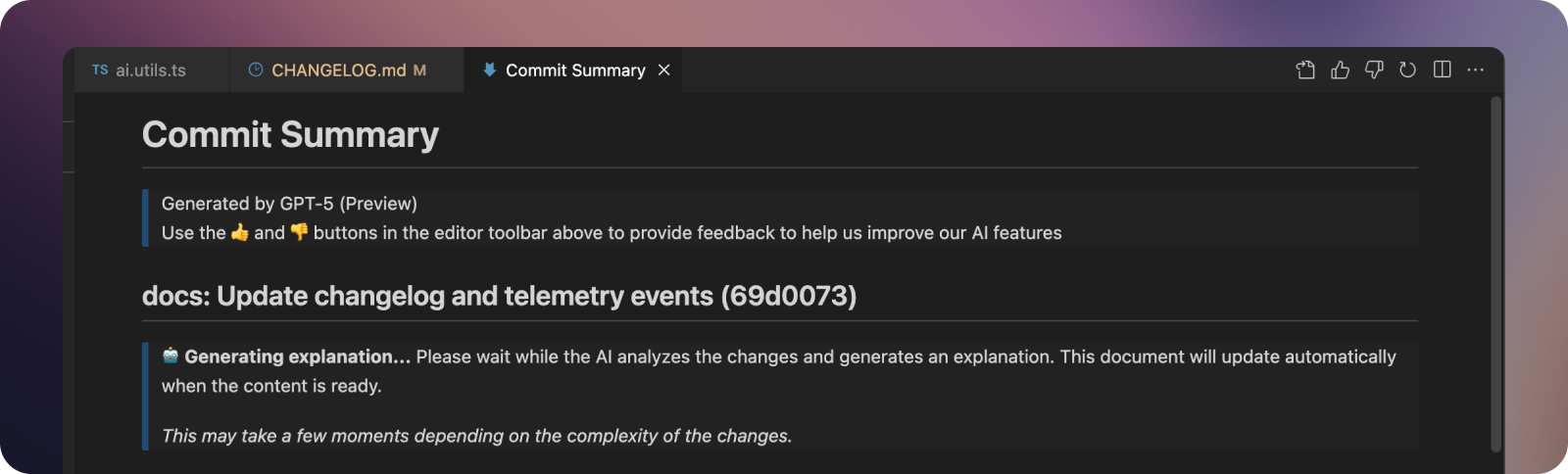
AI Explanation Improvements
AI-powered explanations now provide immediate feedback with enhanced user experience improvements:
- Instant summary views open immediately when generating explanations
- Clear progress indicators show pending AI analysis status
- Streamlined presentation focuses your attention on the generated content
Branch Upstream Management
You can now easily modify the upstream for local branches in GitLens from places like the Branches view and Commit Graph.
Enhanced Worktree Support
The 17.3.4 patch release brought significant multi-repo and worktree improvements to VS Code. These enhancements include:
- Repository filtering – New header controls let you focus on specific repositories or worktrees
- Visual differentiation – Improved icons help distinguish between repositories and worktrees
- Reduced interface noise – Minimized flashing and blanking during worktree discovery
- Unified repository picker – Visual grouping makes selecting repositories and worktrees more intuitive
These enhancements work seamlessly with VS Code’s native worktree support, providing a polished experience whether you’re working with single repositories or complex multi-worktree setups.
Added
- Adds new Commit Composer view experience — the next evolution of the initial Commit Composer preview
- Transforms the automatic commit process into a comprehensive drafting and review experience
- Adds ability to preview changes before committing and iterate by regenerating individual messages or entire commit compositions
- Adds support for switching between different AI models during composition
- Adds custom instruction support to guide AI output to match team conventions and preferences
- Adds integrated diff review for each proposed commit, and manual editing capabilities for any commit message or approach
- Adds manual commit composition support (no AI provider required for basic functionality)
- Adds Compose Commits (Preview) commands accessible from multiple locations: Home view, Commit Graph WIP row, Inspect/Graph Details views, SCM view, and Command Palette
- Adds updated AI model support for GitLens’ AI features
- Adds GPT-5 family (GPT-5, GPT-5 Mini, GPT-5 Nano), and Claude 4.1 Opus models
- Add Azure DevOps Server integration support (#4478)
- Adds expanded and improved branch favoriting (#4497)
- Adds a new “Favorited Branches” option to the branches visibility dropdown on the Commit Graph
- Adds Add to Favorites or Remove from Favorites context menu items to branches in the Commit Graph
- Adds Add to Favorites or Remove from Favorites context menu items to worktrees in the views
- Adds 👍 “Helpful” and 👎 “Unhelpful” feedback buttons to AI-generated Changelog (#4449)
- Adds ability to set or change the upstream branch for branches in the Commit Graph and other GitLens views (#4498)
- Adds new Set Upstream… and Change Upstream… context menu items to branches in the Commit Graph and other GitLens views
- Adds a new upstream sub-command to the branch Git Command Palette
- Adds new default topological selection mode to the Commit Graph
- Updates
gitlens.graph.multiselectsetting to default totopological; set totrueto allow selecting multiple commits without restriction
- Updates
- Adds ability to switch between open repositories on the Visual History
- Adds Visualize Repository History commands to the SCM menus
- Adds Restore Previous Changes command to files in the views (#4542)
Changed
- Changes branch favoriting to apply to both local and remote branch pairs (#4497)
- Improves experience by opening an explain summary document before summary content is generated (#4328)
- Improves login handling when user copies authentication URL instead of opening it
- Improves Inspect/Details view button overload (#4488)
Fixed
- Fixes Copy Changes (Patch) command not working from the Commit Graph
- Fixes issues with handling token limits when using Copilot models (#4529)
- Fixes continuous refreshing when gitkraken.dev cannot renew an expired session (#4324)
- Fixes some Commit Graph issues because of reference to previous state context (#4513)
- Fixes ‘generate-rebase’ feedback submissions having undefined “type” (#4502)
Version 17.3
Tuesday, July 8, 2025
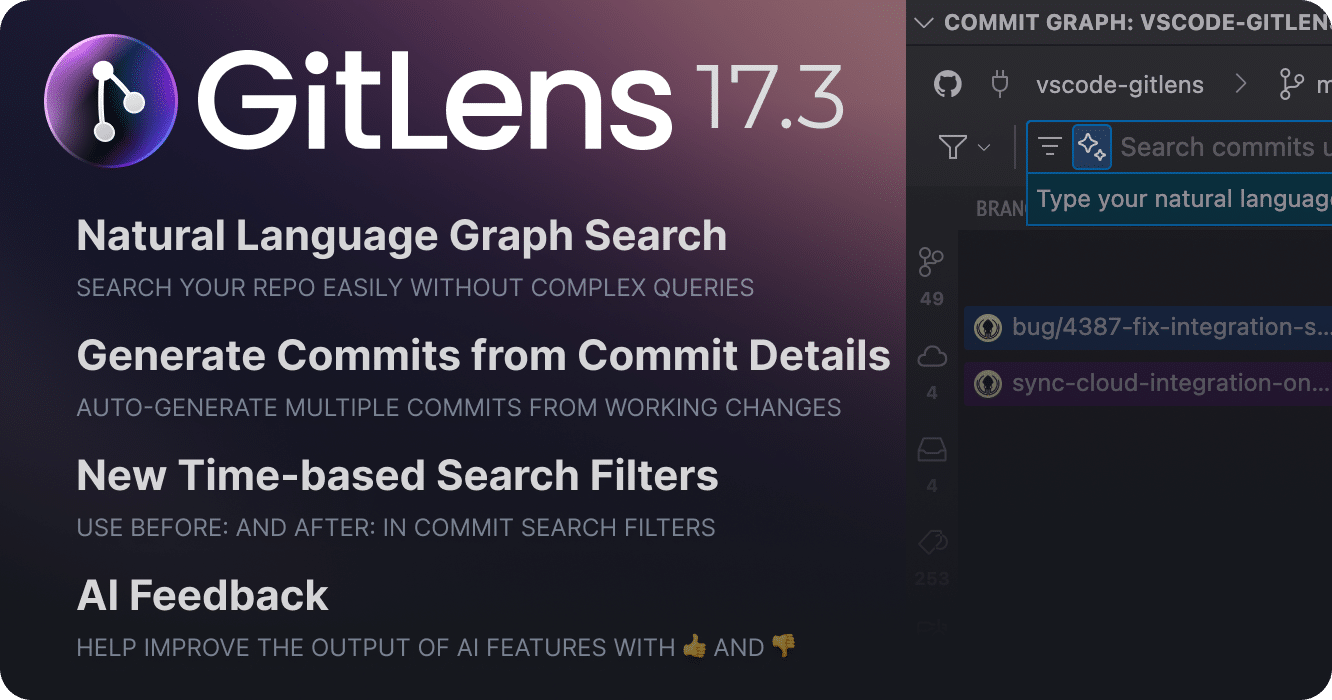
GitLens 17.3 transforms how you search and interact with your repository history. This release introduces natural language search for both the Commit Graph and Commit Search commands, enhanced time-based filtering, improved AI-powered commit generation and the ability to provide feedback on AI results.
Natural Language Search for Commits PRO
Say goodbye to complex query syntax! GitLens 17.3 introduces natural language search for the Commit Graph and command palette, allowing you to find exactly what you’re looking for using natural language.
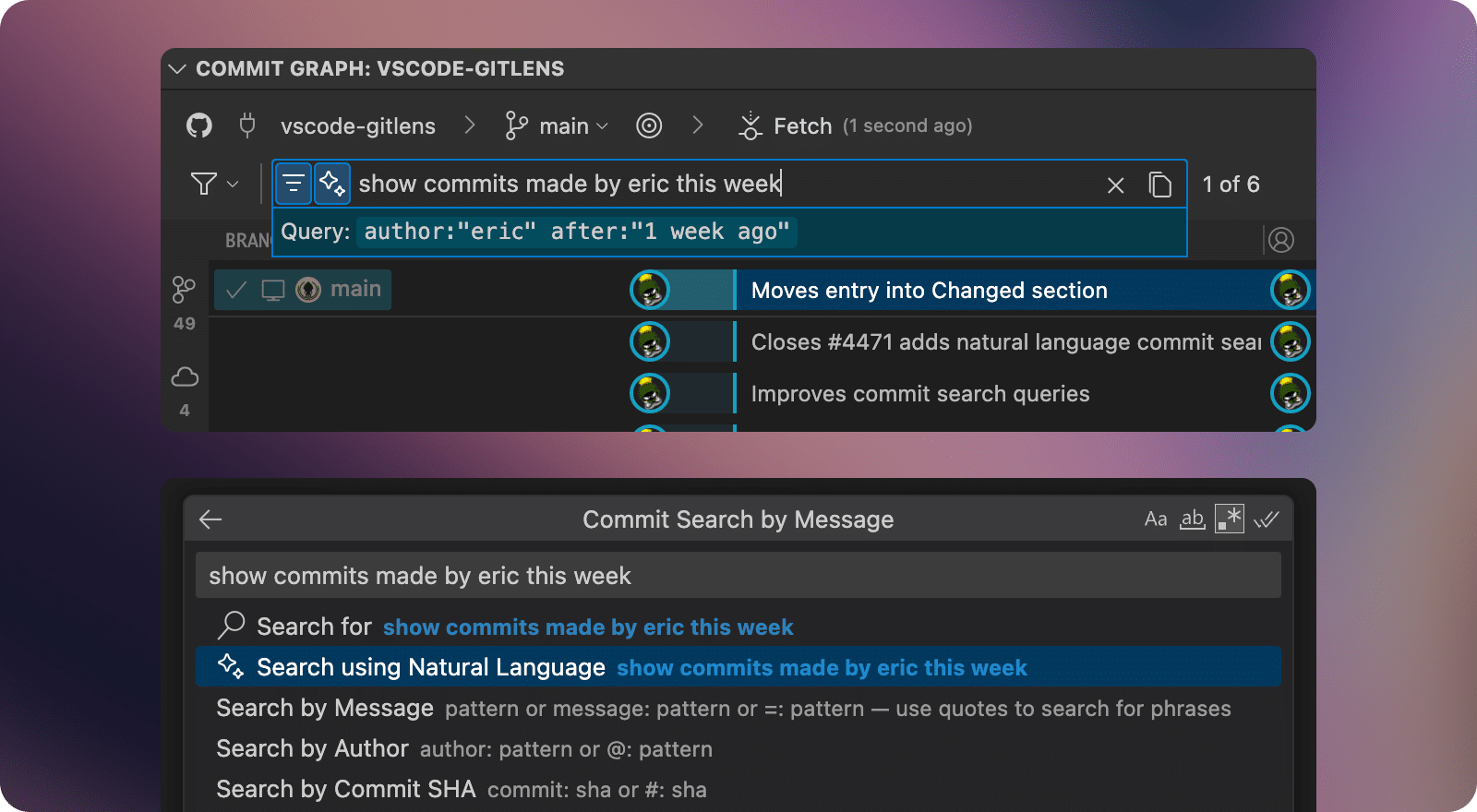
Instead of memorizing query tags like @me, message:, author:, or file:, simply describe what you’re looking for:
“Show all commits made by Eric this week”
“Find commits that modified package.json last week”
“Show all commits that changed files with “auth” in the name in the last 12 days”
GitLens leverages AI to automatically translate your natural language queries into the appropriate search syntax, making repository exploration more intuitive than ever. You can still reveal the generated query to learn the underlying syntax and refine your searches.
Time-Based Search Filters
GitLens 17.3 adds powerful new after: and before: filters that make temporal filtering more intuitive and flexible.
These new filters work seamlessly with both traditional query syntax and the new natural language search:
after:2025-01-01– commits made after January 1st, 2025before:2024-12-25– commits made before December 25th, 2024after:6.months.ago– commits made after 6 months agobefore:2.weeks.ago– commits made before 2 weeks ago
The filters accept specific date strings (YYYY-MM-DD format) or relative date expressions, and integrate automatically when using natural language queries, making it easier than ever to focus on specific timeframes in your repository history.
Enhanced Commit Composer Access PREVIEW
Building on the Commit Composer preview introduced in 17.2, we’ve made AI-powered commit generation more accessible by adding it directly to the Commit Details panel with an option to Commit with AI (Preview).
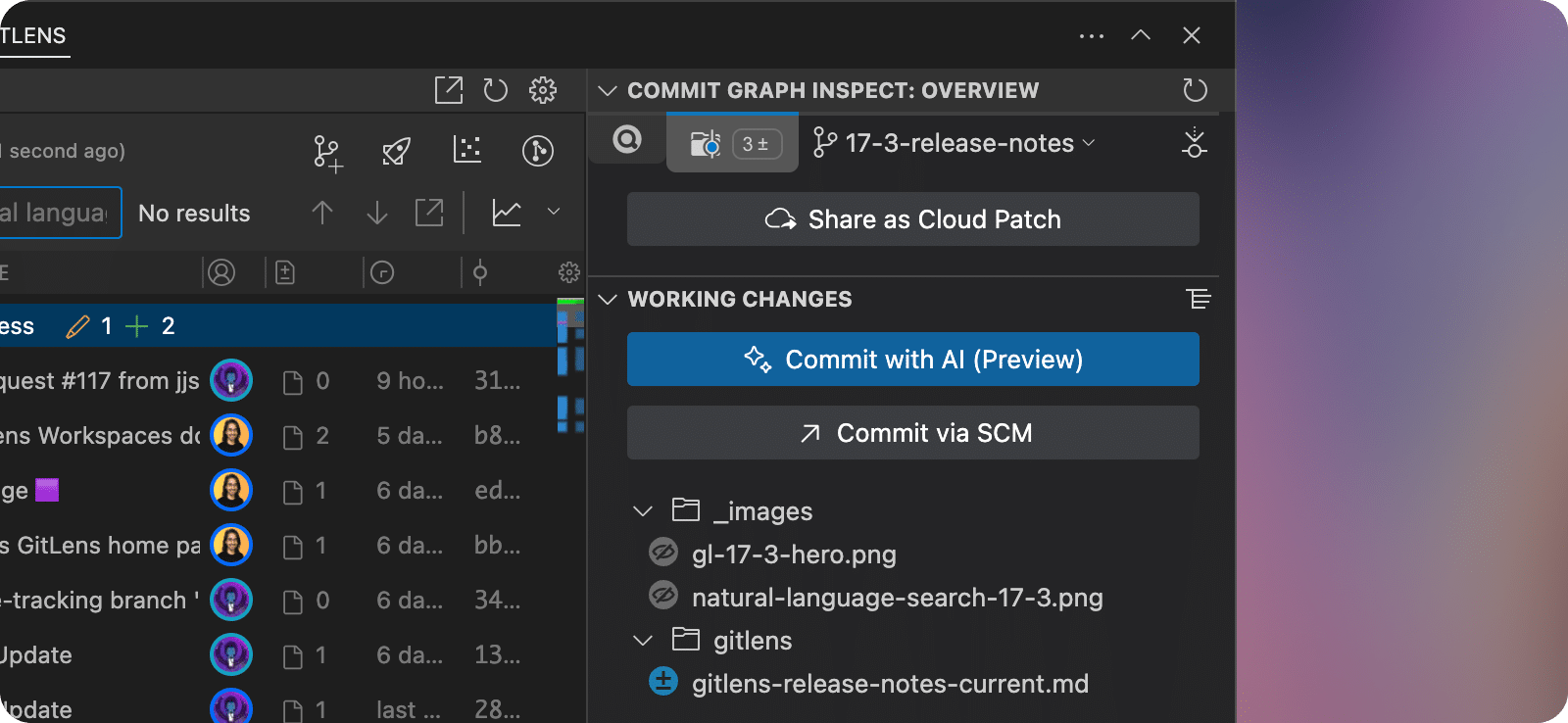
You can now generate multiple commits at once from your working directory changes with a single click, streamlining the process of creating meaningful, well-structured commits with AI assistance.
📝 While in Preview, Commit Composer will create a stash of your changes as a backup when generating commits should you need to revert them. You can also undo the generated commits with a single click from the success notification.
AI Feature Feedback
GitLens can now collect feedback about AI-powered features. When using AI capabilities like explaining commits, branches, and stashes, or generating commits with Commit Composer, you’ll notice new 👍 and 👎 icons in the toolbar of generated summaries that will tell us if the result was helpful or not.
This feedback helps us understand how well our AI results meet your needs and allows us to refine our prompts and models to deliver better, more relevant outputs. Your input is invaluable as we continue to enhance the accuracy and usefulness of GitLens AI features.
Added
- Adds support for using natural language to search for commits on the Commit Graph, Search & Compare view, and in the Search Commits command using AI (#4471)
- Adds support for time-based commit searches on the Commit Graph, Search & Compare view, and in the Search Commits command
- Adds 👍 “Helpful” and 👎 “Unhelpful” feedback buttons to AI-generated markdown previews such as Commit Composer and Explain Changes (#4449)
- Adds a Commit with AI (Preview) button to the Inspect Overview tab of the Commit Graph and Inspect views
Changed
- Improves experience for invalid AI rebase responses by implementing conversational retry logic that provides specific feedback to the AI about missing, extra, or duplicate hunks and automatically retries up to 3 times (#4395)
Fixed
- Fixes stashes with parent commits older than the oldest stash not being visible on branches (#4401)
- Fixes editing search result in Search & Compare view failure (#4431)
- Fixes search results not paging properly on the Commit Graph when the first page of results is contained within the already loaded commits
Version 17.2
Tuesday, June 17, 2025
GitLens 17.2 transforms how you craft your Git history with the early preview of Commit Composer, a set of AI-powered features that automatically organize your changes into meaningful, well-structured commits. This release also refines the Home View UX to streamline workflows, introduces advanced AI security controls for organizations, and delivers a cleaner AI explanation experience—all designed to help you tell better stories with your code.
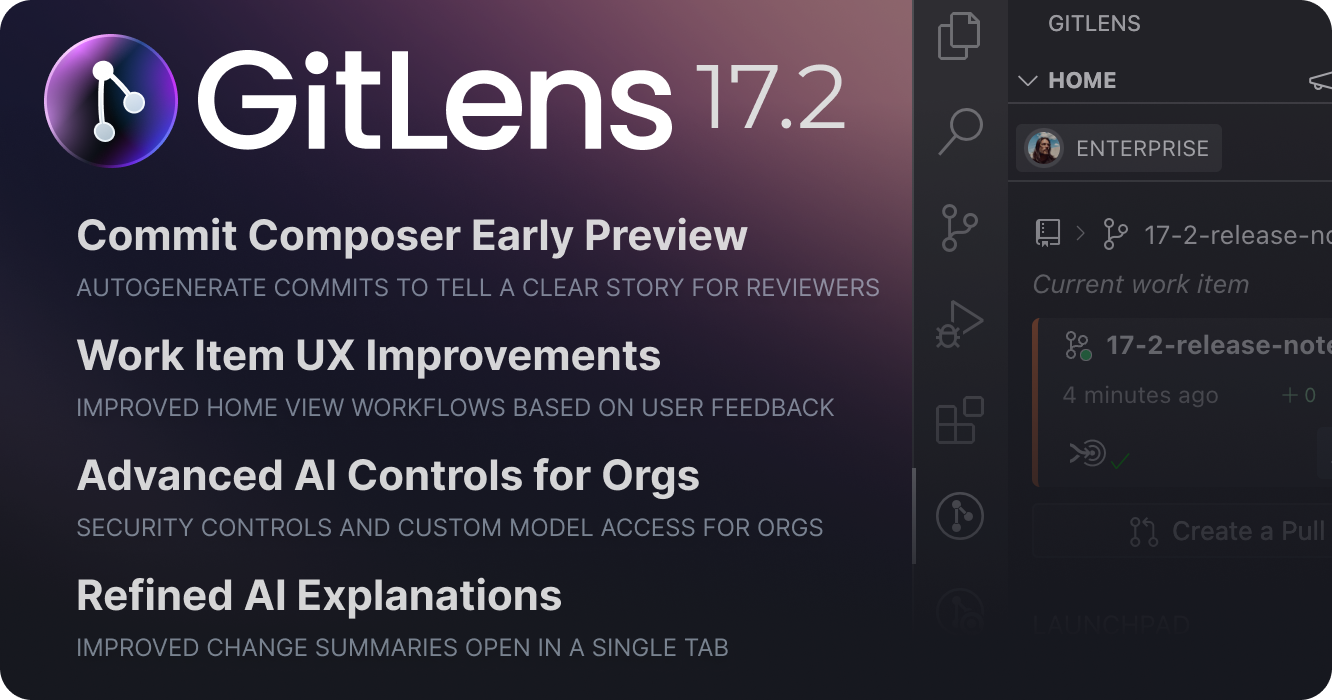
Commit Composer Early Preview
In this release, we’re excited to share an early preview of Commit Composer, a set of AI-powered features that help you organize your Git commits into clear, logical stories.
Commit Composer will analyze your code changes and use AI to:
- Organize related changes across files into logical, cohesive commits
- Generate meaningful commit messages that clearly describe what each commit accomplishes
- Create commit descriptions that provide helpful context for reviewers
There are two main operations available in this early preview:
- Generate commits from working directory changes
- Generate new commits from existing changes on a branch
Read more about how to use these preview features and join the Commit Composer Discussion.
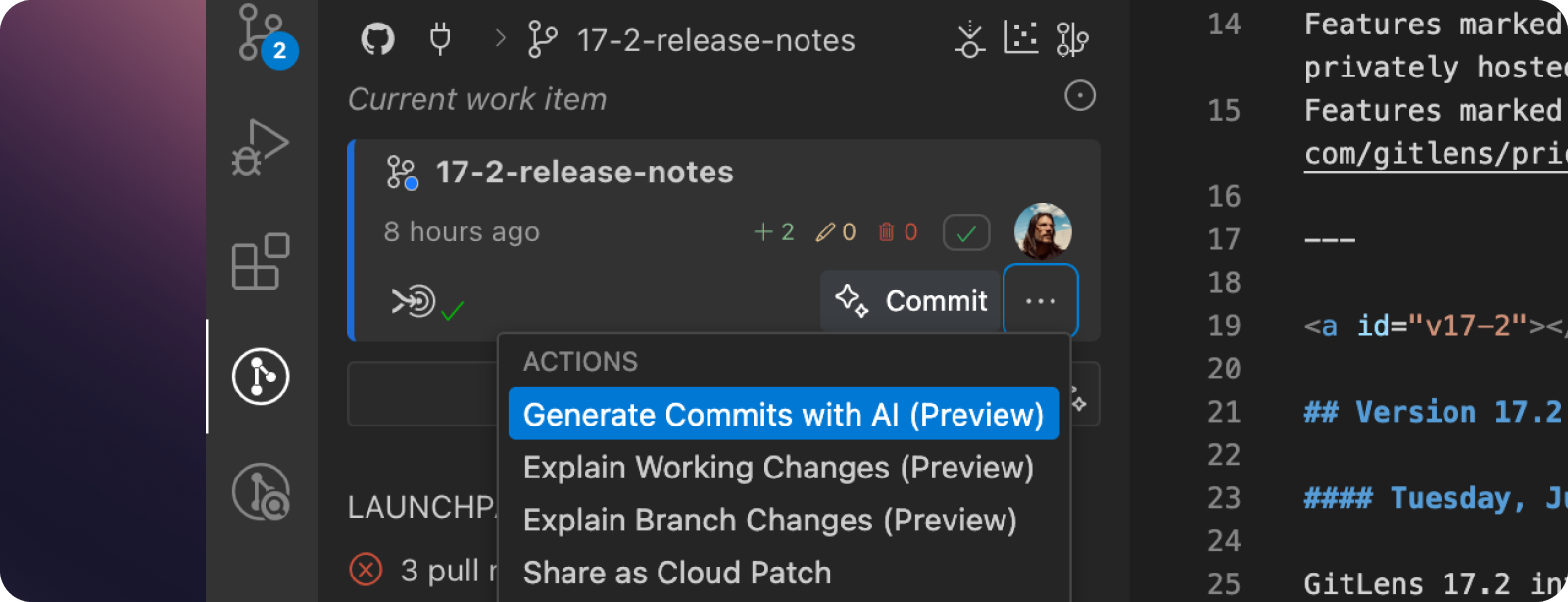
Work Item UX Improvements in Home View
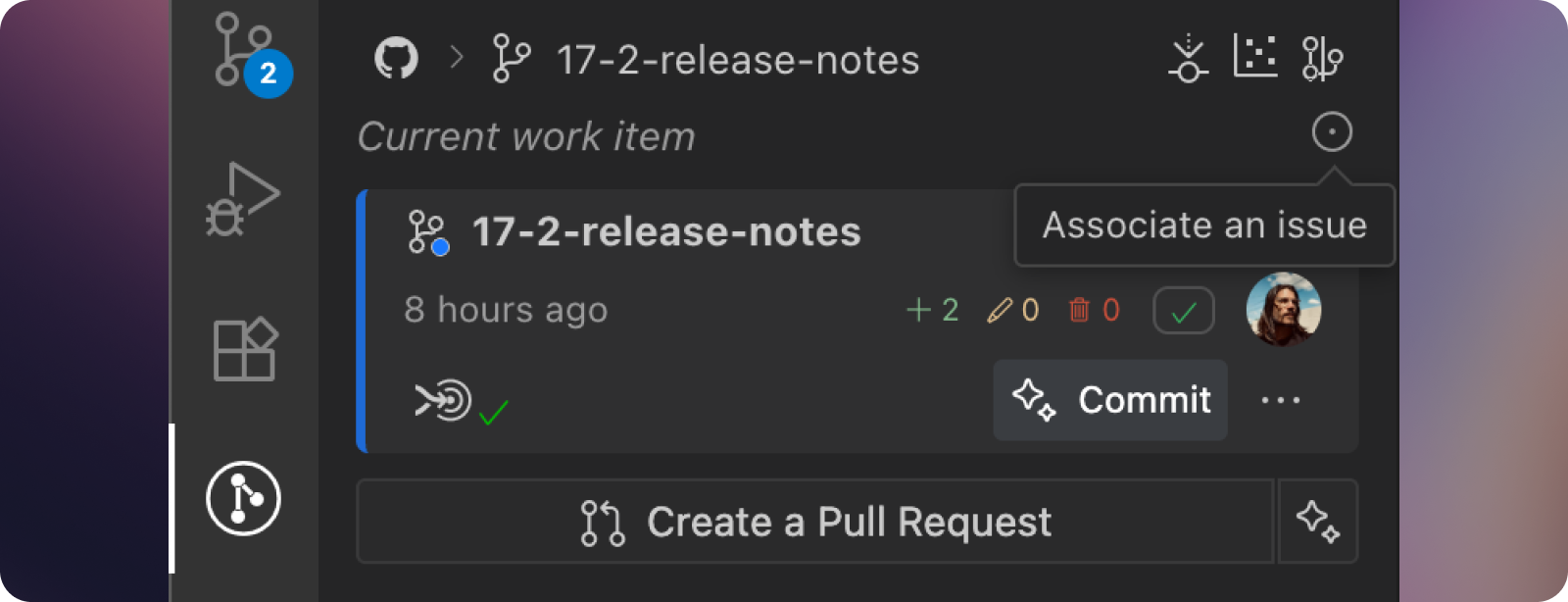
We’re refining the GitLens Home view based on user feedback. In this release, we’re focused on improving clarity around the three key components of the current work item: the active branch, the linked issue, and the related pull request.
Streamlined Issue Association
When no issue is associated with your current branch, we’ve removed the large “Associate an Issue” button to reduce visual clutter. You can still associate issues using the subtle issue icon in the header.
When an issue is identified, it now appears above the current branch to reinforce the natural workflow progression from issue → branch → pull request.
Enhanced Repository Navigation
The main header is now a breadcrumb that helps you understand your current repo context. The repository name is collapsed by default with the branch prominently displayed, so you always know which branch you’re working on. Hover over the breadcrumb to reveal the full repository name when needed.
Simplified Pull Request Creation
We’ve consolidated the “Create Pull Request” and “Create with AI” buttons into a streamlined split button. Click the main button for standard PR creation, or click the smaller ✨ button to generate AI-powered titles and descriptions.
Advanced AI Security Controls for Organizations ADVANCED
Organizations on the Advanced plan now have granular control over AI provider access for their teams. Admins can:
- Disable specific AI providers to block access to certain models
- Set custom API keys for specific providers that all organization members will use
- Configure custom URLs and keys for additional AI providers
These controls ensure compliance with organizational security policies while maintaining access to AI-powered features.
Refined AI Explanations
AI explanations now open in a single rendered markdown file instead of showing both the rendered content and markdown source. This reduces editor tab clutter and provides a cleaner reading experience that can be easily closed without save prompts.
Added
- Adds new AI commands (in preview) which can generate (and rebase) commits from working tree changes or from commits in an existing branch (#4301):
- Adds the Generate Commits with AI (Preview) command to the command palette, and to the context menu or working tree changes in views and the Commit Graph. This command stashes working tree changes, generates a set of commits from those changes, and commits them to the current branch.
- Adds the Rebase with AI (Preview) command to the command palette and AI Rebase Current Branch onto Commit (Preview) command to the context menu of commits in views and the Commit Graph. This command takes the commits on a branch, reorganizes them into a new set of AI-generated commits, creates a branch at the chosen commit and commits them to the new branch
- These commands also generate a document to explain each generated commit and its contents
- Adds messaging and confirmation on first-time use of the commands to explain how they work (#4367)
- Adds an Undo button to the success notification of the commands which attempts to revert the generated commits/branch (#4366)
- Adds contributors to File History view (#4356)
- Adds support for AI controls from the active organization’s security settings on the current account (#4300)
- Adds o3 Pro model and latest Gemini 2.5 Pro preview support to GitLens AI features (#4388)
- Adds Anthropic Claude 4 Opus and Claude 4 Sonnet support to GitLens AI features
- Adds support for Mistral models to GitLens AI features
- Adds a loading message to several GitLens views when the content of the view is still loading
- Adds inline buttons to the stash and commit picker and ensures proper messaging when there are no stashes or commits available
- Adds the Open Worktree in New Window command to branch cards in Home view
Changed
- Automatically stashes (and pops) uncommitted changes on Pull (#4296)
- Improves the interaction experience with Home view (#4302):
- Combines the “Create Pull Request” and “Create with AI” buttons into a split button (#4330)
- On the Home view in the active branch card replaces repository with a breadcrumb that has both the repository and current branch, where the repository is collapsible and is hidden by default (#4332)
- Hides Walkthrough links and buttons in Cursor because they are not applicable (#3837)
- Changes Delete Branch commands to no longer use/open a terminal (#3528)
- Improves the appearance of view headings when collapsed into the grouped view (#4355)
- Uses virtual documents instead of untitled documents for summaries generated by GitLens AI commands, and adds a “regenerate” option to most summaries (#4326)
- Updates search results in some views to update dynamically with a count
- Improves the loading performance of the Worktrees view
- Remembers selected nodes in certain views when they lose and regain focus
- Automatically expands the remote in Remotes view when it is the only remote
Fixed
- Fixes some cases where “element with id is already registered” errors occur across several GitLens views (#3341, #3442, #3862)
- Fixes the Visual File History view from refreshing needlessly when the active editor changes between revisions (#4325)
- Fixes cancellation of prompts on certain AI commands causing an error notification (#4354)
- Fixes files missing in the Repositories view when the “Use compact file layout” option is disabled (#4307)
- Fixes “path is already registered” error after git pull (#922)
- Fixes GitLens file watchers causing high CPU usage in some cases (#4335)
- Fixes some cases where stashes and commits incorrectly appear on branches in the Repositories view (#4353)
Version 17.1
Thursday, May 15, 2025
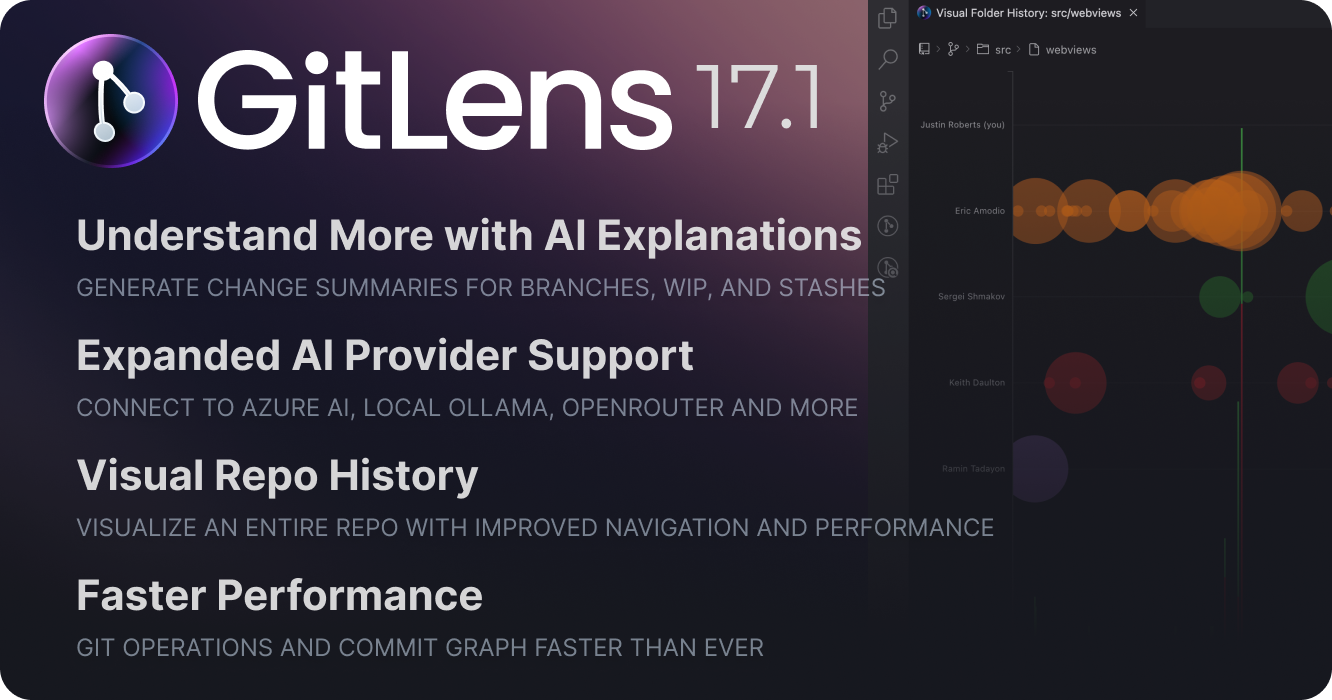
GitLens 17.1 brings significant enhancements to AI-powered explanations, more AI provider options, introduces major Visual History improvements, and includes performance optimizations to Git operations and the Commit Graph.
Enhanced AI Explanations
We’ve greatly expanded AI explanation capabilities beyond just commit explanations, making it easier understand more aspects of your repository, from more places in GitLens.
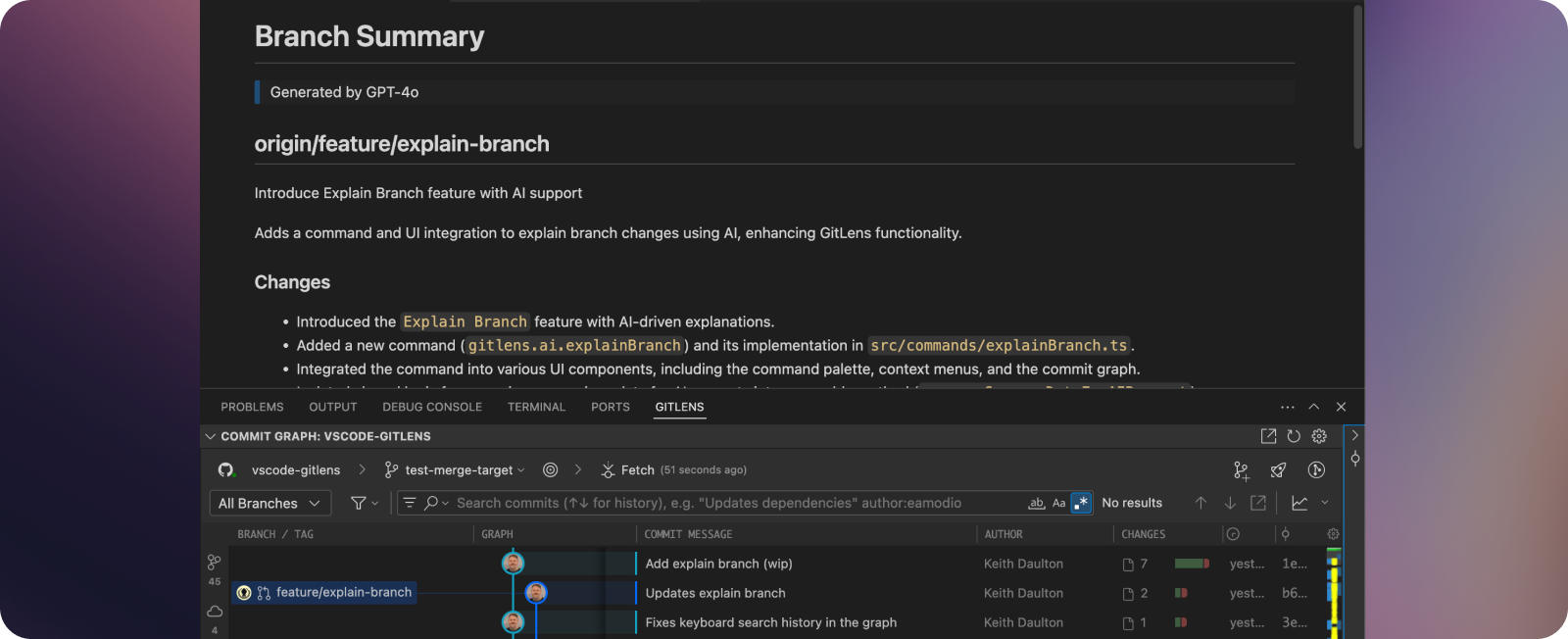
✨Explain functionality now includes generating summaries of changes for branches, working changes, and stashes in Preview. All summaries will open in rendered markdown instead of the Commit Details panel for better visibility and persistence.
You’ll find ✨Explain options for commits, branches, stashes, and working changes in several places:
- In the Commit Graph
- Available as commands in the command palette
- In many GitLens views: Commits, Branches, Stashes, Search & Compare, etc.
- In branch cards in the Home view
With these new AI explanation capabilities, you can quickly understand:
- What changed across all commits in a branch – ✨Explain Branch (Preview)
- What you’ve modified in your working directory – ✨Explain Working Changes (Preview)
- What you’ve previously stashed – ✨Explain Stash (Preview)
AI Provider Support
We’ve also expanded AI provider support to give you more options when using GitLens AI features, including:
- New OpenAI and Google models
- Self-hosted Azure AI models
- OpenAI-compatible API providers
- Local Ollama models
- OpenRouter support
Home Workflow Improvements
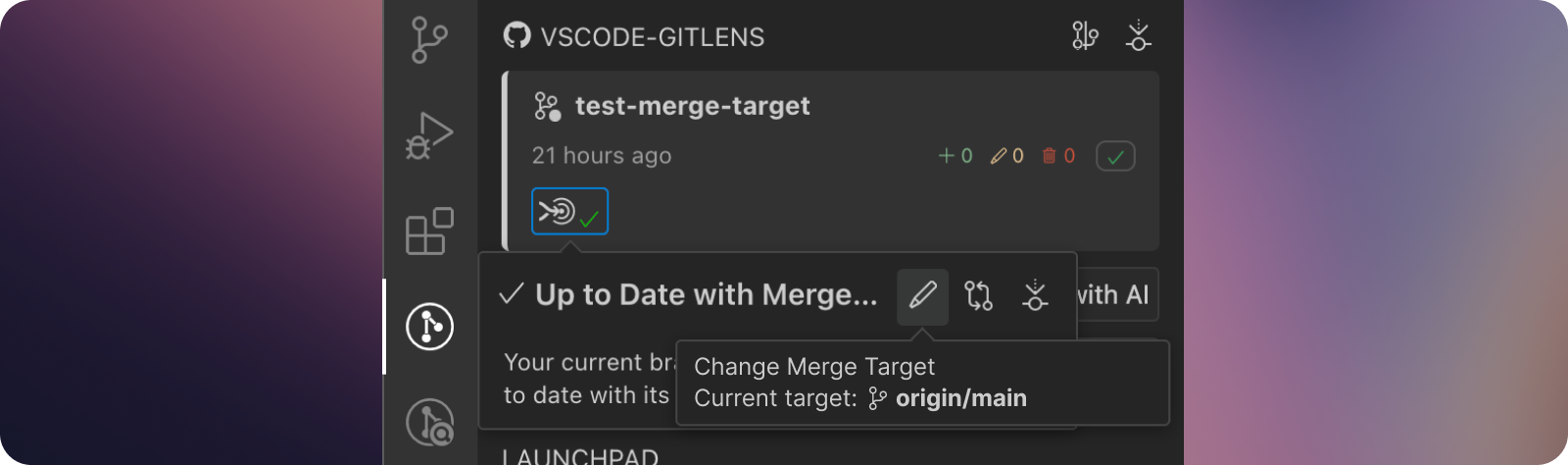
The Home view now provides more accurate context about your work and offers more flexibility in how you manage branches and their relationships.
- Improved issue association for more accurate tracking of issues related to branches
- Manual merge target selection allows you to change the merge target for your active branch when the assumed target isn’t correct
Graph Enhancements
We’ve made several improvements to the Commit Graph for better performance and usability.
- Performance optimization with behind-the-scenes changes for faster graph rendering
- Enhanced Commit Details with:
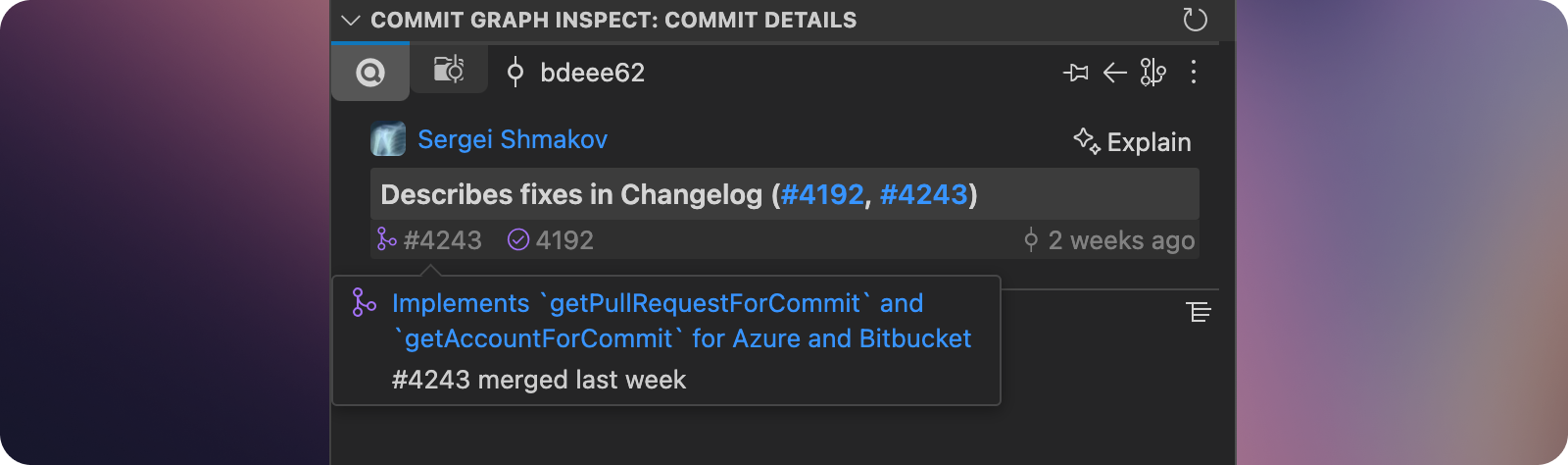
- Autolinks moved directly into the commit message component for easier access
- ✨Explain Commit positioned closer to the commit message
- Streamlined panel layout providing more space for the file tree
GitLens Visual History: A Reimagined History Experience
We’re excited to introduce the all-new Visual History feature in GitLens, a powerful evolution of Visual File History. This reimagined view provides a dynamic and insightful visualization of your repository’s history, offering unparalleled flexibility to explore changes across files, folders, branches, and your entire project.
Visual History empowers you to understand the evolution of your codebase in a whole new way, helping you answer critical questions about who changed what, when, and in which context.
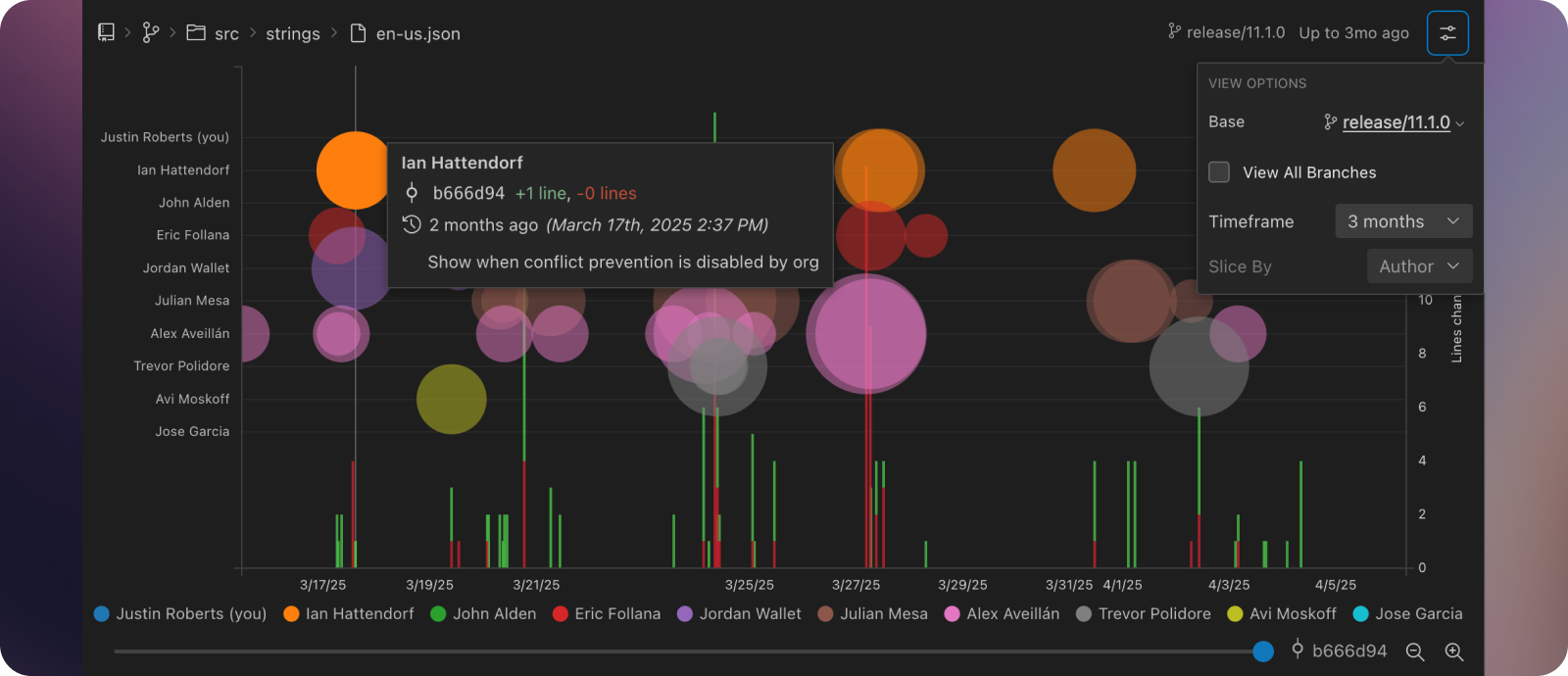
- New navigation breadcrumb allowing you to start at file level and move up to folder and repo levels
- Interactive diff scrubber for more precise navigation of diff history
- Performance improvements when loading visualizations and zooming
- Repository visualization accessible directly from the Home view
Smarter, Faster Git
This release brings major improvements to how GitLens interacts with Git under the hood — delivering faster performance, better accuracy, and more responsiveness, especially in large repositories.
- Rewritten Git execution and parsing engine for dramatically faster and more reliable Git operations.
- Smarter contributor stats with improved fetching performance and richer data.
- Faster and more accurate commit searches across the Commit Graph and Search & Compare views.
- Streamlined file and line history with more precise results and snappier performance.
- Improved Git cancellation handling for smoother UX and lower system impact.
- New performance settings, like delaying file detail loading on commits, give you more control in large repos.
These enhancements ensure GitLens continues to scale with your codebase — helping you move faster with more confidence.
Added
- Adds AI-powered “Explain” commands for work-in-progress (WIP) changes, commits, stashes, and branches
- Adds Explain Branch Changes (Preview), Explain Changes (Preview), and Explain Working Changes (Preview) actions to branches, commits and stashes, and WIP, respectively in the Commit Graph
- Adds Explain Branch Changes (Preview) and Explain Changes (Preview) actions to branches, commits and stashes in the other GitLens views
- Adds an ✨ Explain button to the editor and status bar blame hovers
- Adds an ✨ Explain button above the commit message in the Inspect view which replaces the Explain panel
- Adds Explain Branch Changes (Preview) and Explain Working Changes (Preview) (when applicable) actions to the
...menu on the Home view - Adds Explain Branch Changes (Preview), Explain Commit Changes (Preview), Explain Stash Changes (Preview), and Explain Working Changes (Preview) actions to the Command Palette
- Adds updated AI provider and model support for GitLens’ AI features
- Adds Ollama and OpenRouter support (#3311, #3906)
- Adds Google Gemini 2.5 Flash (Preview) model, and OpenAI GPT-4.1, GPT-4.1 mini, GPT-4.1 nano, o4 mini, and o3 models (#4235)
- Adds support for Azure AI (OpenAI-compatible) models
- Adds support for custom OpenAI-compatible providers (#4263)
- Adds
gitlens.ai.enabledsetting to disable all AI-powered features - Adds a walkthrough for AI features
- Adds an all-new Visual History, a powerful evolution of the Visual File History, providing a dynamic and insightful visualization of your repository’s history, offering flexibility to explore changes across files, folders, branches, and your entire project
- Visualize the history sliced by author (the default) or by branch (when applicable), providing different perspectives on contributions and development lines
- Slicing by author allows you to see the contributions of each author over time
- Slicing by branch allows you to see unmerged commits on parallel development lines — only available when viewing the history of all branches of a file or folder
- Use the zoom/pan functionality to focus on specific timeframes or areas of interest via mouse wheel or zoom buttons
- Adds a breadcrumb navigation bar, with branch switcher and file/folder picker, allowing you to easily navigate the history of files, folders, branches, or the entire repository
- Hold
AltorShiftwhen clicking on the breadcrumbs to open the repository or folder in a new tab - Adds the configuration popover to customize the visualization, including the branch or all branches, timeframe, and how to slice the history
- Adds a scrubber bar to provide an almost time-lapse view for navigating through the changes introduced with each commit in history
- Adds Visualize Repo History and Visualize Branch History actions to the Home view
- Adds Show Visual History command to the Command Palette
- Adds the ability to change a branch’s merge target in Home view. (#4224)
- Adds enhanced integration with Azure DevOps, Bitbucket, and Bitbucket Data Center to support associated accounts and pull requests on commits (#4192)
- Adds the ability to search for GitHub Enterprise and GitLab Self-Managed pull requests by URL in Launchpad
- Adds enhanced and improved accuracy and performance of the revision navigation (#4200)
- Adds support for navigating line ranges in addition to individual lines
- Adds “changes” statistics for stashes in the Commit Graph
- Adds Open File at Revision from Remote command to open the specific file revision from a remote file URL
- Adds
Copy SHAaction to editor hovers - Adds avatars to the hidden Branch / Tags popover in the Commit Graph
Changed
- Changes the display of autolinks in the Inspect and Commit Graph Inspect views (#4286).
- Replaces the autolinks panel with a new compact “footer” bar below the commit message
- Optimizes (rewrote) Git execution and parsing for significantly improved performance, especially with large repositories, and reliability
- Improves contributor fetching performance, especially for large repositories, and adds more advanced data for contributor statistics
- Improves performance of loading data for the Commit Graph
- Improves cancellation support in many Git operations for better responsiveness and system resource usage
- Adds
gitlens.advanced.commits.delayLoadingFileDetailssetting to delay loading full commit file details until required to improve performance even more for large repositories
- Improves Commit Graph rendering performance, re-rendering avoidance, and selection responsiveness
- Switches the Commit Graph webview to use Lit and upgraded to React 19 for the graph component
- Improves commit search performance and reliability, epecially when paging in new results
- Improves branch name autolink matching logic for better accuracy and fewer false positives (#3894)
- Improves commit search accuracy and performance both in the Search & Compare view and the Commit Graph
- Improves commit searches in the Search & Compare view to show only the matching files for file or change-based searches
- Improves commit searches in the Search & Compare view to show matching stashes
- Improves accuracy and performance of the File History and Line History views
- Improves performance of the Contributors view, especially with large repositories
- Adds a configurable
gitlens.views.contributors.maxWaittimeout setting for fetching contributors to avoid potentially long waits
- Adds a configurable
- Improves GitHub integration authentication check performance, when the authentication extension is disabled or unavailable (Cursor, Windsurf, etc) (#4065)
- Improves AI model adherence to provided custom instructions (#4267)
- Changes cherry-pick command no longer use/open a terminal (#3531)
- Improves date setting descriptions (#3953)
Fixed
- Fixes an error that can occur when retrieving the active repository, such as when the current file is not part of a repository.
- Fixes cache collision between issues and PRs in autolinks (#4193)
- Fixes incorrect PR Link Across Azure DevOps Projects (#4207)
- Fixes detail view incorrectly parses GitHub account in commit message (#3246)
- Fixes timed out waiting for authentication provider to register in GitLens after update to version 16.3 (#4065)
- Fixes cloud integration sessions not refreshing when they expire mid-session (#4240)
- Fixes “Delete Worktree” doing nothing when the default worktree is already open in another window (#4232)
- Fixes some cases in which Azure DevOps queries fail or return unexpected results (#4271)
- Fixes element with id is already registered for commit searches in the Search & Compare view
- Fixes hierarchical compaction in file trees (e.g., a parent folder disappearing if a subfolder with a similar name exists)
- Fixes cherry-pick commit ordering by falling back to author date if committer date matches
- Fixes issues when using older versions of Git (>= Git 2.7.2)
- Fixes cases where rename detection was not working properly
Removed
- Deprecates the
gk-target-baseGit configuration key
Engineering
Version 17.0
Monday, March 31, 2025
GitLens 17 brings powerful new integrations, enhanced AI capabilities, and workflow improvements to help you collaborate more efficiently. This release introduces official Bitbucket integration, adds GitKraken AI as a provider for AI-powered features, delivers new AI capabilities like changelog generation and PR creation, and extends multi-select actions in the Commit Graph.
GitKraken AI Preview
We’re excited to introduce GitKraken AI, a preview of our official AI provider for GitLens’ AI-powered features. Now users with a paid subscription can leverage powerful AI capabilities without needing to configure external API keys.
- Two model options available in this release:
- Google Gemini 2.0 Flash
- Google Gemini 2.0 Flash-lite
The active AI provider and model that GitLens uses can be found in the Integrations menu in Home View for better visibility and management.
New AI Features
AI Pull Request Creation
Creating meaningful pull requests is now easier than ever with AI-assisted PR creation.
- Automatically generate descriptive titles and detailed descriptions based on your committed changes
- Save time while providing reviewers with better context about your changes
- Open a new PR with the generated content directly from GitLens
AI Changelog Generation
Need to generate a structured changelog for a group of commits? GitLens 17 makes it simple with AI-powered changelog generation.
- Select multiple commits and generate a well-structured changelog in markdown format
- Perfect for release notes, documentation, or communicating changes to your team
Bitbucket Integration
GitLens now offers rich integration with Bitbucket repositories! Connect your Bitbucket account to gain access to issues and pull requests directly within GitLens.
- Support for both Bitbucket Cloud and Bitbucket Data Center
- Access Bitbucket issues and pull requests in Home View and Launchpad
- See pull request information within the Commit Graph
- Seamlessly incorporate Bitbucket into your GitLens workflows
Commit Graph Enhancements
The Commit Graph now supports taking actions on multiple selected commits, starting with cherry-picking. This makes it easier to work with groups of related commits across branches.
- Select multiple commits in the Graph view and cherry-pick them to your current branch
- More multi-select actions coming soon, including AI changelog generation
Plan Updates
We’ve refreshed GitKraken plans to better reflect how devs and teams work:
- Pro plan remains “Pro” and is limited to 1-2 seats
- A new “Advanced” plan is available with more AI features and controls for small teams of up to 10
- Teams plan is now “Business”
Read more about the new GitKraken plans.
Referral Program
Pro subscribers can now refer colleagues and friends to GitLens through the new referral program and earn $.
- Access the referral program here, or through the account menu in GitLens Home
Added
- Adds support for GitKraken AI (Preview), powered by Google Gemini, included with all GitLens Pro subscriptions
- Adds expanded support for GitHub Copilot-provided AI models
- Adds an AI-powered “Create with AI” button to assist with creating pull requests for GitHub and GitLab
- Adds AI-powered changelog generation between two references (#4189)
- Adds a Generate Changelog (Preview)… command to the Command Palette
- Adds a Generate Changelog (Preview)… context menu item to branches and tags in the Commit Graph and in GitLens views
- Adds a Generate Changelog (Preview) context menu item to Behind/Ahead comparison results in Gitlens views
- Adds AI model status and model switcher to the Home view (#4064)
- Adds Anthropic Claude 3.7 Sonnet model for GitLens’ AI features (#4101)
- Adds Google Gemini 2.5 Pro (Experimental) and Gemini 2.0 Flash-Lite model for GitLens’ AI features (#4104)
- Adds new Bitbucket Cloud and Data Center integration (#3916)
- Adds support for multi-select in GitLens views, enabled by default
- Adds Cherry Pick Commits…, Copy Remote Commit URLs , and Open Commits on Remote actions to multi-selected commits in the Commit Graph and GitLens views
- Adds Add as Co-authors action to multi-selected contributors in GitLens views
- Adds Delete Branches…, Open Branches on Remote, Add to Favorites, and Remove from Favorites actions to multi-selected branches in GitLens views
- Adds Delete Tags… action to multi-selected tags in GitLens views
- Adds Drop Stashes… action to multi-selected stashes in GitLens views
- Adds Delete Worktrees… and Open Worktrees in New Window actions to multi-selected worktrees in GitLens views
- Adds ability to control how worktrees are displayed in the views
- Adds a
gitlens.views.worktrees.worktrees.viewAssetting to specify whether to show worktrees by name, path, or relative path - Adds a
gitlens.views.worktrees.branches.layoutsetting to specify whether to show branch worktrees as a list or tree, similar to branches
- Adds a
- Improves detection in the merge target hover on Home for other cases where a branch was merged and adds other actions for the branch and its merge target (#4124)
- Adds expanded support for creating pull requests to all supported providers (#4142)
- Adds a Merge Changes (Manually)… action to files in GitLens view to merge changes in those files into the working tree
- Adds an Open Changes with Common Base action to comparison results files
Changed
- Improves performance by avoiding eager loading of full commit details for inline blame (#4115)
- Improves performance by removing
--full-historyflag usage in git commands - Updates the Switch AI Model command and flow
- Renames the Switch AI Model command to Switch AI Provider/Model
- Allows the provider to be selected before displaying a list of models
- Adds inline actions to reset or configure a provider at the provider step
- Curated the list of AI models available for GitLens’ AI features
- Improves behavior when opening multiple file changes simultaneously
- Improves accuracy of file lists and stats for uncommitted changes
- Changes AI features (stash description, changelog generation) to honor organization settings
Fixed
- Fixes Bitbucket Server remote – “scm/” path prefix not removed (regression) (#3218)
- Fixes large commit messages work poorly on Commit Graph (#4100)
- Fixes Show * View commands fail intermittently (#4127)
- Fixes Load more action not working on incoming changes in Commits/Repositories views (#4154)
- Fixes incorrect settings.json entry for Google Gemini 2.0 Flash Thinking causes linter warning (#4168)
- Fixes multiple autolinks in commit message are broken when enriched (#4069)
- Fixes
gitlens.hovers.autolinks.enhancedsetting is not respected (#4174) - Fixes sign out action on Account popover is actually sign in (#4182)
- Fixes Launchpad view causing an “add remote” prompt on load (#4039)
- Fixes Launchpad indicator not updating when an item is snoozed (#4103)
- Fixes autolinks sometimes not shown in the Inspect view when integrations were disconnected
- Fixes an issue with overlapping popover UI elements
