
Last updated: August 2026
Coding agents can produce changes quickly, but generated code still needs to be understood, organized, and prepared before it is ready to merge.
GitLens keeps that workflow connected inside the Commit Graph. Review what your agent changed, send feedback back for another pass, shape the result into clean commits, and use AI-powered Rebase to prepare the branch for merge without jumping between disconnected views and tools.
1. Start with the Agent’s Changes
Open the agent’s working changes from the Commit Graph to understand what was modified and how that work relates to the branch and repository around it.
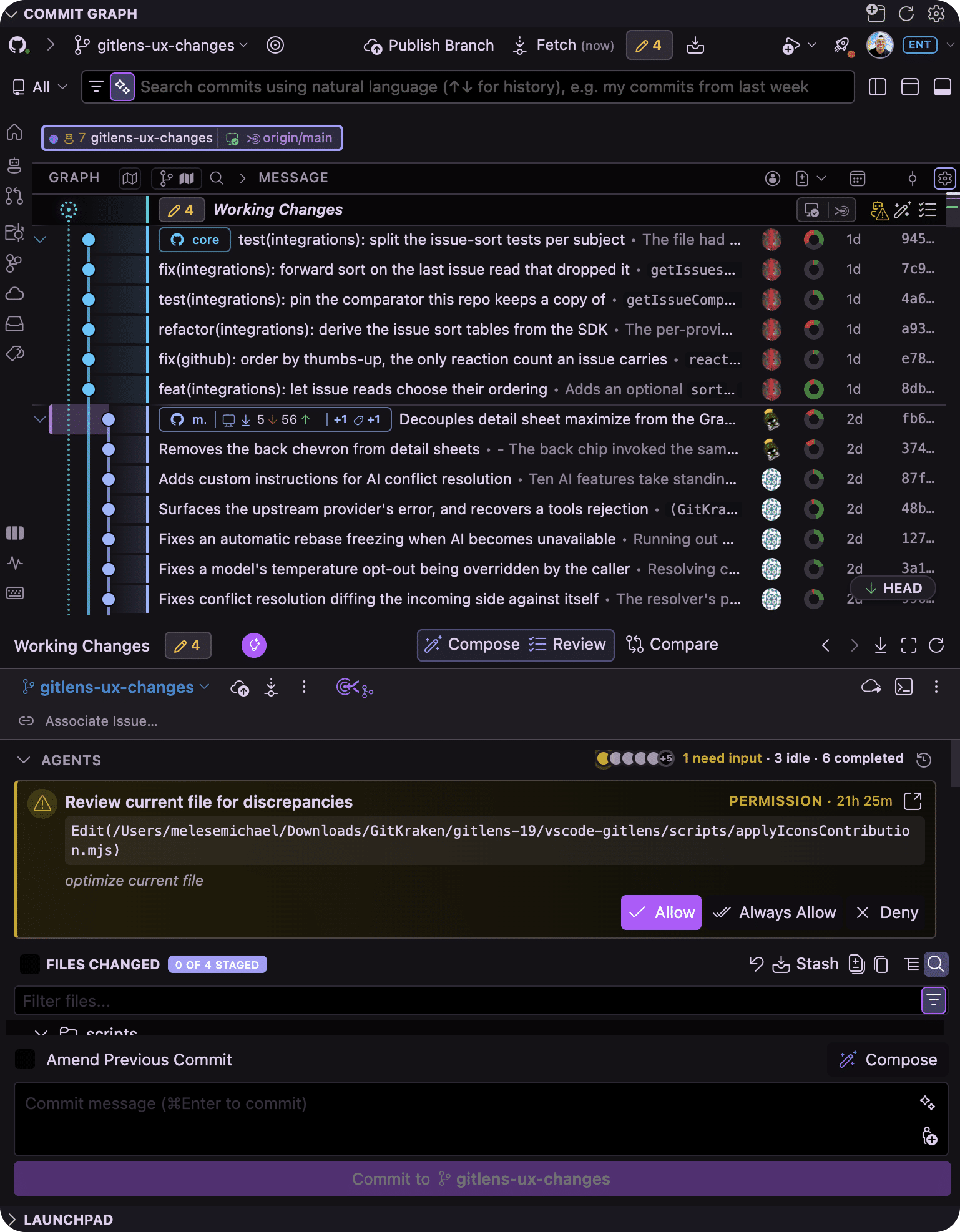
Keeping the agent session, worktree, and changes connected makes it easier to understand the work before deciding what happens next.
2. Review the Work While It’s Fresh
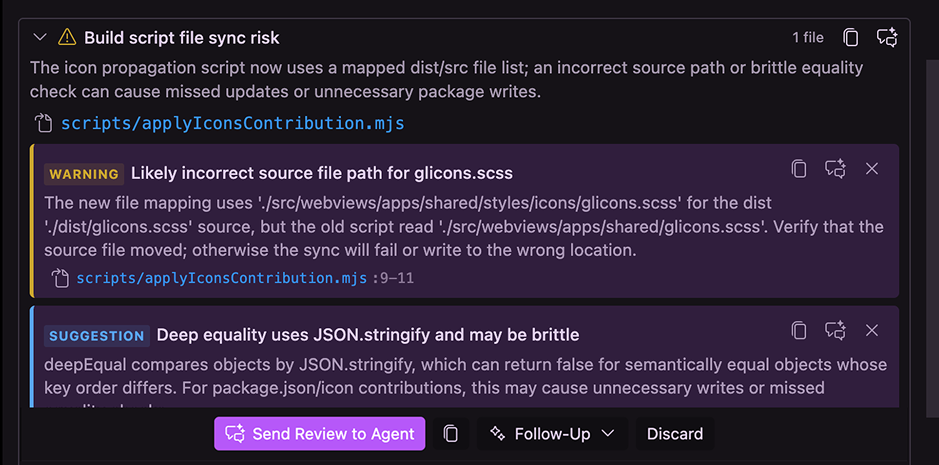
Use AI-powered Review directly from the Commit Graph to analyze the agent-generated changes before they become a pull request.
Review can surface meaningful findings, highlight areas that deserve attention, and help you understand the changes through a streamlined semantic diff.
From the review, you can:
- Inspect findings in the affected code
- Ask follow-up questions for more context
- Focus the review on specific areas
- Send an entire review, focus area, or individual finding back to your coding agent
Review becomes part of the development loop instead of something that happens only after the work is finished.
3. Send Findings Back for Another Pass
When Review surfaces something that needs to change, send the feedback directly back to your coding agent.
GitLens keeps the review context attached so the agent can address the finding without you manually reconstructing the issue in another terminal or chat session.
Once the agent updates the code, return to the working changes and review the result again.
4. Compose Clean, Reviewable Commits
Agent-generated work may span multiple files and concerns that do not belong in a single commit.
Use Commit Composer from the Commit Graph to organize those changes into clean, logical commits that are easier for you and your teammates to understand.
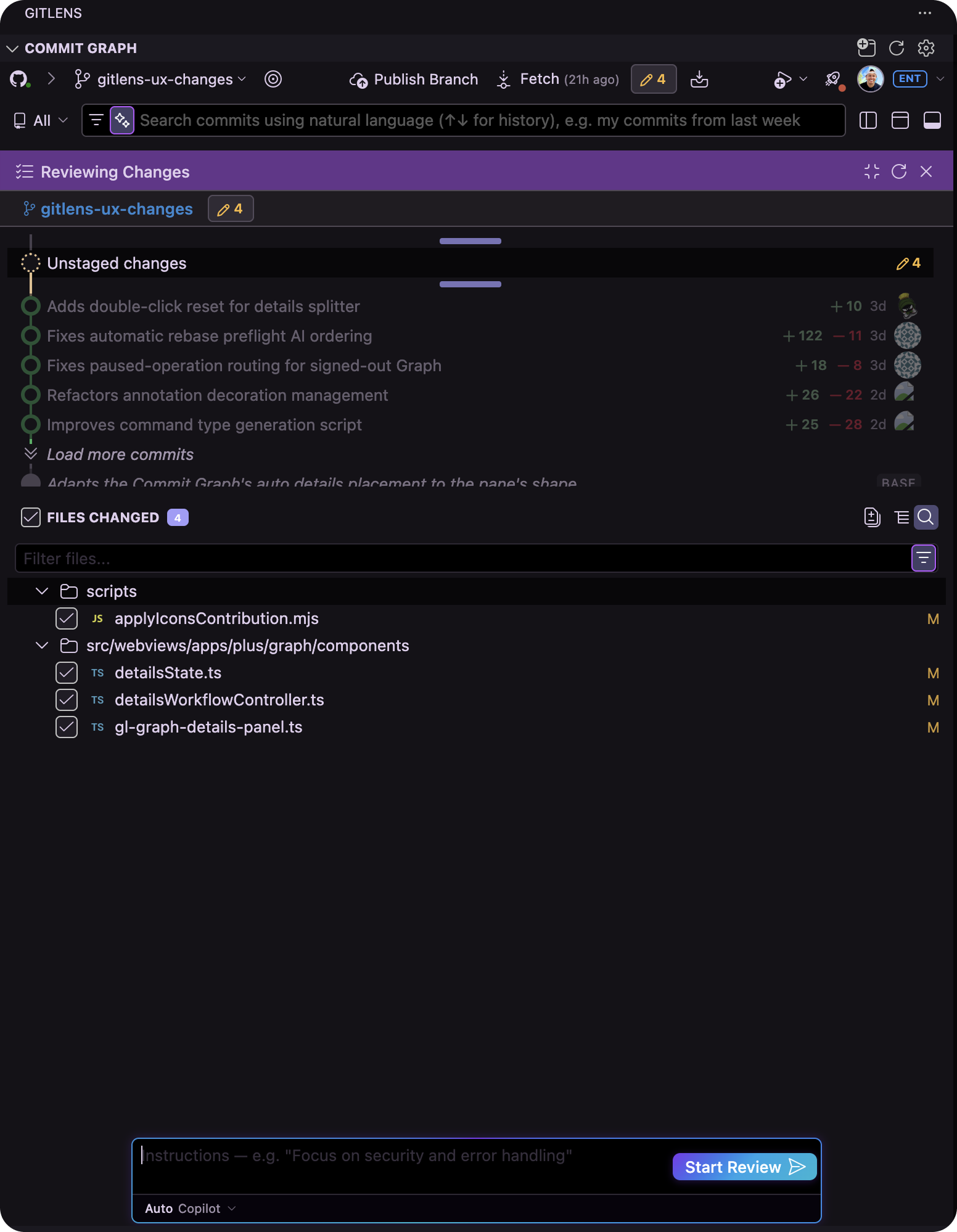
With Compose, you can:
- Group related changes into draft commits
- Move files between commits
- Reorder commits
- Generate commit messages with AI
- Preview synthesized diffs before committing
- Refine the proposed commit structure before writing it to your history
Compose helps turn raw agent output into a history that explains the work instead of simply recording it.
5. Compare Before Moving Forward
Before preparing the branch for merge, use Compare to understand exactly how the work differs from another commit, branch, revision, or working state.
Comparing from the Commit Graph keeps the changes and their surrounding repository context together, making it easier to validate the final result before moving on.
6. Rebase with AI
Once the work is reviewed and organized, the branch may still need to be rebased before it is ready to merge.
GitLens AI-powered Rebase automates much of the tedious work traditionally involved in interactive rebasing while keeping you in control of the resulting history.
Use AI-powered Rebase to help prepare a cleaner branch without manually stepping through every rebase operation.
If the rebase creates conflicts, GitLens keeps the workflow connected so you can move directly into conflict resolution without rebuilding context elsewhere.
From Agent Output to Merge-Ready Work
The Commit Graph keeps the steps between generated code and merge-ready work connected:
Agent changes → Review → Agent feedback → Compose → Compare → AI-powered Rebase
Instead of treating agent output as finished code, GitLens gives you a workflow for understanding it, improving it, shaping it, and preparing it to ship with confidence.
