
Last updated: September 2026
Writing the code is only part of getting work ready to merge. Upstream changes, messy commit history, overlapping work, and merge conflicts can all stand between a finished change and a branch that’s ready to ship.
The Commit Graph brings those final workflows together in one workbench. Understand where your branch stands, compare what changed, clean up your commits, rebase with AI, resolve conflicts, and review the result without jumping between disconnected views and tools.
1. See Where Your Branch Stands
Start in the Commit Graph to understand your branch in the context of the repository around it.
See HEAD, upstream, merge target, incoming work, and ahead and behind status together so you can quickly understand what has changed and what needs attention before moving forward.
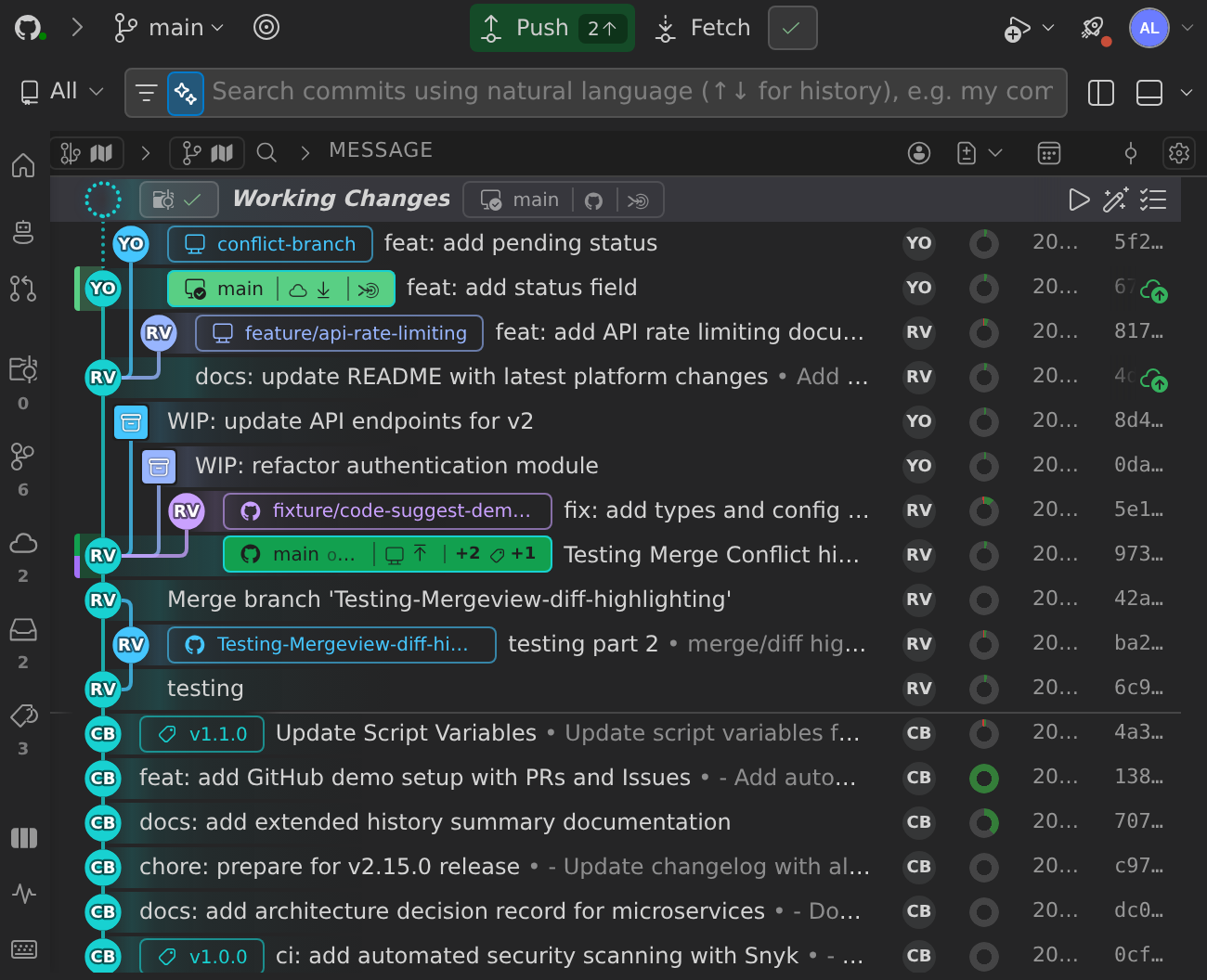
When you have no uncommitted changes, the Working Changes details panel shows a Next steps list. The list suggests only the actions that apply to your branch right now:
- Publish, when the branch doesn’t have an upstream yet
- Publish Repository or Add Remote, when the repository has no remotes yet
- Pull or Push, when the branch is only behind or only ahead of its upstream
- Pull or Force Push, when the branch has diverged from its upstream
- Create PR when a published branch has no open pull request, or View when it has one
- Rebase or Merge, when the branch is in sync with its upstream but behind its merge target or likely to conflict with it. Checking for likely conflicts requires a GitLens Pro trial or paid plan; the ahead and behind counts are available to everyone
- Delete Branch or Delete Worktree, when the branch has been merged into its merge target
- Review and Recompose, to review the branch’s changes or recompose its commits
A diverged branch shows a step that reads Diverged from its remote, followed by how many commits the branch is behind and ahead. Pull is the main action for this step. If you want to replace the remote branch with your local commits instead, for example after a rebase, select Force Push, the secondary action on the same split button.
2. Compare Before You Merge
Before making changes to your branch history, use Compare to understand exactly how your work differs from its target.
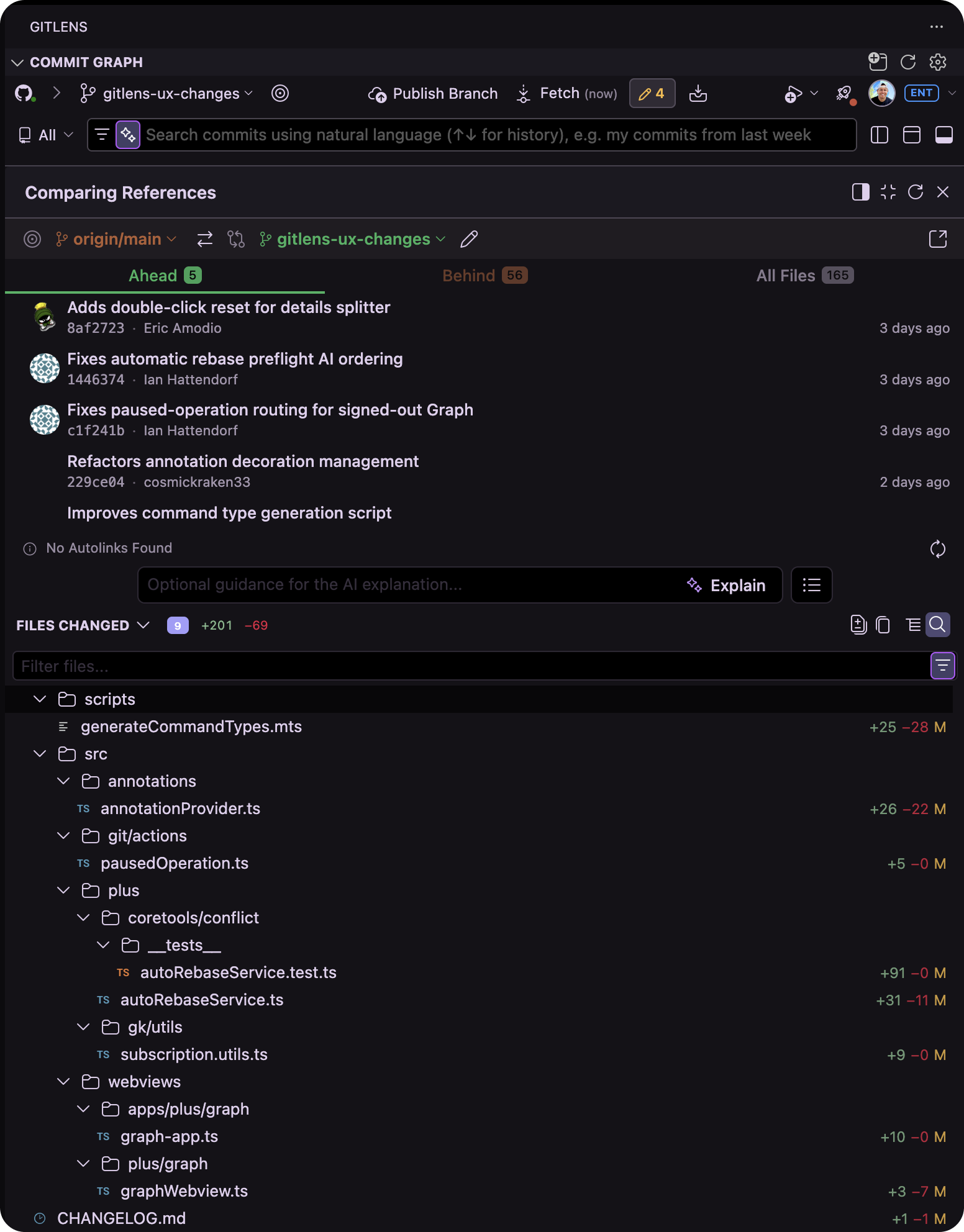
From the Commit Graph, compare branches, commits, revisions, and working changes to see what you’re introducing and identify anything that needs another look.
This gives you a clear baseline before you start preparing the branch for merge.
3. Clean Up Your Commits
Development rarely produces perfectly organized commits on the first pass.
Use Commit Composer to turn working changes into clean, logical commits that make the work easier to understand and review.
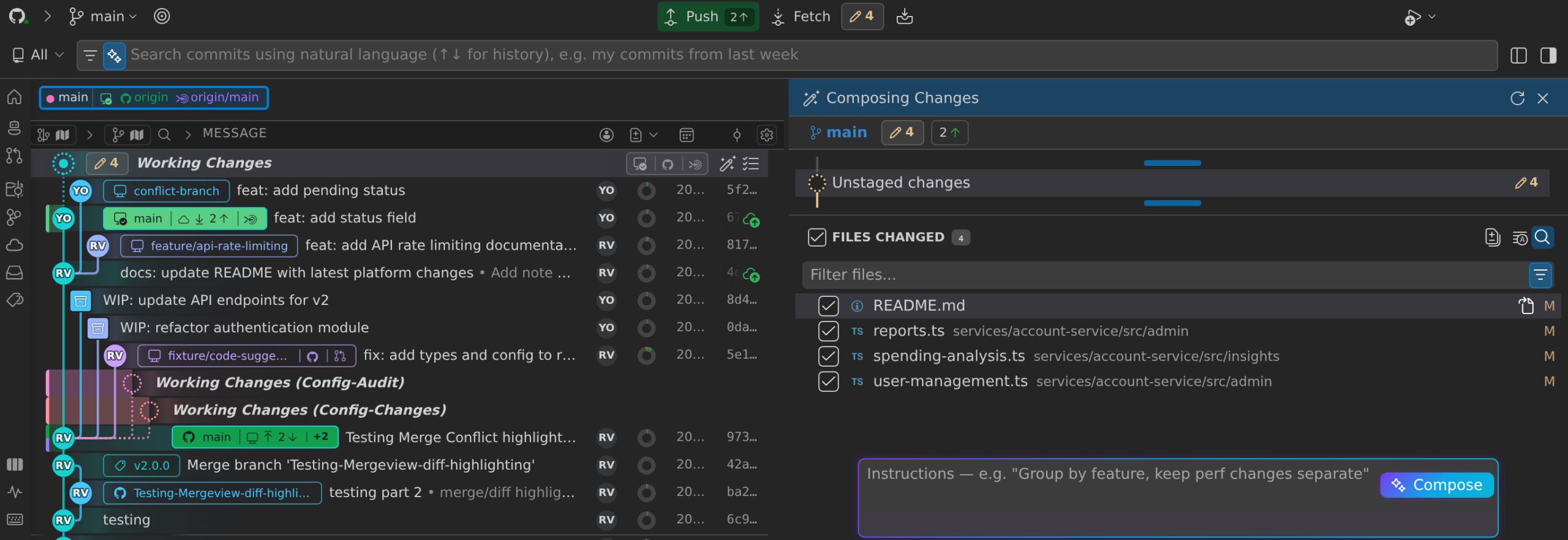
With Compose, you can:
- Group related changes into commits
- Move files between commits
- Reorder and refine work
- Generate commit messages with AI
- Preview the resulting changes before committing
A cleaner commit structure gives reviewers a clearer picture of what changed and why.
4. Rebase with AI
When upstream work has moved ahead, use AI-powered Rebase to bring your branch up to date and prepare its history for merge.
Instead of manually stepping through a traditional interactive rebase, GitLens can automate the rebase process with AI while keeping you in control of the result.
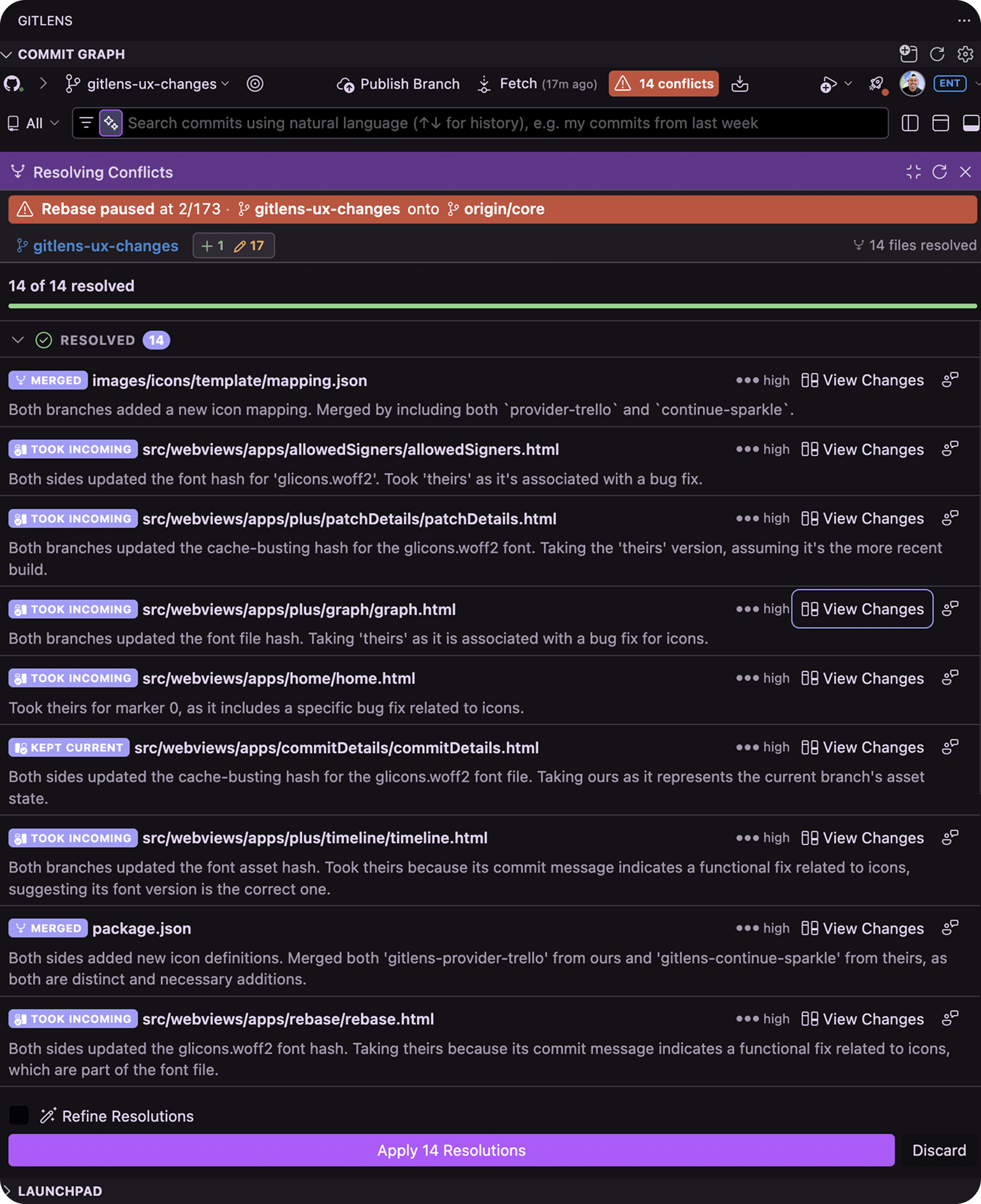
This helps reduce the repetitive work involved in updating and cleaning up your branch before it ships.
5. Resolve Conflicts
Parallel development means changes sometimes collide.
When conflicts occur, GitLens keeps resolution connected to the same repository context you’ve been using throughout the workflow. AI-assisted Resolve can generate proposed resolutions, provide explanations and confidence indicators, and help you understand competing changes before accepting the result.
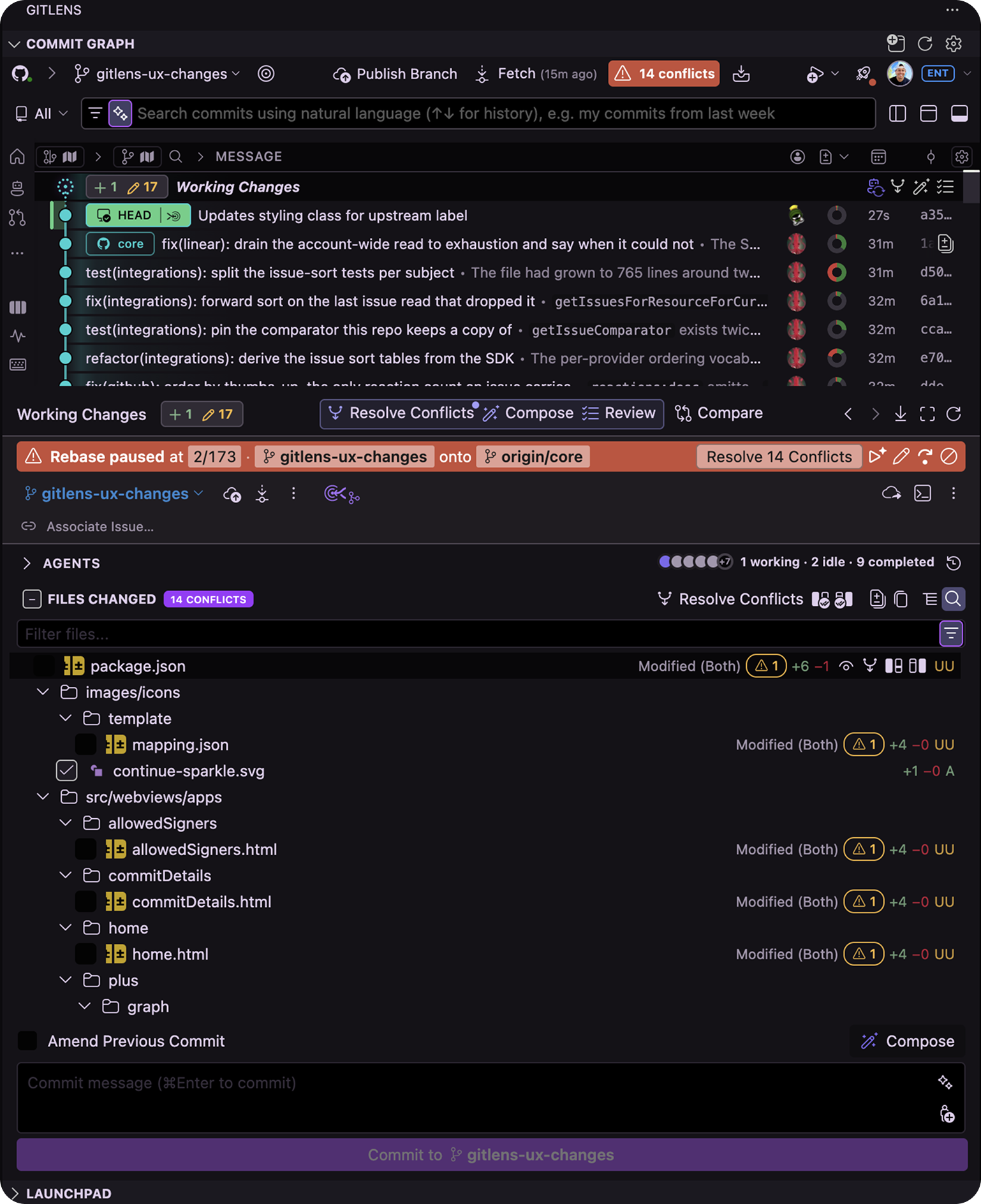
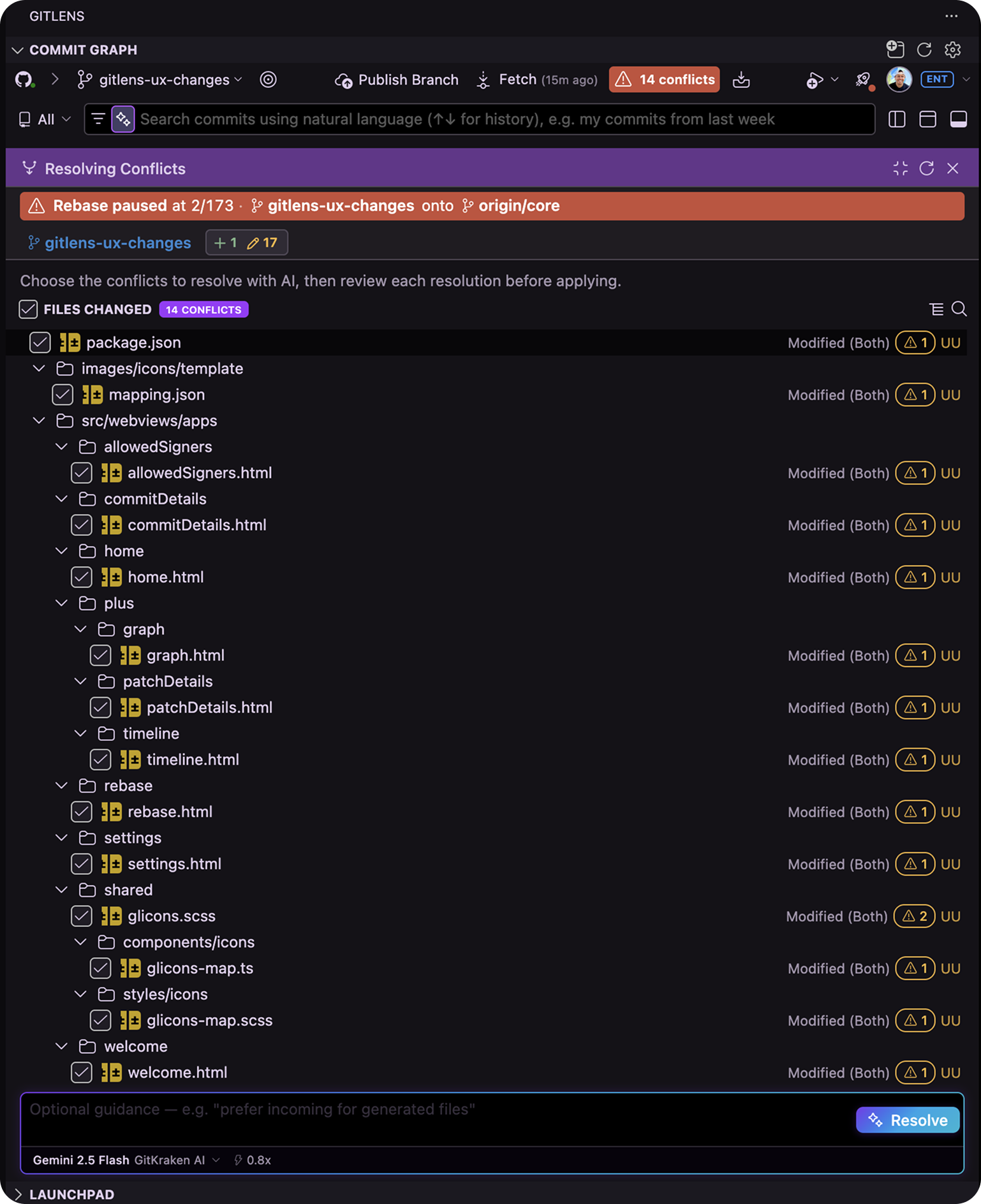
You can always make the final decision or resolve the conflict manually when needed.
6. Review the Final Changes
Once your branch is updated and conflicts are resolved, give the resulting changes one final review.
Use AI-powered Review to surface meaningful findings, inspect important changes, and validate the work before opening or updating your pull request.
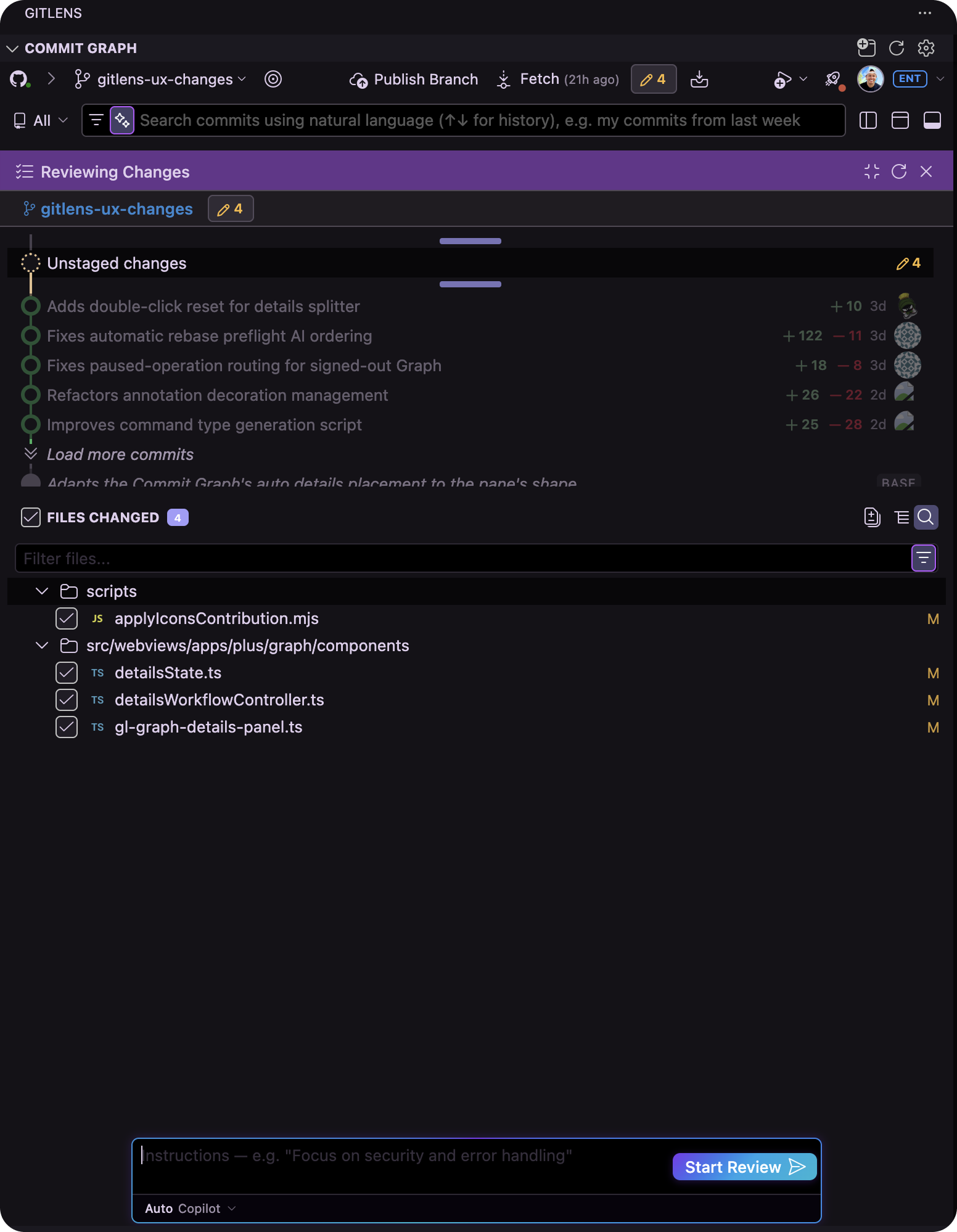
If something needs another pass, address it before the branch moves forward.
Ship with Confidence
The Commit Graph keeps the final steps between finished code and merge-ready work connected:
Understand → Compare → Compose → Rebase → Resolve → Review
Know where your branch stands. Clean up the work. Bring it up to date. Resolve conflicts. Review the result. Ship with confidence.
