
Last updated: September 2026
Modern development rarely happens in a single branch. Developers and coding agents can work across multiple branches, worktrees, and tasks at the same time, creating more parallel streams of work to understand and coordinate.
The Commit Graph brings those streams together in one development workbench. See what’s changing, understand where work is happening, identify what needs your attention, and move work forward without jumping between branches, terminal sessions, and disconnected views.
1. See All Active Work
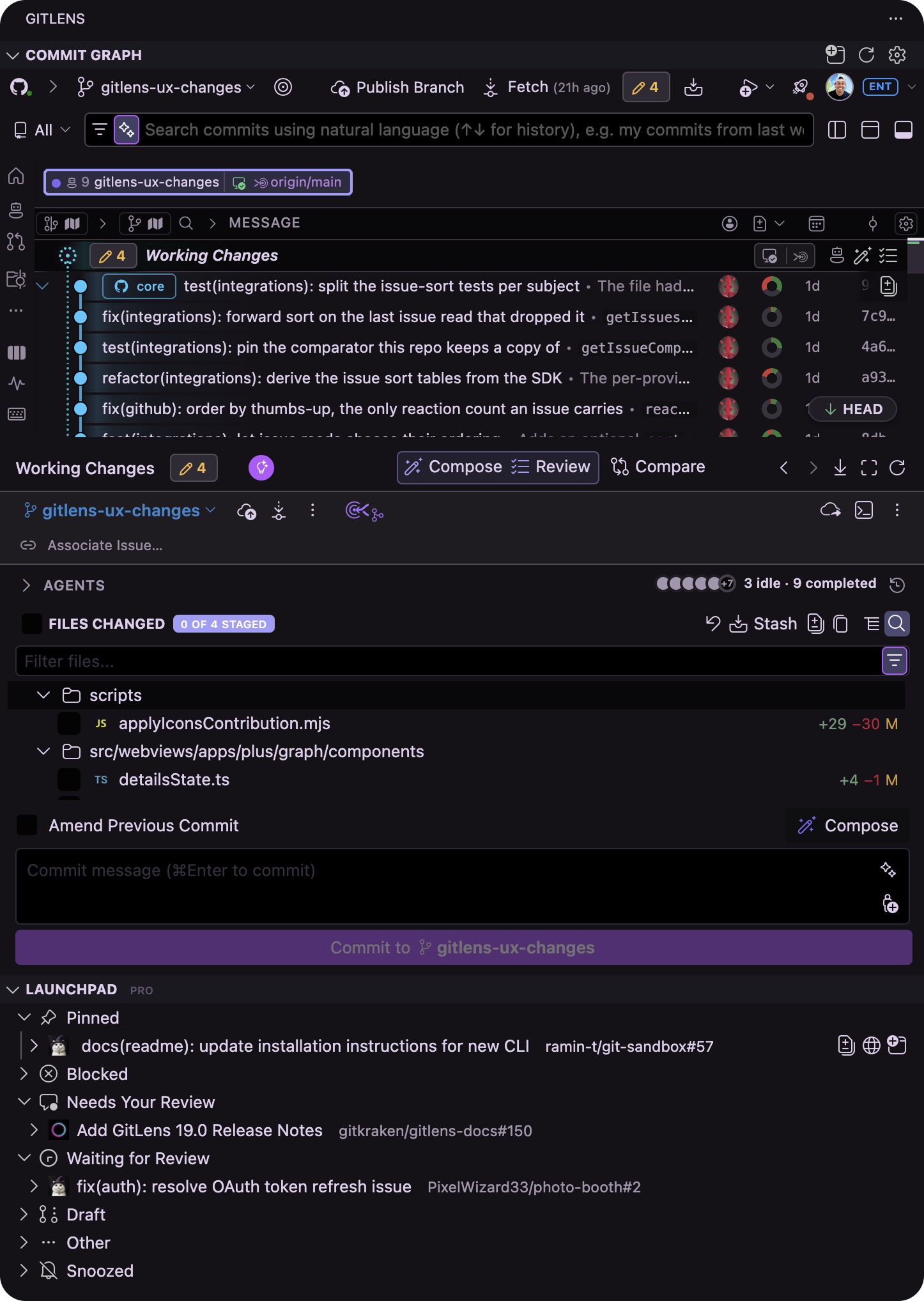
Start in the Commit Graph to get a connected view of your repository and the work happening across it.
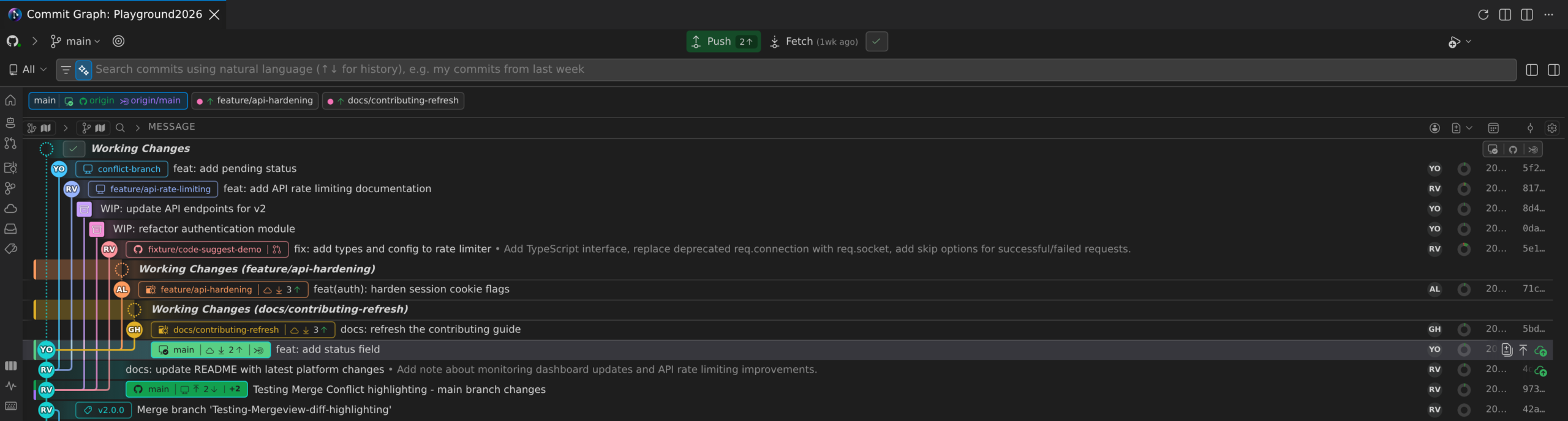
See branches, worktrees, working changes, commits, HEAD, upstream, merge targets, and ahead and behind status together, giving you the context to understand how each stream of work relates to the rest of your repository.
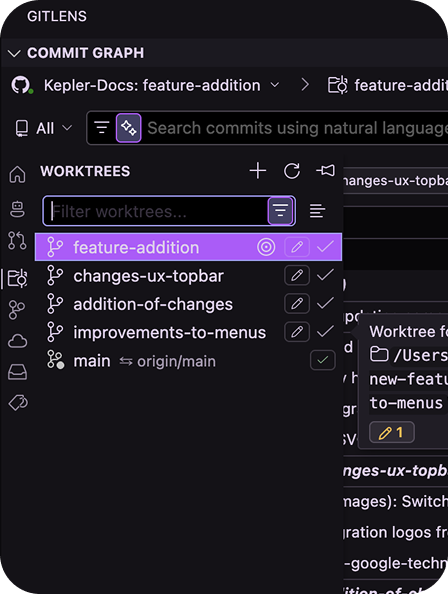
Multi-worktree WIP also surfaces working changes across your worktrees, so active work stays visible even when you aren’t currently working in that worktree.
2. Monitor Agent Work
When coding agents are working in parallel, GitLens keeps supported agent activity connected to the branches and worktrees where that work is happening.
From the Commit Graph, you can:
- Monitor supported coding agent sessions
- See which sessions are working, idle, or need attention
- Understand which branch and worktree an agent is working in
- Jump into the work associated with an agent session
- Resume active or previous sessions with the surrounding Git context intact
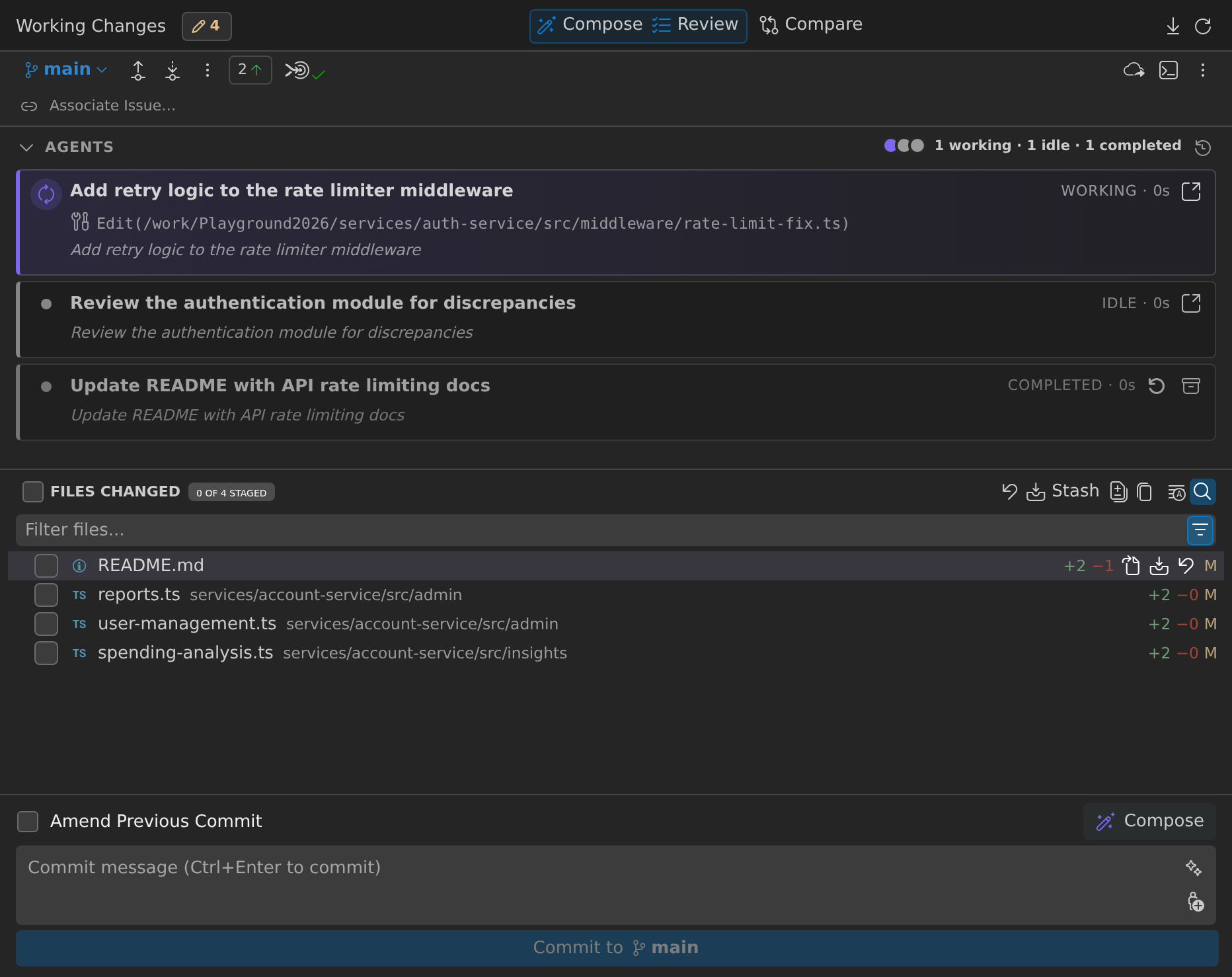
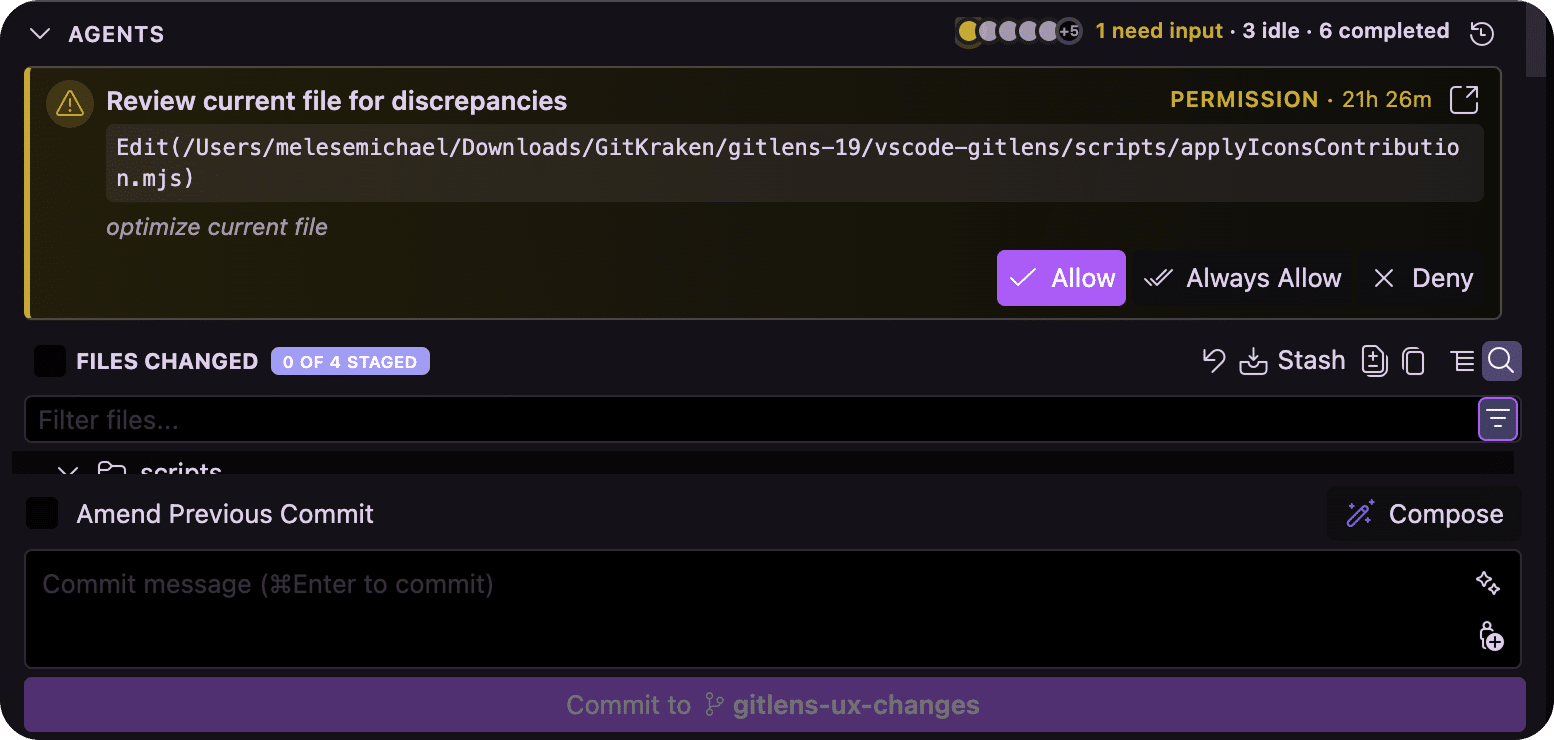
Instead of tracking agent work across separate terminal sessions, you can see where the work lives and when it needs you.
3. Understand Changes Across Worktrees
Worktrees let developers and agents work on multiple branches from the same repository without constantly switching branches or stashing changes.
GitLens brings work in progress across those worktrees into the Commit Graph, giving you visibility into parallel development from one place.
Use Multi-WIP to see working changes across multiple worktrees, understand which branches have active work, and move between parallel streams without losing sight of the bigger picture.
4. Review Work as It Happens
You don’t have to wait until parallel work becomes a pull request to understand what changed.
Open working changes from the Commit Graph and use AI-powered Review to analyze human or agent-generated work while it’s still in progress. Surface meaningful findings, investigate specific areas, ask follow-up questions, and send an entire review or individual finding back to your coding agent when another pass is needed.
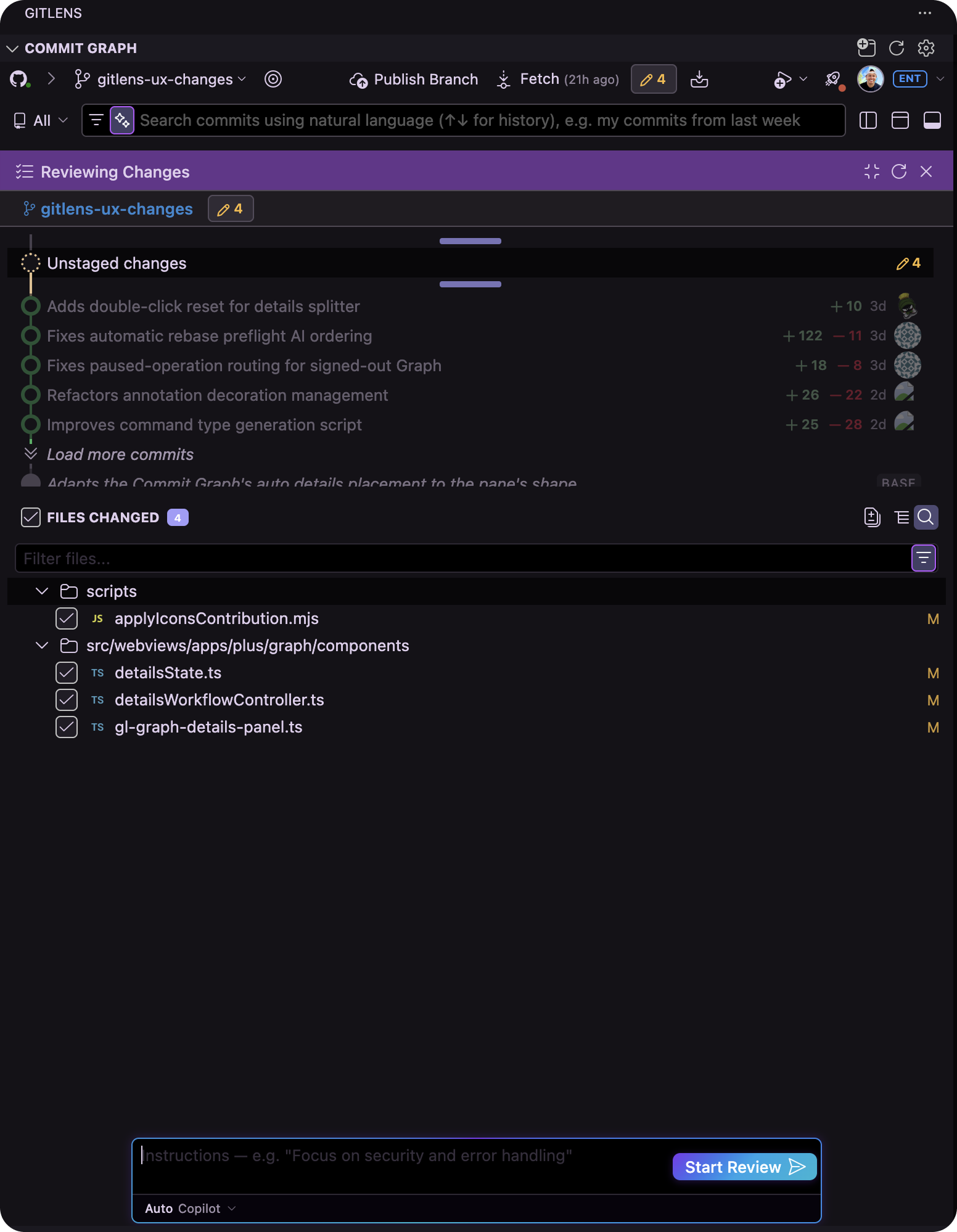
Reviewing work earlier helps keep changes understandable before multiple streams of development come back together.
5. Shape and Compare the Work
Once changes are ready, use Commit Composer to turn scattered work into clean, logical commits that are easier to understand and review.
Organize related changes, move work between commits, reorder and refine commits, and use AI assistance to help shape the resulting history.
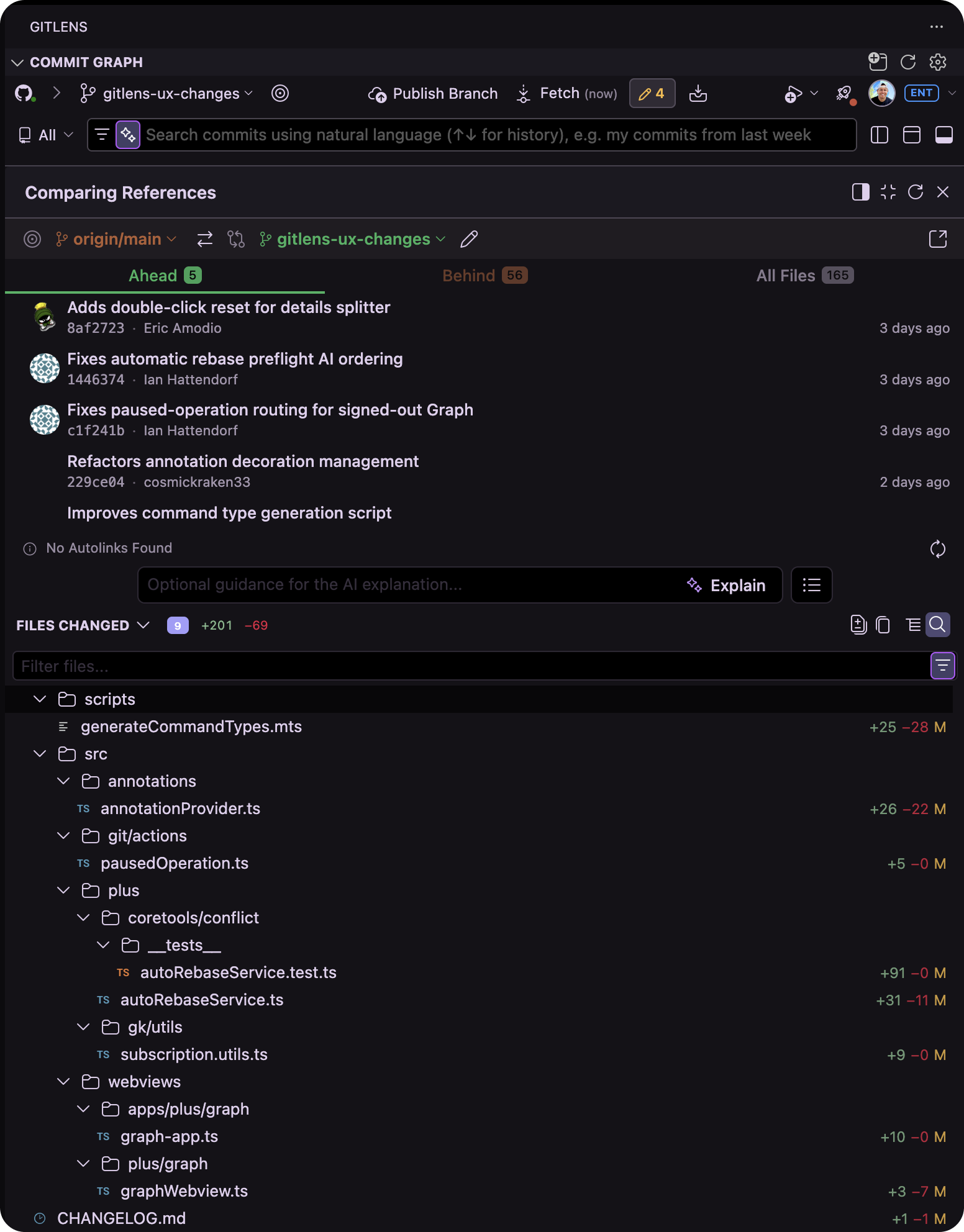
Then use Compare directly from the Commit Graph to compare commits, branches, revisions, and working changes so you can understand exactly what’s different before moving forward.
6. Prepare Parallel Work to Land
As parallel branches come back together, GitLens helps you handle the Git work required to prepare them for merge.
Use AI-powered Rebase to automate tedious rebasing while staying in control of the result. If overlapping work creates merge conflicts, AI-assisted conflict resolution helps you understand and resolve competing changes while keeping the surrounding repository context in view.
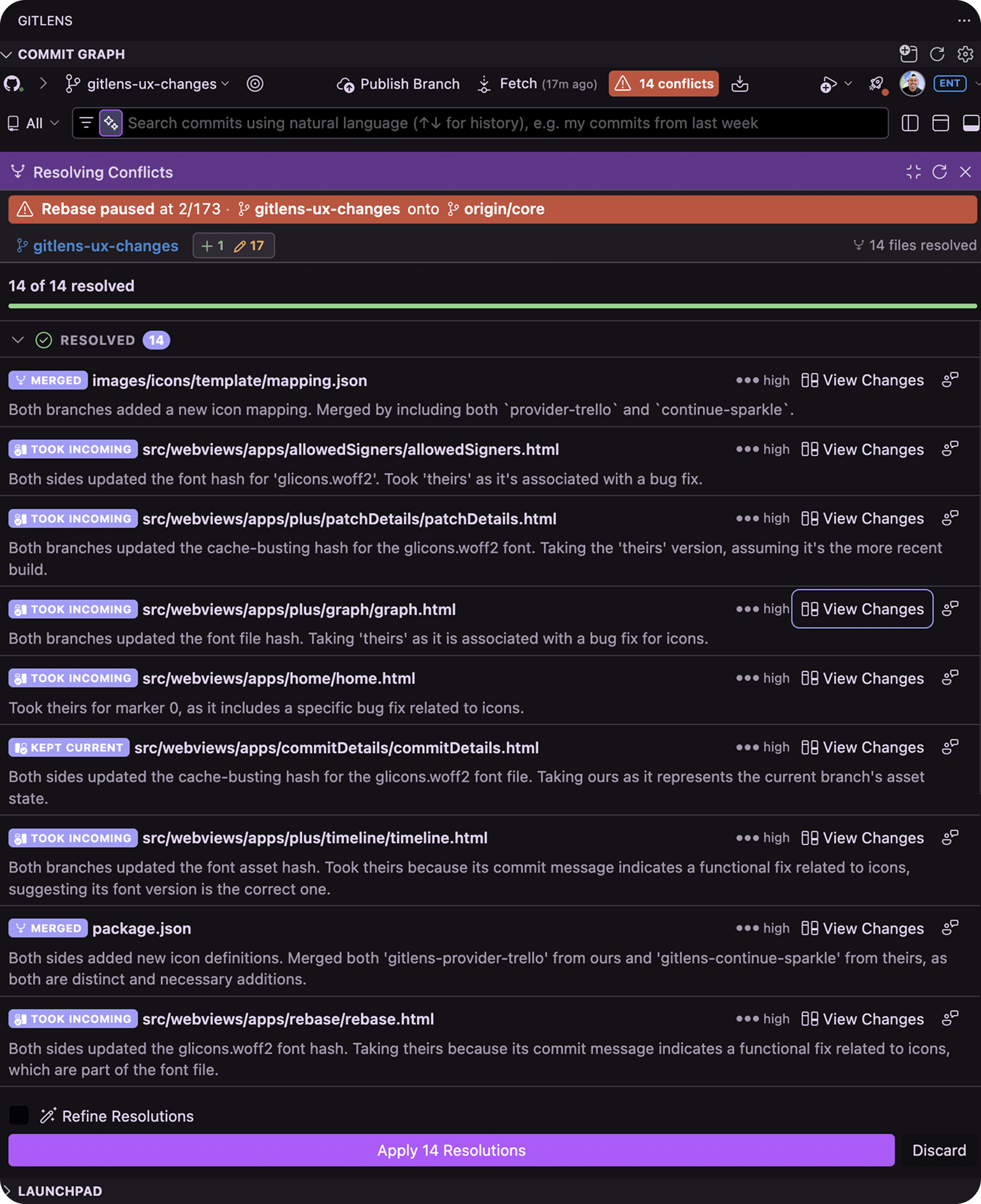
Instead of leaving your workflow to manually untangle the final steps, you can continue moving the work forward from the same workbench where you’ve been monitoring and reviewing it.
Keep Parallel Development Under Control
The Commit Graph gives you one place to follow parallel development from active work to merge readiness.
See every stream of work. Know what needs your attention. Review and shape the changes. Get parallel work ready to merge from one connected workbench.
