

Last updated: November 2026
Kepler by GitKraken imports your Conductor workspaces on a Mac as tasks, in the same folders and branches, with their Claude Code or Codex chats ready to continue. You pick the workspaces to bring over in Import from another app, and Kepler leaves your files and branches where they are.
Requirements and limits
- Scope: Bringing the workspaces the Conductor app keeps on your Mac into Kepler as tasks
- Prerequisite: Conductor’s workspaces on the Mac that runs Kepler
- Limits: Importing from Conductor works on macOS only, because Conductor runs only on macOS.
- Limits: Conductor’s cloud workspaces are not imported. They have no folder on your Mac.
- Limits: Archived workspaces, and workspaces whose folder no longer exists, are not imported.
- Limits: Continue each chat in 1 app only. Conductor and Kepler write to the same chat history.
Quick Start
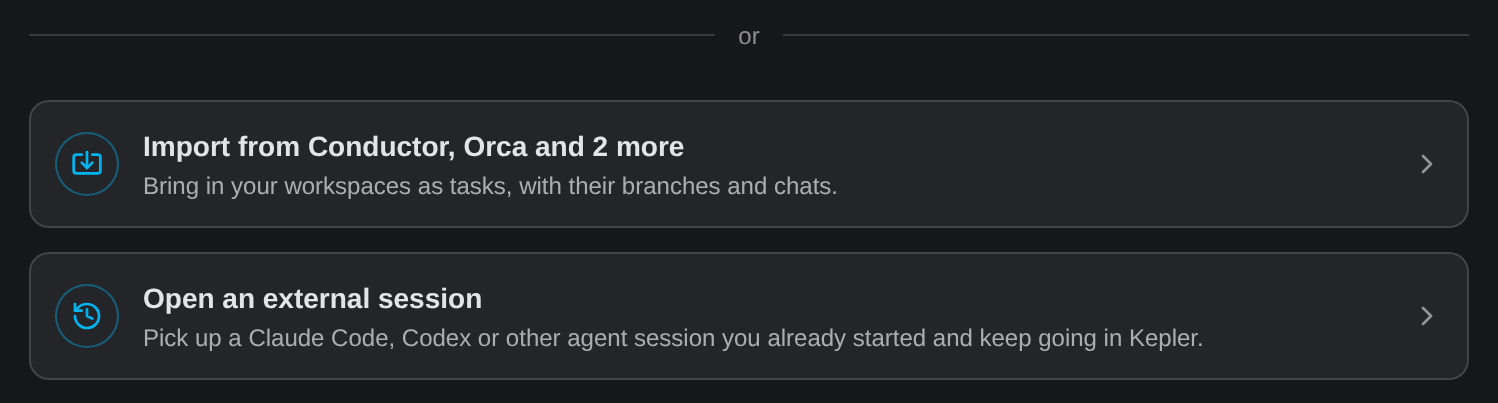
- On an empty Tasks list, click the import card, such as Import from Conductor. You can also choose File → Import from Another App….
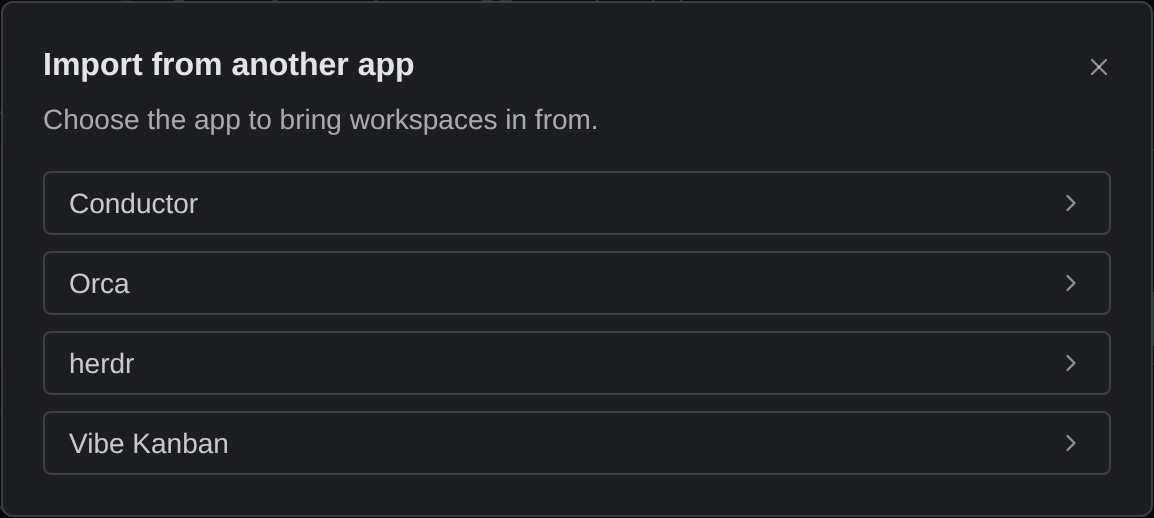
- If Kepler found more than 1 app, click Conductor.
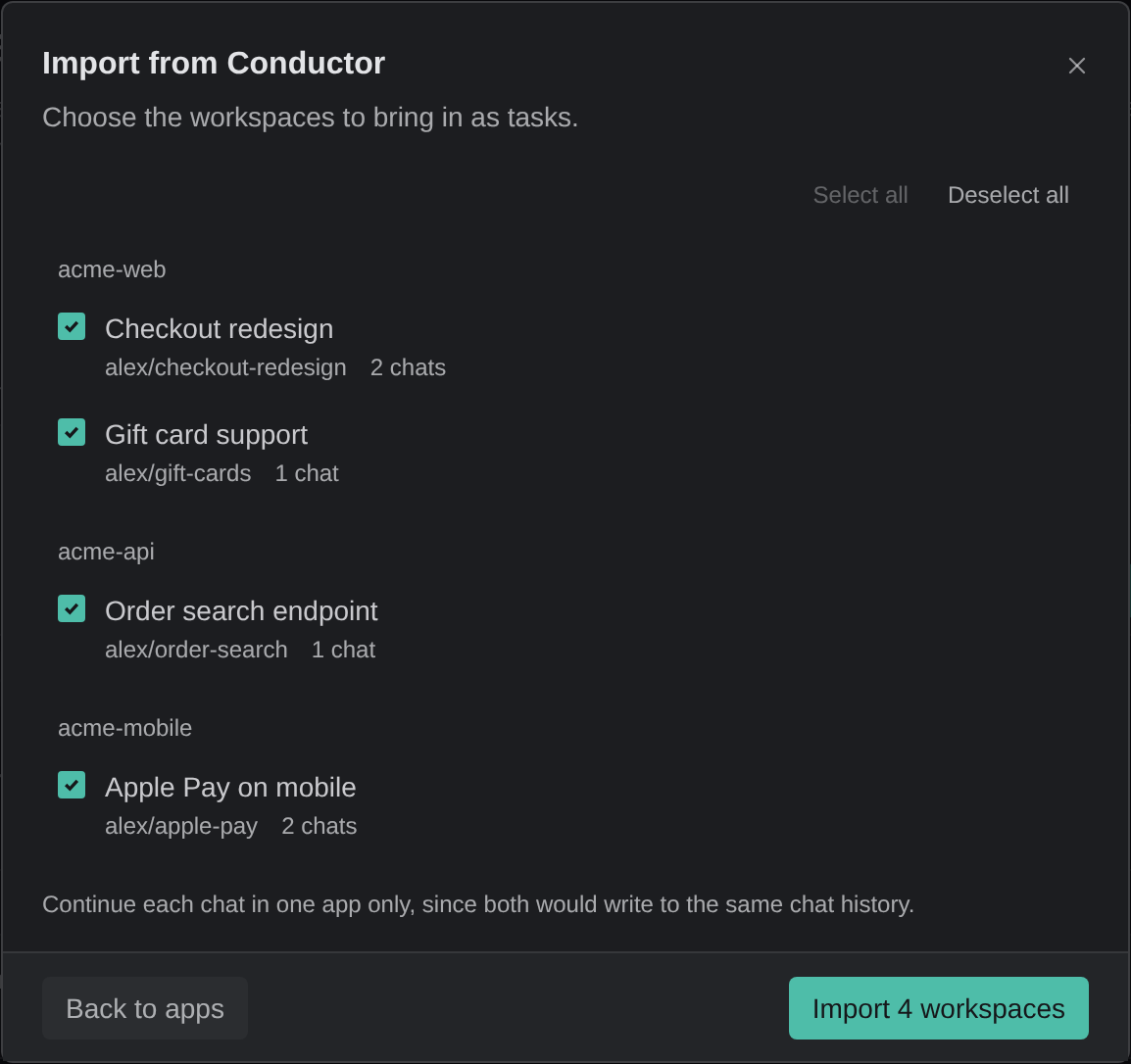
- Tick the workspaces you want, and click Import N workspaces.
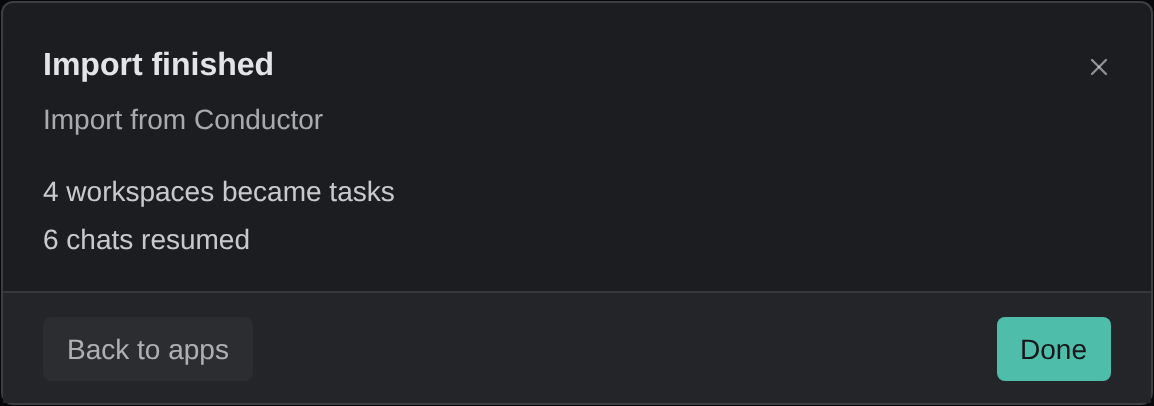
- When Import finished shows what came over, click Done.
- Open a new task in Tasks to pick its chat up where it left off.
How to import your Conductor workspaces
- On an empty Tasks list, click the import card. It names the apps Kepler found, such as Import from Conductor, Orca and 2 more. You can also choose File → Import from Another App… at any time.
- If Kepler found more than 1 app, click Conductor in Import from another app.
- In Import from Conductor, tick the workspaces you want, and click Import N workspaces. The workspaces are grouped by repository, and each row shows its branch and how many chats it has. A workspace you already imported is marked Already a task: and the task’s name.
- When Import finished shows how many workspaces became tasks and how many chats resumed, click Done.
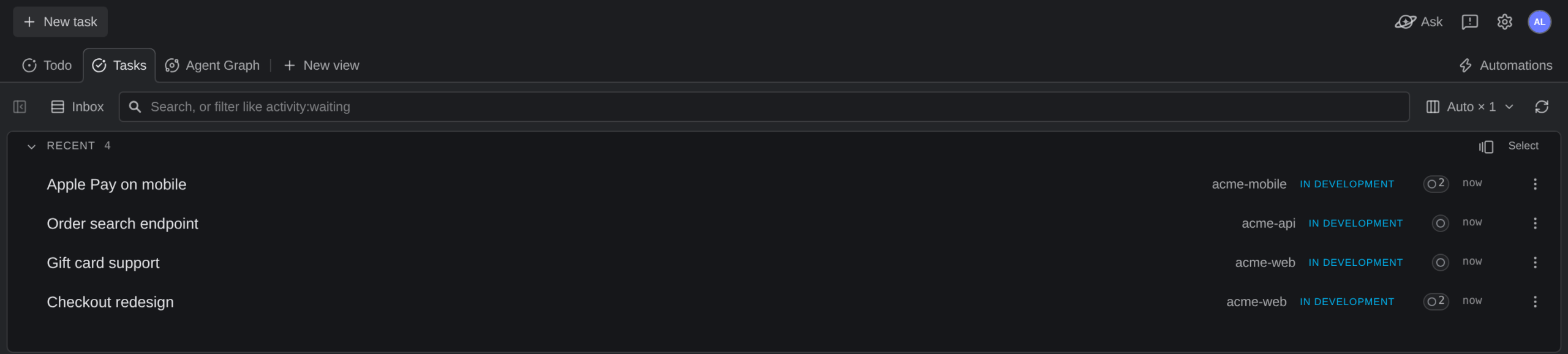
- Find the new tasks in Tasks.
If Conductor is not in the list, Kepler did not find Conductor’s workspaces on this Mac.
What carries over from Conductor
| From Conductor | In Kepler |
|---|---|
| A workspace | A task, named after the workspace |
| The workspace’s folder | The task’s worktree, or the repository folder for a workspace on the main checkout. Kepler uses the same folder and does not copy or move your files |
| The workspace’s branch | The same branch, in that worktree |
| The workspace’s chats | The task’s sessions. Open one to continue the chat where it left off |
| The workspace’s notes | A note on the task, titled Notes from Conductor |
| The workspace’s target branch | The worktree’s merge target |
A chat continues only if its agent’s history is on your Mac and Kepler supports that agent. The workspace list counts the chats that cannot continue, and Import finished counts the chats Kepler was unable to resume.
After the import, continue each chat in Kepler or in Conductor, not both. Both apps write to the same chat history.
What to do next in Kepler
- Start new work from your issues. Connect your tracker and start tasks from the Todo view, with the issue attached. See Start a Coding Agent from a Jira or GitHub Issue.
- Run Actions. Fire Plan, Implement, Review, or your own Actions at a task instead of retyping prompts. See Actions.
- Review each task’s changes. Read the diff in the Changes overlay, send comments back to the agent, and commit. See Review Changes.
- Set up new worktrees. Run a setup command each time Kepler creates a worktree with Run on worktree creation, and copy git-ignored files such as
.envwith a.worktreeincludefile. See Repository Settings and Tasks and Resources.
Common questions
Can I move my Conductor workspaces to Kepler?
Yes. On macOS, choose File → Import from Another App…, pick Conductor, tick the workspaces, and click Import N workspaces. Each workspace becomes a task in the same folder and on the same branch.
Do my Conductor chats come with me?
Yes, for chats whose agent history is on your Mac and whose agent Kepler supports, such as Claude Code and Codex. Each chat becomes a session on the task, and you continue it where it left off.
Can I import from Conductor on Windows or Linux?
No. Conductor runs only on macOS, so Kepler imports Conductor workspaces only on a Mac.
Does importing change anything in Conductor?
Kepler reads Conductor’s workspaces and does not move your files. Both apps then point at the same folders, branches, and chat history, so continue each chat in 1 app only.
Which other apps can Kepler import from?
Kepler can also import workspaces from Orca, herdr, and Vibe Kanban, in the same Import from another app dialog. See From another agent app.
