

Last updated: March 2026
GIJ Advanced Edition provides priority support with an initial response within 6 business hours*.
To facilitate efficient troubleshooting, include the following information with your support request:
- Screenshot of your Manage Integrations page
- Screenshot of the error message or problem
- Technical details of any error code or message (copy/paste)
- Log file for the affected integration
On this page:
Find Your App Information
- Click the Apps menu.
- Click GitKraken: Git Integration for Jira.
- Click Settings ➜ General Settings.
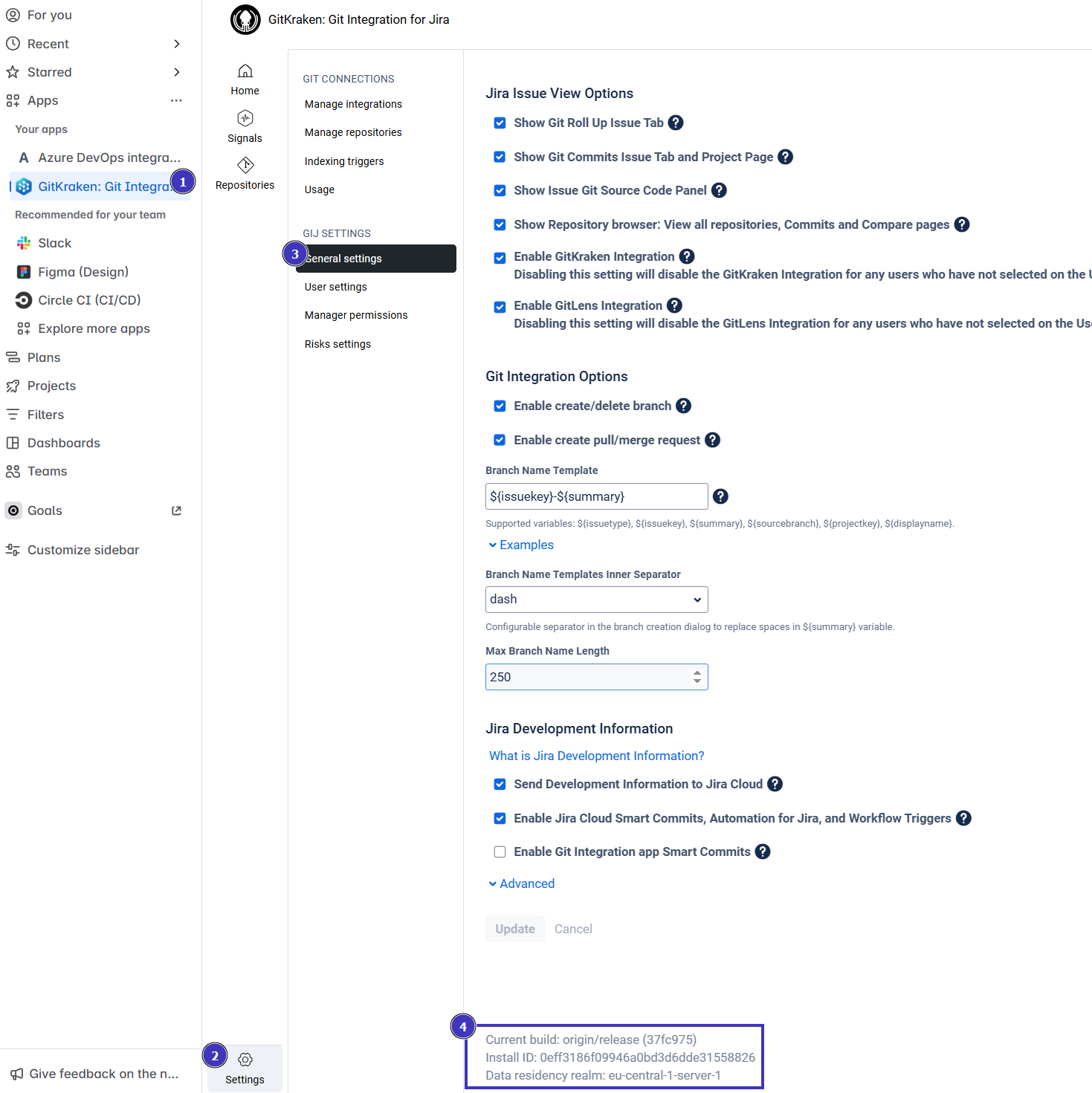
Copy the information at the bottom of the page starting from “Current Build”. Include this in your support request.
Find Your Entitlement Number
- Navigate to Jira Manage Apps.
- Expand the entry for Git Integration for Jira.
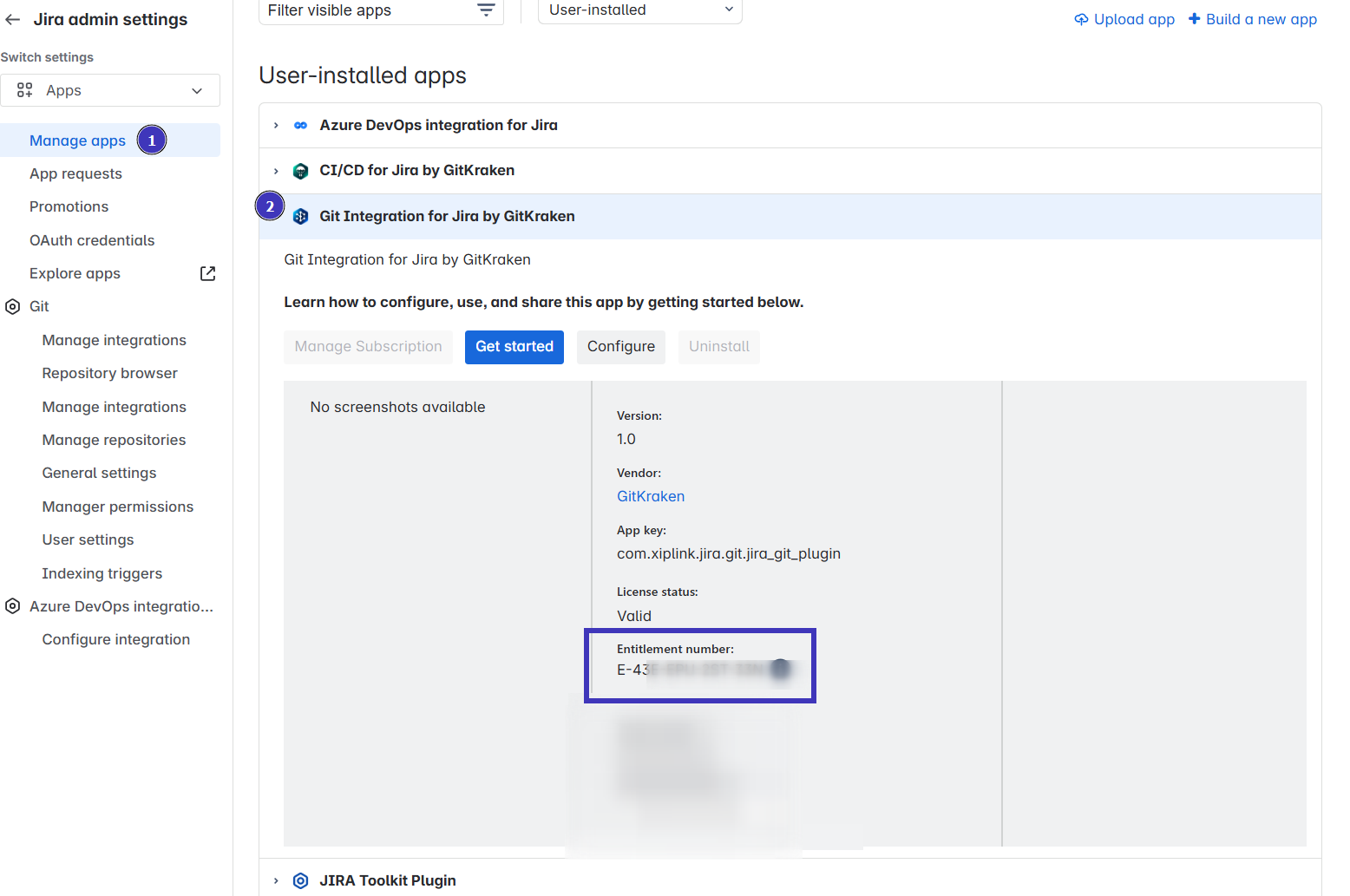
Download Integration Logs
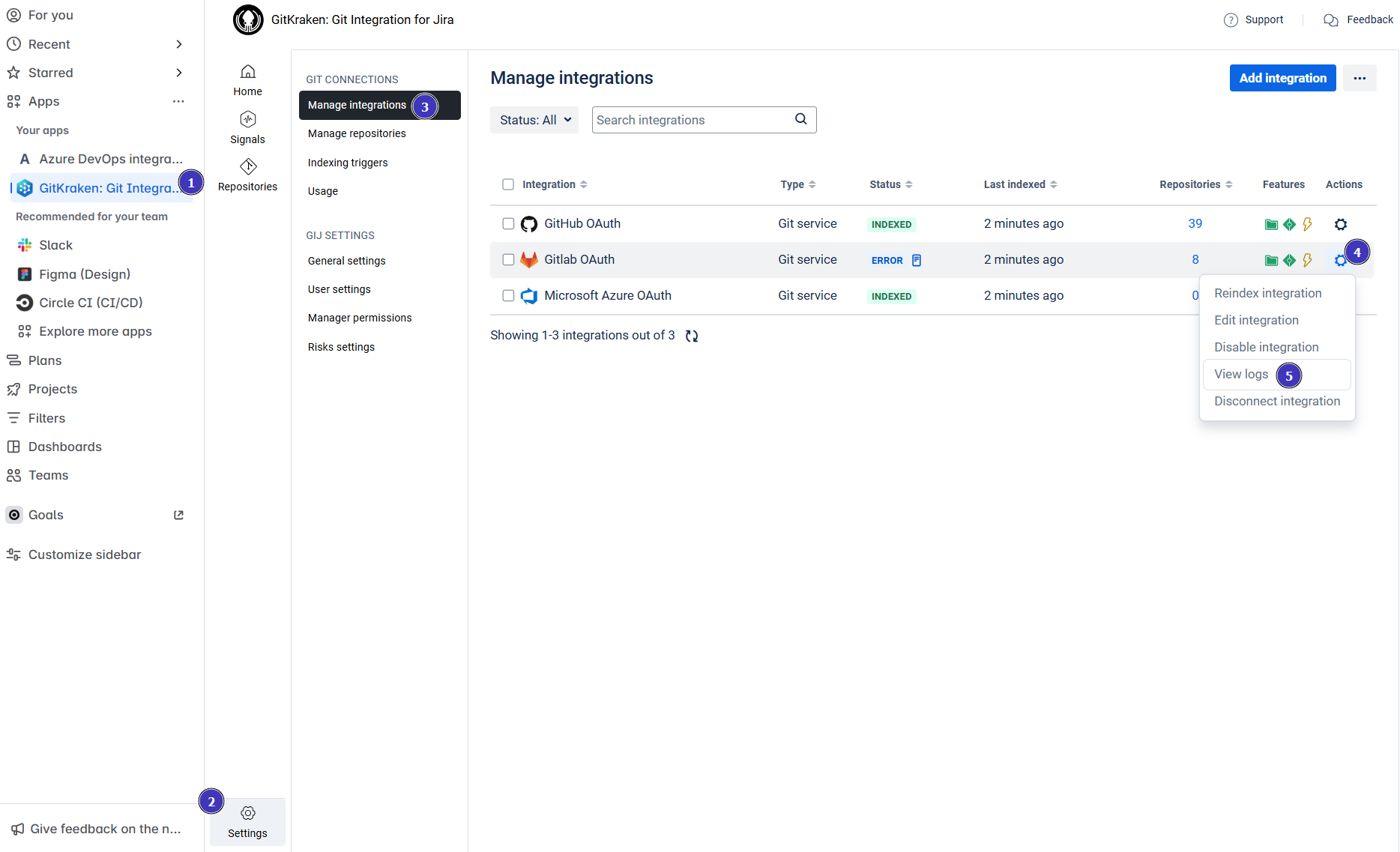
- Navigate to the GIJ Manage Integrations page.
- Click the action gear icon next to the integration.
- Select View logs.
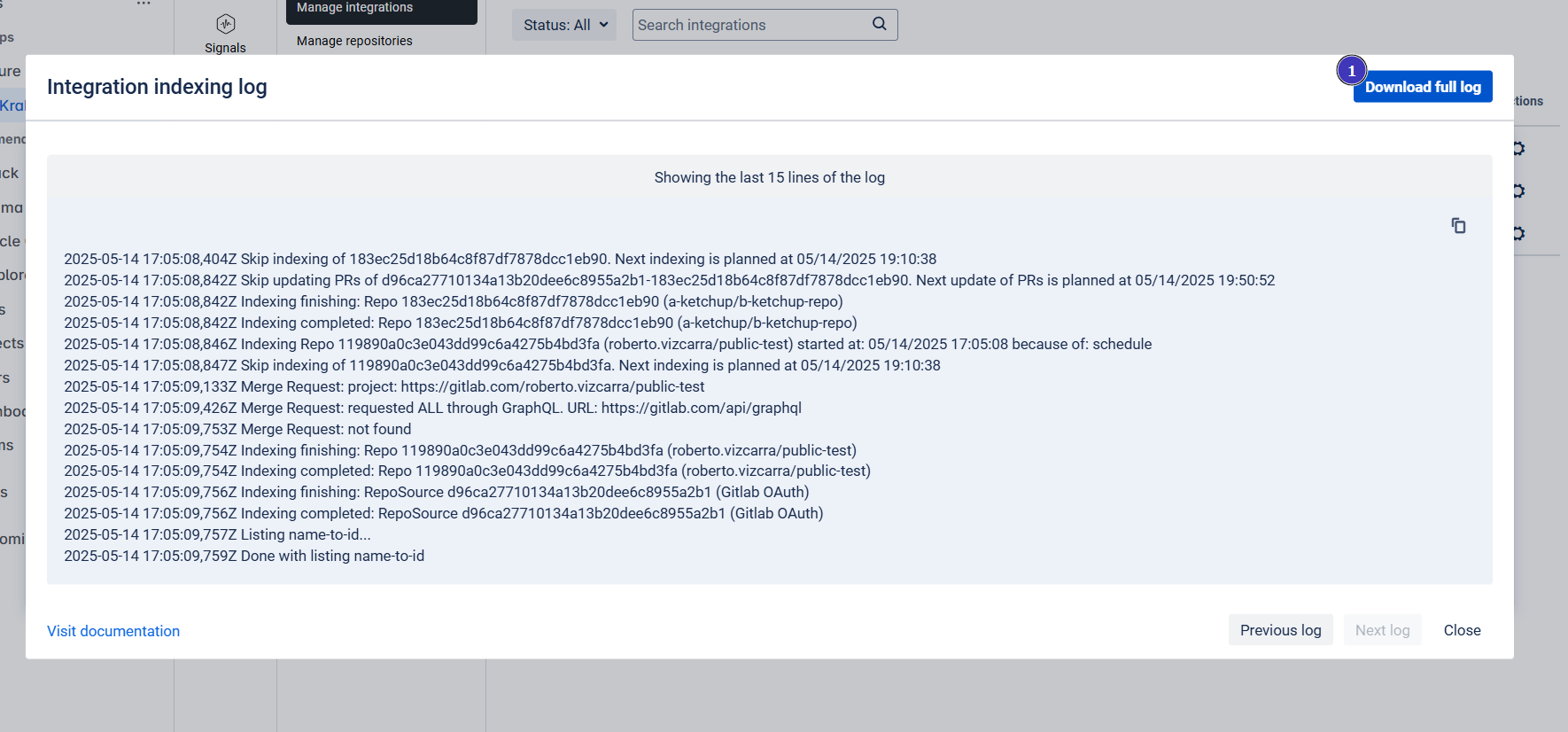
- Click Download full log.
- Attach the log file to your support request.
*During support team business hours (10:00-22:00 UTC, Monday-Friday). See our GIJ Cloud Support Terms and Services for details.
