

Last updated: March 2026
Supported webhook events:
- Push events
- Merge request events
GitLab System Hooks: For self-hosted GitLab instances, use System Hooks (Admin Area ➜ System Hooks ➜ Merge Request events) to reduce configuration time.
Prerequisite: Enable webhooks in the Git Integration for Jira app before proceeding. See Indexing Triggers – Getting Started.
Configure GitLab Webhooks
-
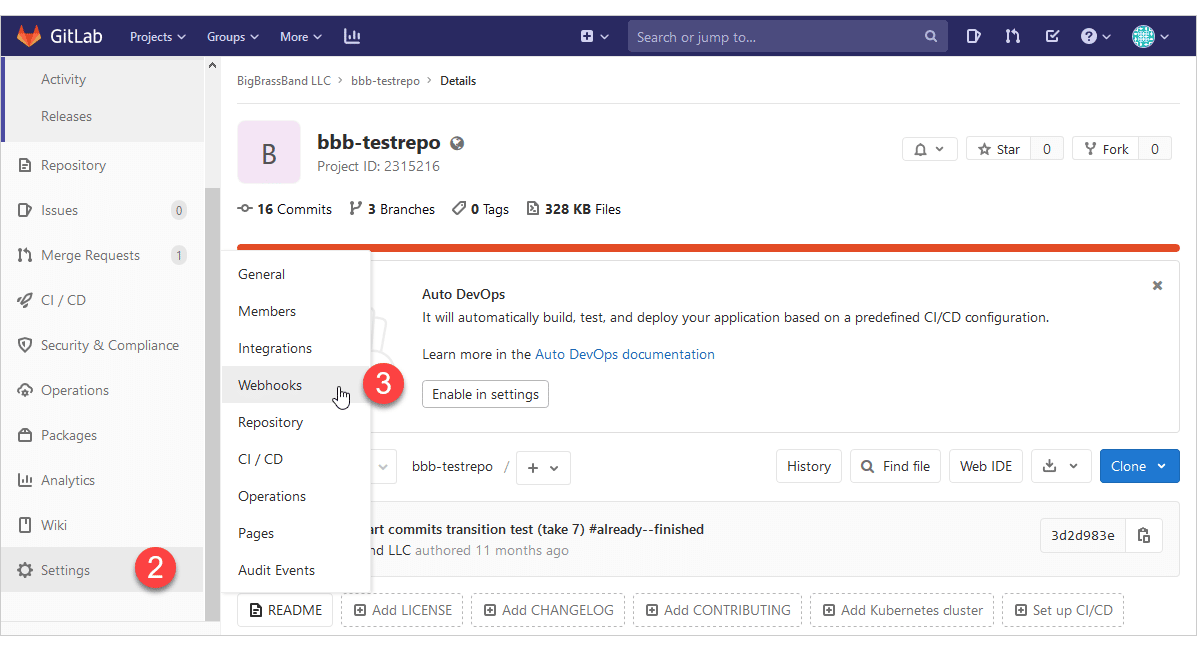
Log in to your GitLab account and select a repository.
-
Go to Settings ➜ Webhooks (sidebar).
-
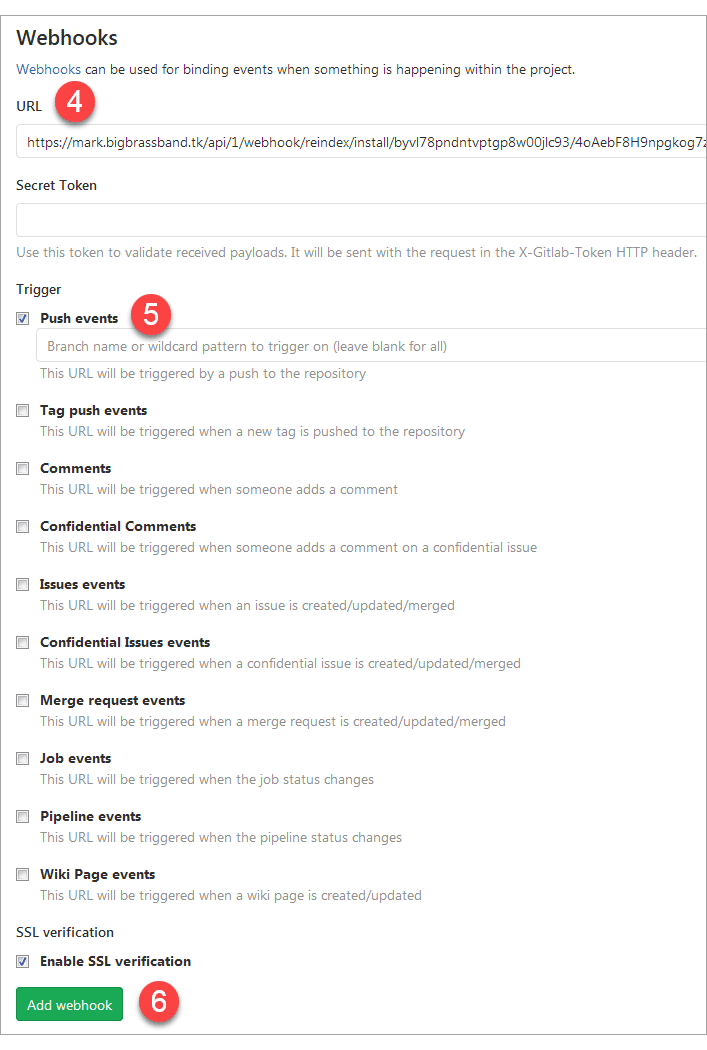
Configure the webhook:
-
URL: Paste the Secret URL from Git Integration for Jira ➜ Webhooks page

-
-
Under Trigger, select Push events (default option).
-
Click Add webhook.
Enable Merge Request Webhooks
To receive both push and merge request events:
-
Go to your repository’s Settings ➜ Webhooks.
-
Edit your existing webhook or create a new one.
-
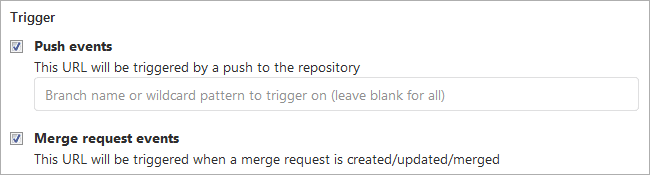
Select both triggers:
- Push events
- Merge request events
-
Click Add webhook or Save changes.
