

Last updated: March 2026
Indexing triggers enable immediate reindexing of your repositories from remote systems. When your git data changes, triggers send near real-time data to Jira, eliminating the wait for the regular 5-minute polling interval.
Most git providers also support account-level or organization-level webhooks. For details, see About GitLab Webhooks.
On this page:
Enable Indexing Triggers
-
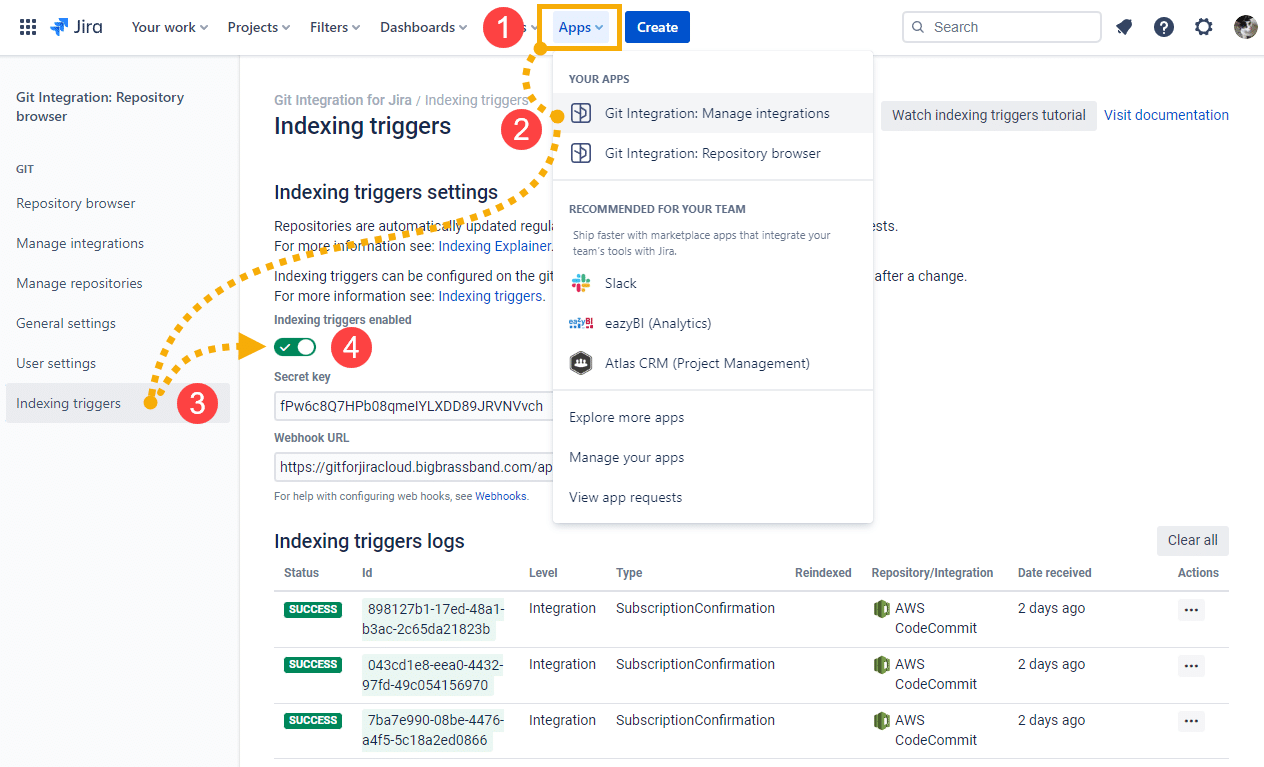
From your Jira dashboard, go to Apps ➜ Git Integration: Manage Git repositories.
-
Click Indexing triggers in the sidebar.
-
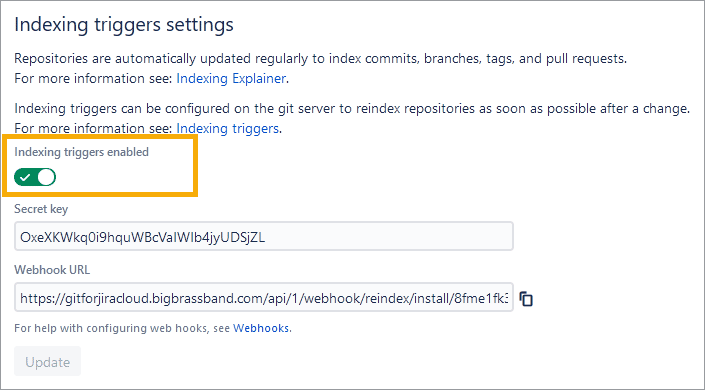
Set Indexing triggers enabled to ON.
Configure the Webhook URL
Use the Webhook URL displayed on the Indexing triggers page to configure webhooks on your remote git host.
The Secret Key is a secure, randomly-generated alphanumeric string created when you install Git Integration for Jira. You can generate a new secret token according to your git host’s requirements.
URL format:
<JIRA_BASE_URL>/git/webhook/reindex/<SECRET_KEY>GET, POST, or PUT triggers reindexing of all repositories when webhooks are enabled.
DELETE and HEAD methods are not supported.
More Information
