

Last updated: March 2026
Webhook indexing integration enables your git servers to work behind a firewall while still sending git data to Jira Cloud.
On this page:
- Understand webhook indexing
- Configure webhook indexing
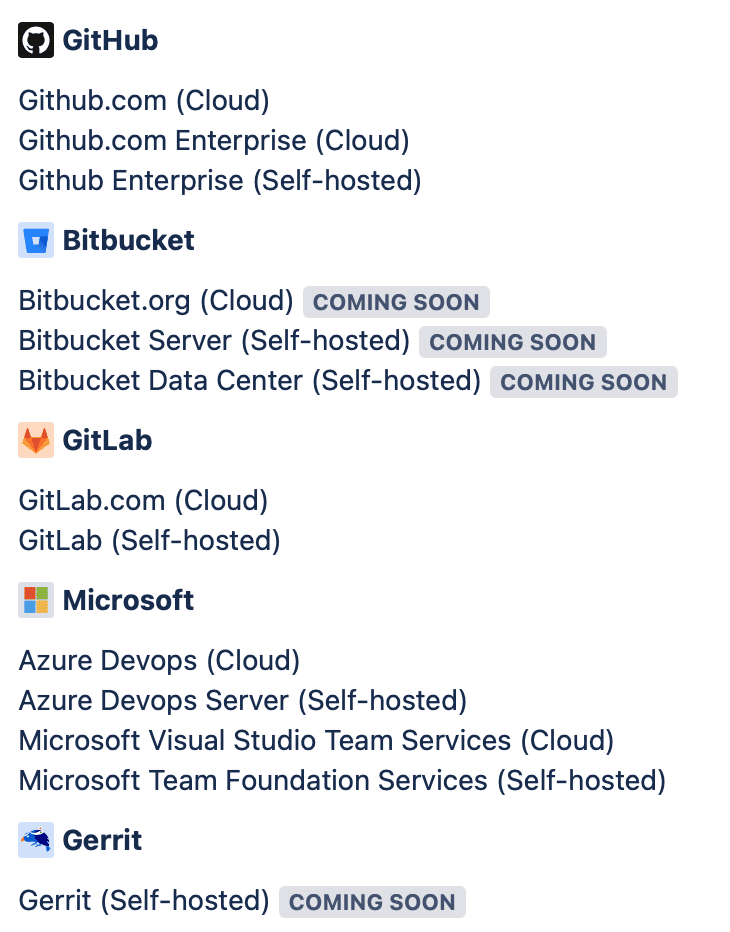
- Supported integrations
- Frequently asked questions
Understand Webhook Indexing

Classic vs webhook indexing
Classic indexing provides all features but requires two-way communication originating from outside your network. You must allow incoming requests by updating your network/firewall settings (see Allow list (whitelist) GIJ Cloud).
Webhook indexing only requires that your git server can make outbound Internet requests. This is its main advantage for servers behind firewalls. However, this integration type has limited features.
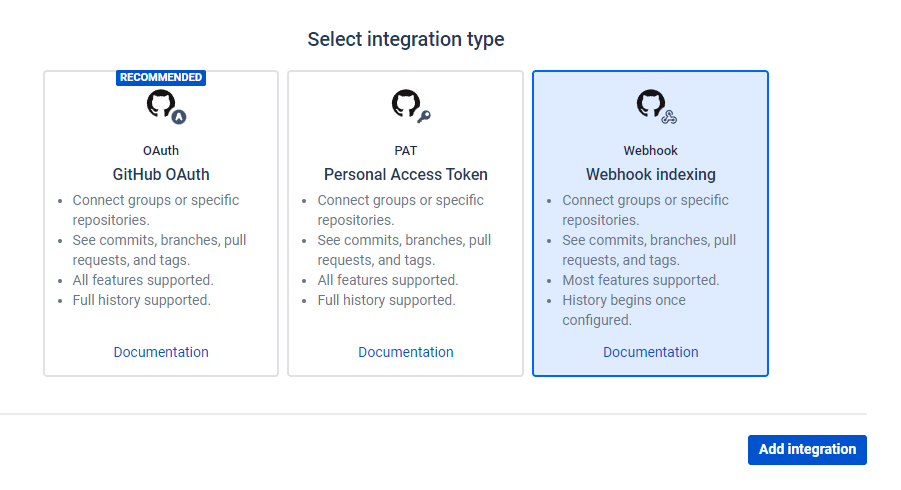
How webhook indexing works
The system uses git metadata from webhook payloads to index commits, branches, and pull requests (git tag support coming soon):
- A Jira administrator creates a webhook indexing integration and selects the git server type
- The administrator configures the git server to send webhooks to a unique, password-protected address
- Future commit, branch, and pull/merge request activity is automatically indexed
Configure Webhook Indexing
-
Install the Git Integration for Jira Cloud app.
-
Click the Webhooks limited feature connection option.
-
Select your git server type.
-
Copy the webhook URL and secret from the wizard.
-
Create a new webhook in your git server using the copied information.
Supported Integrations
| Git Service | Status |
|---|---|
| GitHub webhook indexing | Supported |
| GitLab webhook indexing | Supported |
| Microsoft webhook indexing | Supported |
| Gerrit webhook indexing | Supported |
Frequently Asked Questions
What git servers does webhook indexing support?
What data does a webhook send?
Webhooks from GitHub, GitLab, and Azure DevOps typically include:
- Repository URL and name
- Commit URL, SHA, author, and message
- Files changed
- Other metadata
Webhook payloads do not include source code.
How is webhook indexing different from indexing triggers?
Indexing triggers (previously called “Webhooks”) trigger a reindex of repositories in Classic integrations. Webhook indexing is a separate integration type that receives git data directly from webhook payloads. See Indexing Triggers for more information.
What happens if Git Integration for Jira Cloud is down?
The webhook indexing feature uses enterprise-grade AWS services with automatic scaling. A separate highly-available service queues webhooks until the system indexes them. Webhooks received during maintenance are processed when the app comes back online.
What happens during a burst of webhook activity?
The architecture handles any number of webhooks using AWS services that automatically scale. All webhooks are received and queued, even during bursts.
What happens if the webhook format changes?
The system stores webhook payloads for potential reprocessing. Future enhancements may allow Jira administrators to reprocess stored payloads.
How do I delete all my data?
Remove the integration to delete all git integration data from BigBrassBand production servers immediately. Backups containing customer data are maintained for 7 days, then deleted.
Why do webhooks receive a 202 response?
The HTTP 202 Accepted response indicates the server accepted the request for processing, but processing may not have started yet. A separate AWS service receives webhooks before they’re processed. In practice, updates appear in Jira within seconds.
What security precautions does BigBrassBand take?
See Security & Trust.
What are the limitations?
- No historical data: Webhooks are only sent for new activity. Previous commits, branches, and pull requests are not available.
- Commit limits per push: GitHub limits 1000 commits, Azure DevOps limits 25 commits, GitLab limits 20 commits per webhook.
- No code review: Source code is not included in webhooks, so code review features are unavailable.
- See Feature matrix for details.
I have more questions
Contact us at [email protected] or via our Support Portal.
